Open Source Typeform Alternative (2026) | Free & Self-Hosted

Johannes
CEO & Co-Founder @ Formbricks
7 Minutes
February 11th, 2026
Looking for a Typeform alternative that's free, open source, and gives you full control over your data? Formbricks is a privacy-first survey platform used by thousands of teams as a powerful replacement for Typeform. In this guide, we compare features, pricing, data security, and more.
TLDR: Formbricks vs Typeform at a Glance
Not sure which form builder is right for you? Here's a quick comparison:
| Feature | Typeform | Formbricks |
|---|---|---|
| Free plan responses | 10/month | 1000/month |
| Questions per form | 10 (free) | Unlimited |
| Team members | 1 (free), 3 (Plus) | Unlimited (all plans) |
| Open source | No | Yes |
| Self-hosting | No | Yes (free forever on Community Edition) |
| In-app micro-surveys | No | Yes |
| Link surveys | Yes | Yes |
| Pop-up surveys | No | Yes |
| Conditional logic | Yes | Yes |
| Hidden fields | Yes | Yes |
| Integrations on free plan | Limited | All |
| GDPR compliant | Yes | Yes |
| Paid plan | $56/month for 1k responses | $49/month for 5k responses |
| G2 rating | 4.5/5 | 4.9/5 |
Bottom line: Formbricks offers more features on the free plan, is roughly 30% cheaper on paid plans, and is the only open source Typeform alternative that lets you self-host for complete data ownership. Trusted by thousands of teams including Siemens, Cal.com, and the Ethereum Foundation.
See It In Action
Try our live demos for E-Commerce and Digital Products to experience Formbricks surveys firsthand.
Table of Contents
- Why Users Seek Typeform Alternatives
- What Is Formbricks?
- Formbricks vs Typeform: Feature Comparison
- Survey Builder & Usability
- Look, Feel & Customization
- Data Security & Privacy
- API, Integrations & Developer Experience
- Pricing Plans Compared
- Other Typeform Alternatives Worth Considering
- FAQ
- Final Verdict
Why Users Seek Typeform Alternatives in 2026
Typeform popularized the conversational, one-question-at-a-time form format — and it remains a polished product. But there are real reasons why individuals, small businesses, and enterprises are actively searching for alternatives:
- Expensive free plan limits: Typeform's free plan is restricted to just 10 questions per form with only 10 total responses per month. For most use cases — lead generation, customer feedback, market research — that's not enough to even test with.
- Data privacy concerns: Typeform stores all data on its own cloud servers. Organizations with strict data collection policies or compliance requirements (GDPR, HIPAA) may need more control. Data residency options are locked behind the Enterprise tier.
- No self-hosted option: For teams that need to keep survey data behind their own firewall — especially in healthcare, fintech, or government — Typeform simply doesn't offer a self-hosted deployment.
- Limited survey types: Typeform excels at link-based surveys, but doesn't support in-app micro-surveys, pop-up surveys, or targeted feedback widgets. If you need multiple survey types on one platform, you'll need to look elsewhere.
- Closed-source restrictions: Developers who want to customize form logic, extend functionality, or contribute to the codebase can't do so with Typeform's proprietary platform.
- Team collaboration limits: Even on the paid Plus plan, Typeform caps you at 3 team members. The free plan doesn't allow collaboration at all.
- Scalability and cost: As your response volume grows, Typeform's pricing tiers escalate quickly. Fast-growing teams often find themselves priced out or paying for features they don't need.
- Integration restrictions on free plans: Free plan users have limited access to third-party integrations and often need to rely on additional tools like Zapier.
What Is Formbricks?
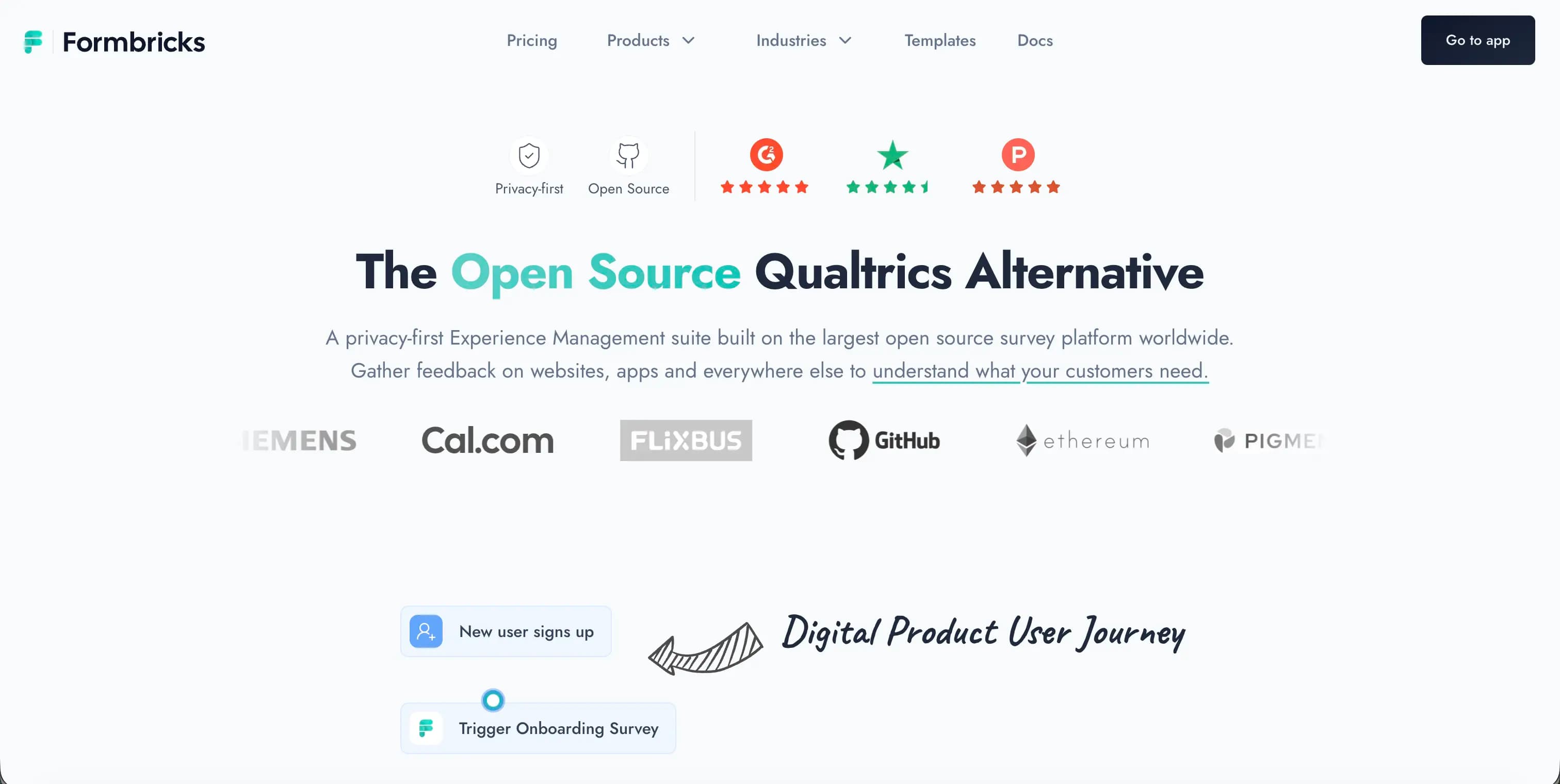
Formbricks is a privacy-first, open source experience management platform built for teams that care about data ownership, user-friendly design, and developer flexibility.
Unlike traditional form builders, Formbricks is a comprehensive survey solution that combines multiple survey types in one platform:
- Link surveys — Typeform-style conversational forms you can share via URL
- In-app micro-surveys — Highly targeted surveys embedded directly in your product
- Pop-up surveys — Timed surveys triggered by user behavior or page events
- Dockerized self-hosting — Deploy on your own infrastructure with a one-click setup
- Open API — Full programmatic access for custom integrations and workflows
- Open source — Inspect the code, contribute, and extend functionality freely
Formbricks is widely used as an enterprise survey software solution for conducting employee surveys, market research, collecting customer feedback, and driving data-driven product decisions. It's trusted by over thousands of teams worldwide, including organizations like Siemens, Ethereum, and Cal.com.
Formbricks vs Typeform: Detailed Feature Comparison
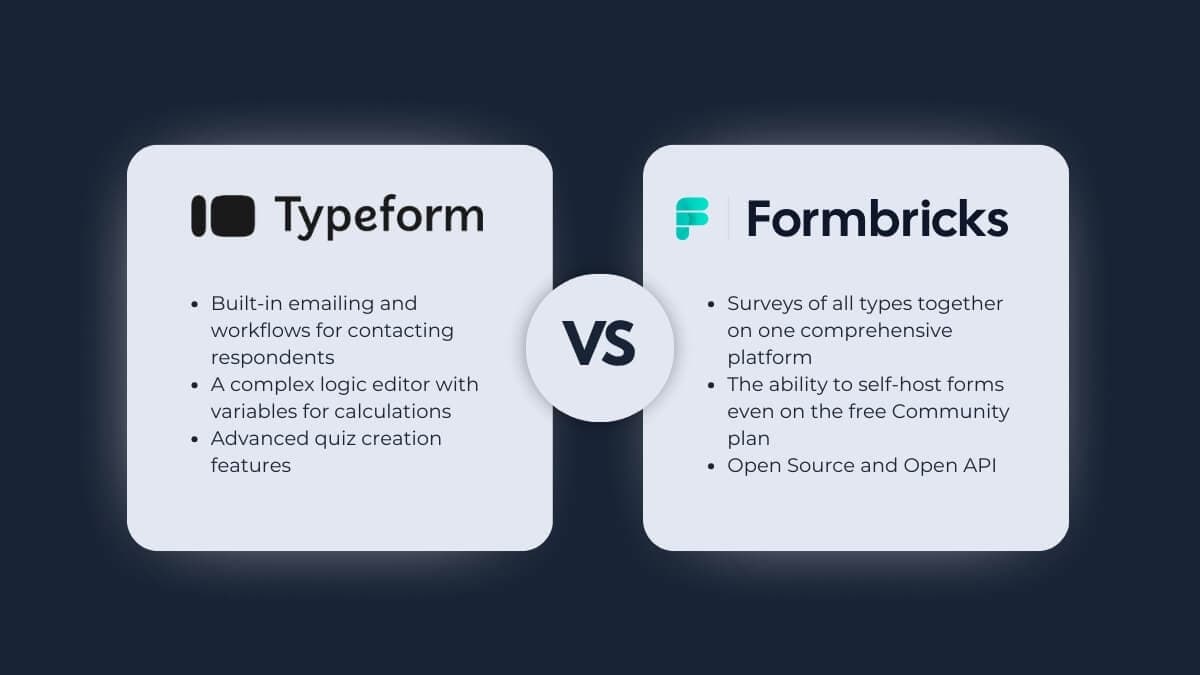
Let's break down how these two survey tools compare across every dimension that matters.
Where Typeform Excels
Typeform has real strengths:
- Built-in emailing and workflows for contacting respondents directly from the platform (Formbricks handles this via webhooks or third-party tools like Zapier or Make)
- A complex logic editor with variables for calculations, scoring, and dynamic routing
- Advanced quiz creation features with outcome-based and score-based quiz types
Where Formbricks Excels
Formbricks stands out in areas that matter most to modern teams:
- All survey types on one platform — link surveys, pop-up surveys, and highly targeted in-app micro-surveys, eliminating the need for multiple tools
- Free self-hosting — Even on the free Community Edition, you get full data control by deploying on your own servers
- Open source with an Open API — A top-tier developer experience with the ability to inspect, extend, and customize every aspect of the platform
- Unlimited team members on every plan there is no collaboration tax
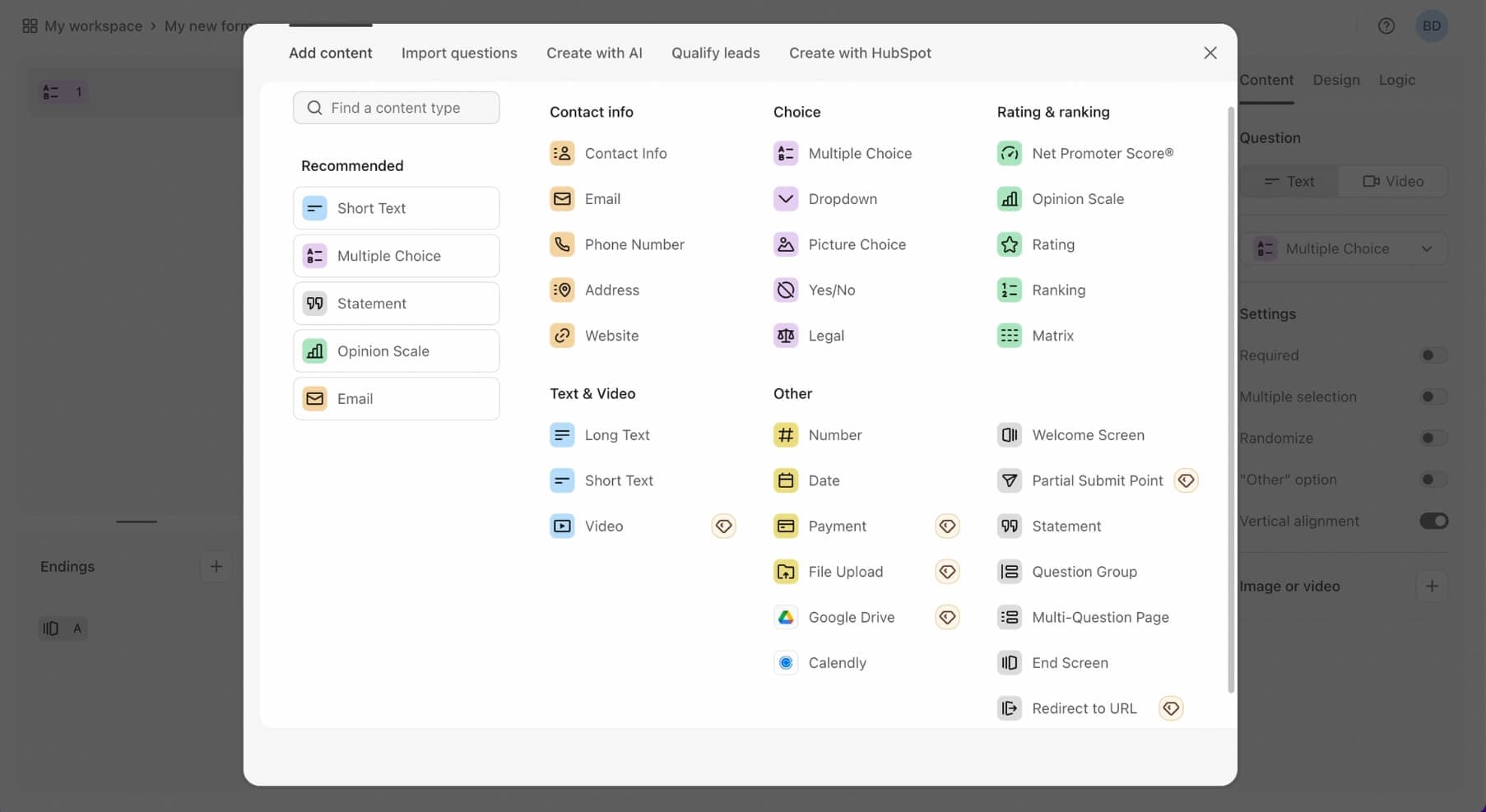
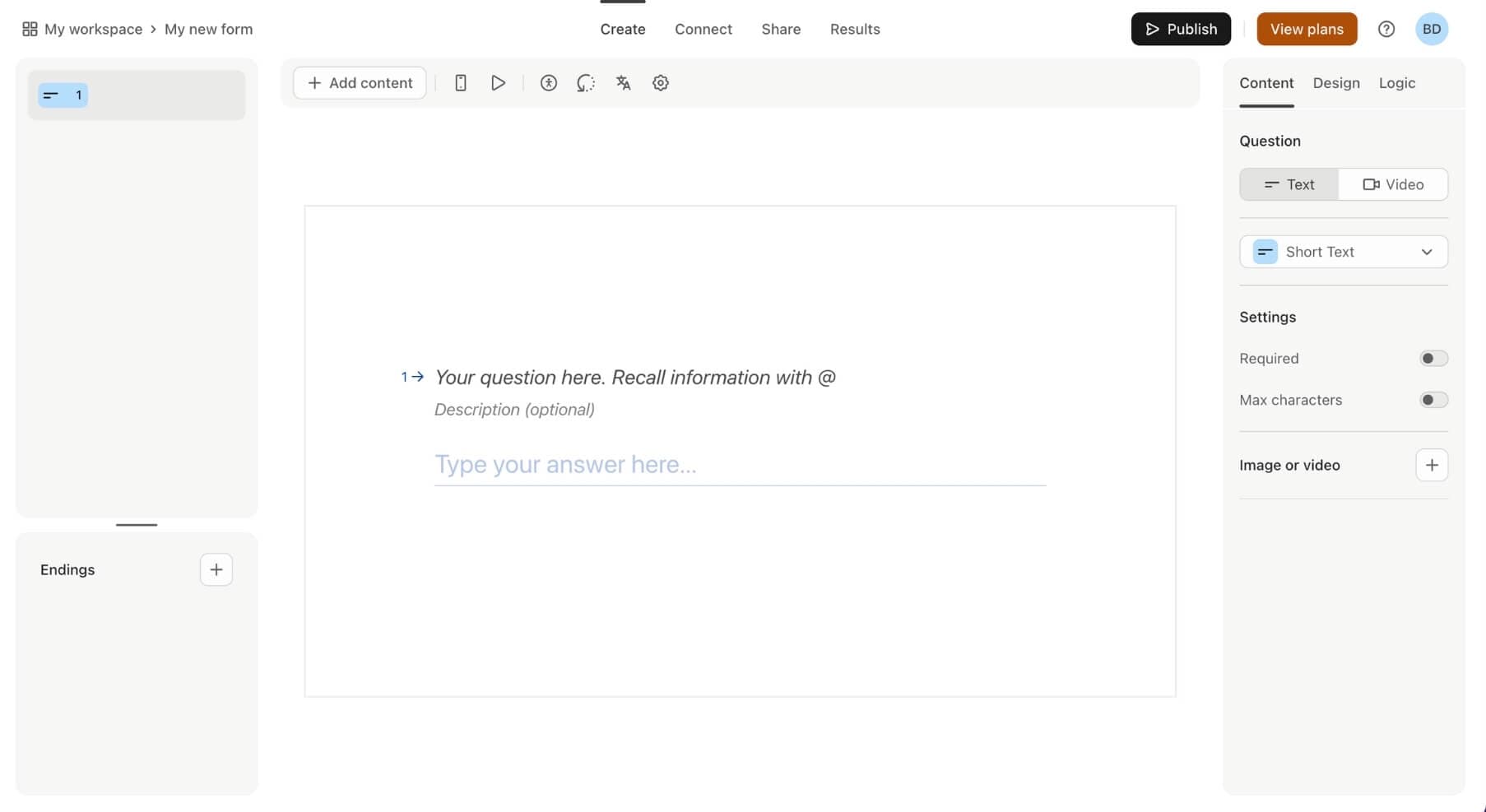
Survey Builder Features & Usability
A user-friendly interface is essential when choosing a form builder or online survey tool. Both Typeform and Formbricks aim to make form creation intuitive, but they take different approaches.
Typeform's Builder
Typeform's strengths include:
- A seamless flow from survey creation to embedding and third-party integrations
- Robust quizzing functionality with score and outcome logic
- AI-powered form creation to generate surveys quickly
- A wide range of pre-built question types including multiple choice, rating scales, and file uploads
The downside: some users report that the builder isn't 100% intuitive particularly the separation between outcome quizzes and score quizzes, which can create a steep learning curve for new users.
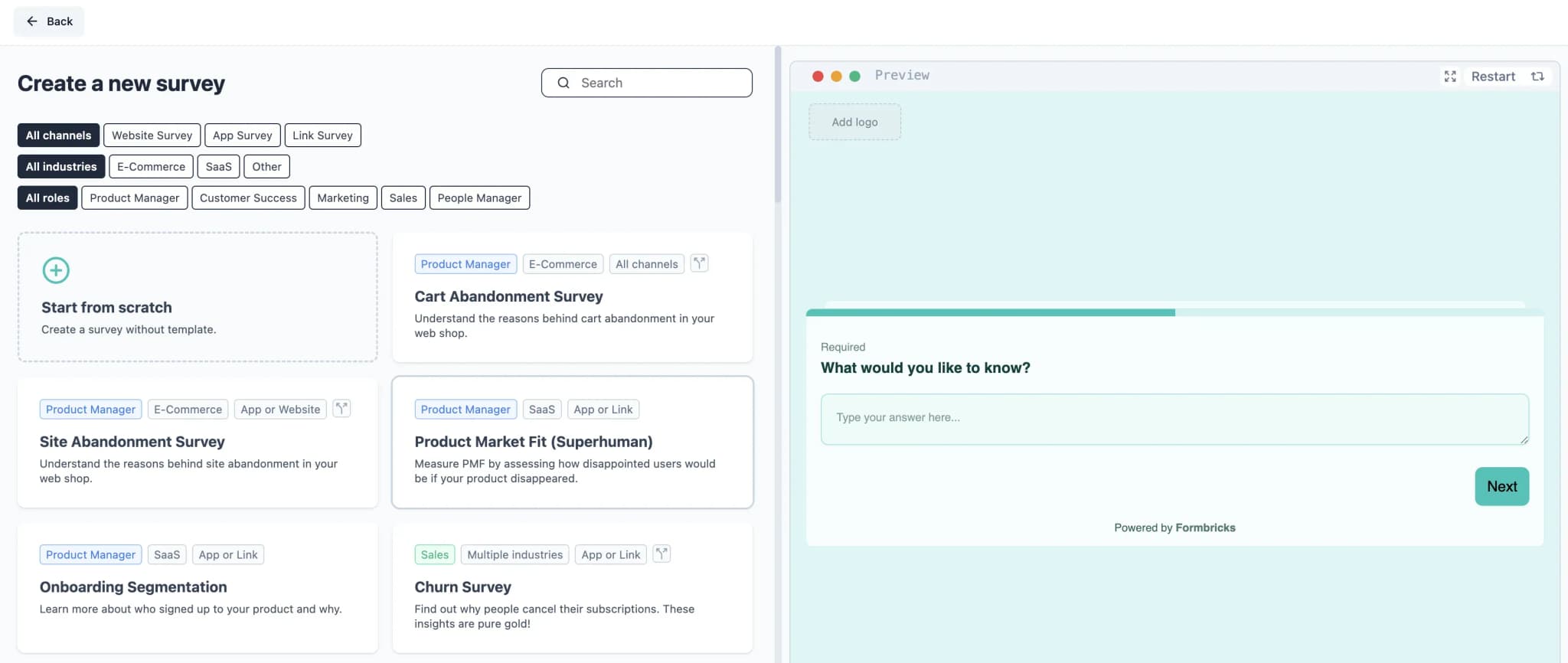
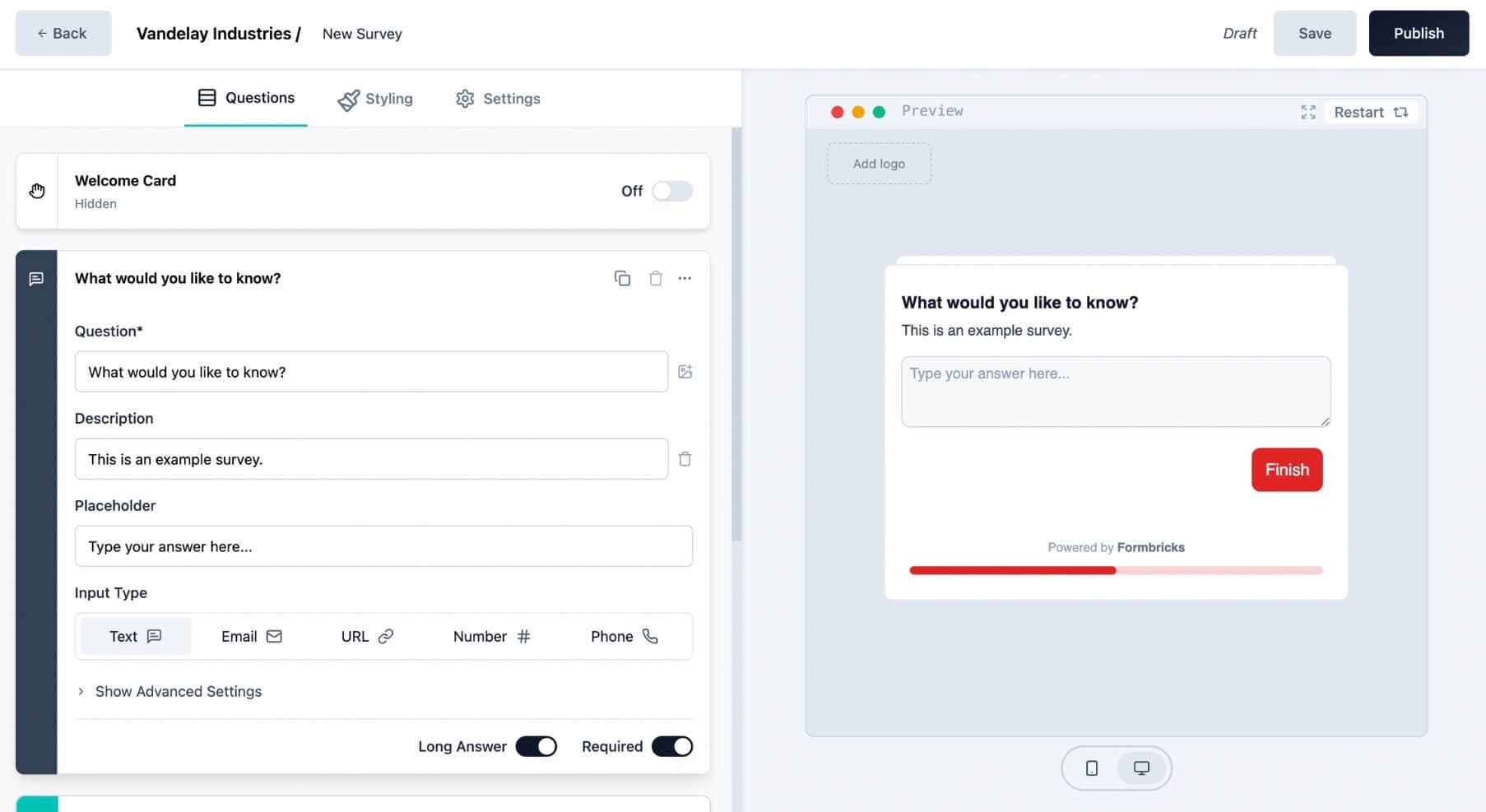
Formbricks' Builder
Formbricks' strengths include:
- A modern, user-friendly interface with drag-and-drop simplicity that's easy to navigate
- The ability to create visually appealing link surveys alongside in-app micro-surveys for targeted customer feedback
- Management of conditional logic, hidden fields, and multi-language translations in a single unified view
- Pre-built survey templates for NPS, CSAT, CES, onboarding, and more — so you can create surveys in minutes
The Verdict
Both Typeform and Formbricks deliver excellent survey building experiences. Typeform wins on built-in workflows and advanced quizzing. Formbricks wins on simplicity, multi-survey-type support, conditional logic management, and the ability to self-host your entire survey infrastructure.
Look, Feel & Customization Options
Appearance matters. Whether you're running a customer feedback survey, a lead generation form, or an employee engagement questionnaire, your form should match your brand. Let's compare the customization options.
Both Typeform and Formbricks provide sleek interfaces for building modern, professional-looking forms. Their survey creation flows are logical, and each provides a real-time preview of your form design.
Shared Customization Features
Both online form builders offer comprehensive styling editors with the ability to customize:
- Font colors and text size
- Background color and background images
- Progress bars and navigation
- Logo and branding elements
- Button text, colors, and roundness
- Brand Kit or custom stylesheet uploads
- Multiple pre-built form templates and survey templates
What Makes Formbricks Different
Formbricks uniquely allows users to add animated backgrounds to surveys, creating more engaging and interactive forms.
Let's compare the end results.
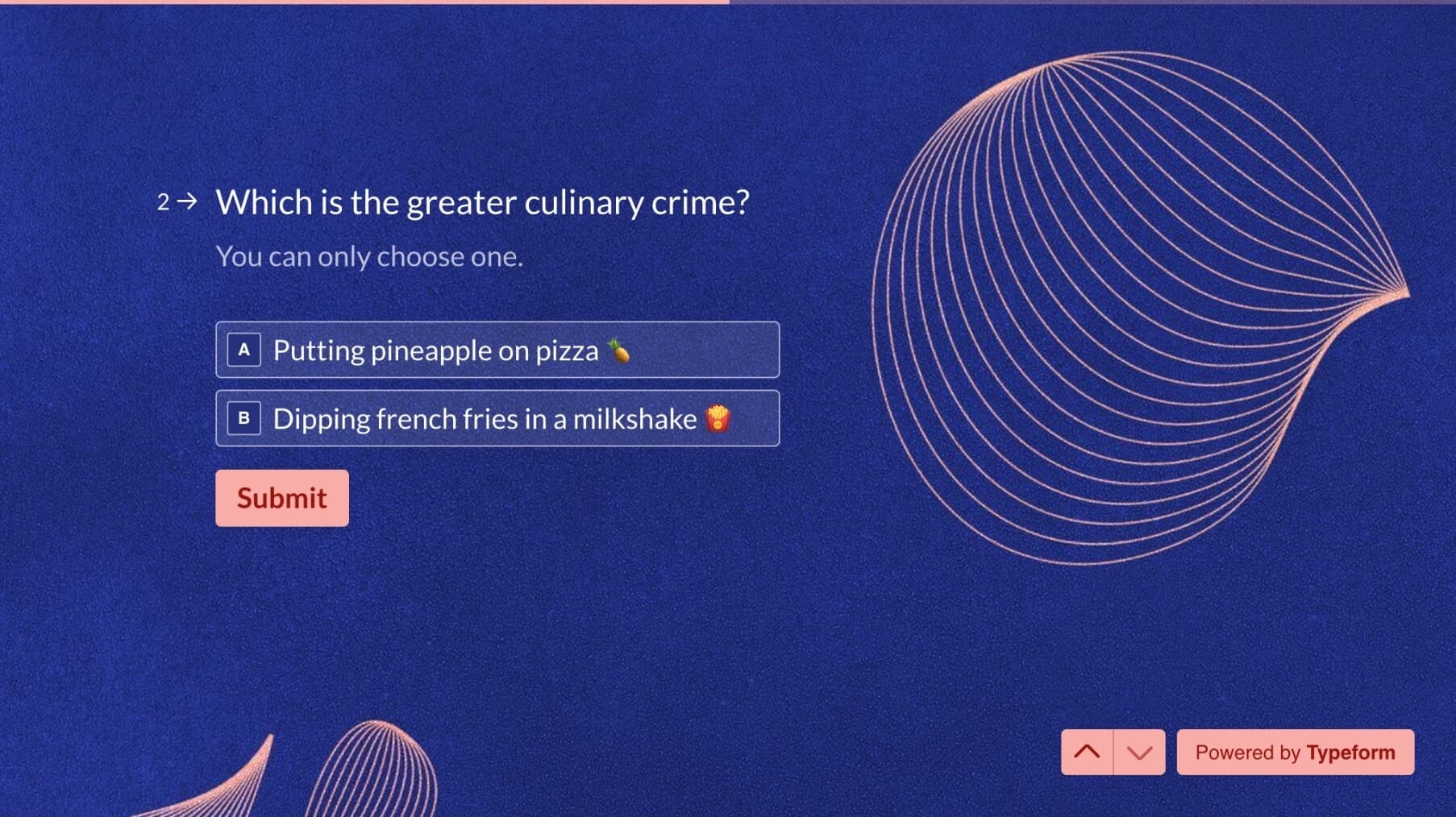
Here's a Typeform survey built from a template:
And here's a Formbricks survey, also created from a built-in template:

Both solutions produce modern, visually appealing results. It's up to you to choose which one you prefer.
Data Security & Privacy
With growing cyber threats and tightening regulations, data security is no longer optional, it's a requirement. This is where the difference between Typeform and Formbricks becomes most significant.
Typeform's Security
Typeform has solid data security measures in place:
- ISO 27001 and 27701 certifications
- GDPR and CCPA compliance
- SOC2 Type 2 compliance
- HIPAA Type 1 compliance
But there's a fundamental limitation: all data is stored on Typeform's cloud servers. You're entrusting your survey data which may include sensitive customer feedback, employee responses, or personal information to a third party. Data residency in speicific regions is only available on Enterprise plans.
Formbricks' Security
Formbricks offers both cloud and self-hosted deployment, making it the clear choice for security-conscious organizations.
Cloud Option:
- Fully GDPR compliant — Formbricks is a German company with strict adherence to Europe's data protection regulations
- CCPA compliant
Self-Hosted Option:
- Complete data ownership — deploy Formbricks on your own servers and keep all data behind your firewall
- No third-party data sharing — sensitive information never leaves your infrastructure
- Eliminates the need for compliance reviews related to third-party data collection
- The Community Edition is free forever and supports self-hosting for business use
Try the Enterprise Edition Free for 14 Days
Want to test self-hosted Formbricks with all Enterprise features? Fill out the license request and receive your key within one business day. Full self-hosting documentation is available.
The Verdict
For organizations that need the highest level of data privacy i.e healthcare, fintech, government, or any company handling sensitive data collection Formbricks' self-hosted option is unmatched. If you prefer a cloud-based solution, both platforms offer strong security, but Formbricks' German-based GDPR compliance gives it an edge for European businesses. For teams starting small but planning to scale, Formbricks provides a seamless upgrade path from cloud to self-hosted.
API, Integrations & Developer Experience
For basic integrations, both Formbricks and Typeform connect to popular tools through Zapier, n8n, or Make. But when it comes to the developer experience — customization, flexibility, and real control — the philosophies diverge sharply.
Typeform's Approach
Typeform offers a stable, well-documented REST API that lets developers:
- Automate workflows like creating forms and retrieving responses
- Manage webhooks for real-time data syncing
- Embed surveys into websites and applications
However, Typeform's API operates strictly within the boundaries of its closed platform. You can't modify form logic at a deeper level, self-host the backend, or use it as a truly headless survey engine. Customization stops where Typeform's UI and data model end.
Formbricks' Approach
Formbricks was built for developers from the ground up. Its Open API and modular open-source architecture provide complete flexibility:
- Headless survey engine — design your own UI while using Formbricks for survey logic, conditional logic, and response handling
- Self-host on any infrastructure — Docker, Kubernetes, bare metal — for full control and compliance
- Extend core functionality — build custom components, question types, or integrations using React and TypeScript
- Direct API integrations — connect to your data layer without middleware tools, pipe customer feedback directly into internal dashboards
- Open source community — contribute to the codebase, review security, and benefit from transparent development
This gives teams the freedom to build exactly what they need — whether it's embedding micro-feedback widgets in-app, powering NPS surveys via API, or integrating real-time analytics directly into product dashboards.
The Verdict
Typeform is a polished, closed platform optimized for ease of use within predefined limits. Formbricks is a developer-first playground — open, extensible, and customizable down to the codebase. If you need a headless form builder, want to self-host, or plan to build feedback deeply into your product, Formbricks gives you the keys.
Pricing Plans Compared
Pricing is often the deciding factor when choosing between survey tools. Let's look at how Typeform and Formbricks stack up on both free and paid plans.
Free Plans
| Feature | Typeform Free | Formbricks Cloud Free |
|---|---|---|
| Responses included | 10/month | 1000/month |
| Questions per form | 10 | Unlimited |
| Team members | No collaboration | Unlimited |
| In-app micro-surveys | No | Yes |
| Conditional logic | Yes | Yes |
| Multiple ending screens | Yes | Yes |
| Hidden fields | Yes | Yes |
| Calculator | Yes | Yes |
| Download your data | Yes | Yes |
| File uploads | Yes | Yes |
| Integrations | Limited | All |
| Self-hosting | No | Yes (free forever) |
Formbricks' free plan is 100x more generous on responses (1000 vs 10), includes unlimited questions, unlimited team members, all integrations, and even free self-hosting. The only area where Typeform has an edge on the free tier is its built-in calculator feature.
Paid Plans
Here's a side-by-side comparison of the mid-tier paid plans with 2,500 responses:
| Feature | Typeform Plus (2.5k responses) | Formbricks Startup |
|---|---|---|
| Responses included | 1,000 | 5,000 |
| Questions per form | Unlimited | Unlimited |
| Team members | 3 | Unlimited |
| In-app micro-surveys | No | Yes |
| Conditional logic | Yes | Yes |
| Multiple ending screens | Yes | Yes |
| Hidden fields | Yes | Yes |
| Calculator | Yes | No |
| Download your data | Yes | Yes |
| All integrations | Yes | Yes |
| Price per month | $56 | $49 |
At almost same price, Formbricks is more than 5 times cheaper while offering unlimited team collaboration and in-app survey capabilities. Typeform's advantage is its calculator and built-in workflow features.
The Verdict
Formbricks delivers significantly better value at every pricing tier. The free plan is generous enough for small businesses and startups to use in production and not just for testing. The paid Startup plan gives teams unlimited collaboration and multiple survey types at a cost that's hard to beat. For budget-conscious teams, the free self-hosted Community Edition makes Formbricks the most cost-effective form builder available.
Other Typeform Alternatives Worth Considering
While we believe Formbricks is the best open source Typeform alternative, especially for teams that value data privacy and developer flexibility, there are other tools worth considering depending on your specific needs:
Google Forms — Best for Simple, Completely Free Surveys
Google Forms is completely free with unlimited forms and responses. It integrates seamlessly with Google Sheets and Google Workspace. However, it offers very limited customization, no payment processing, basic conditional logic, and a dated interface. Best for internal surveys or simple data collection where design doesn't matter.
Jotform — Best for Template Variety
Jotform offers a massive library of 10,000+ form templates and supports 40+ payment gateways. Its drag-and-drop builder is intuitive, but the free plan is limited to 5 forms and 100 submissions. Paid plans start at $39/month. It's a solid choice for businesses that want ready-made professional forms quickly but don't need self-hosting or open source.
Tally — Best Free Plan for Basic Forms
Tally offers unlimited forms and responses on its free plan with a clean, intuitive editor. It's great for quick form creation, but lacks in-app survey capabilities, self-hosting options, and the developer-first API access that Formbricks provides. Pro plan costs $29/month.
SurveyMonkey — Best for Market Research Analytics
SurveyMonkey excels at survey analytics with features like cross-tabulation, statistical significance testing, and response trend analysis. But the free plan is limited to 10 questions and 25 responses per survey, and paid plans start at $99/month. Best for dedicated market research teams with established budgets.
Fillout — Best for Multi-Database Integrations
Fillout stands out with its two-way integrations for Airtable, Notion, and other databases. The free plan includes 1,000 responses, and its form builder supports both single-page and conversational layouts. However, like most alternatives, it's closed source with no self-hosting option.
Other Open Source Alternatives
If you're specifically looking for open source form builders, a few others exist beyond Formbricks:
- HeyForm — A drag-and-drop form builder with conditional logic and multi-page forms. It's open source (AGPL-3.0) and self-hostable, but has a smaller community and fewer features than Formbricks — particularly no in-app survey support.
- OhMyForm — A lightweight open source alternative, but development has slowed significantly. For a detailed comparison, see our Formbricks vs OhMyForm guide.
Formbricks remains the most actively developed and feature-complete open source Typeform alternative, with the largest community and the broadest range of survey types.
Frequently Asked Questions
For more details, explore our self-hosting documentation, Google Forms alternative comparison, SurveyMonkey alternatives, Qualtrics alternatives, and Formbricks vs OhMyForm guides.
Final Verdict: Is Formbricks the Best Typeform Alternative?
Typeform remains a solid product for teams that want polished conversational forms with built-in workflows and advanced quizzing features. If that's all you need and data privacy isn't a primary concern, it gets the job done.
But if you're looking for a Typeform alternative that goes further, Formbricks is the clear choice:
- 100x more free responses (1000 vs Typeform's 10)
- 5 times cheaper on comparable paid plans
- Open source — inspect, extend, and customize the code
- Self-hosted option — complete data ownership, free forever on Community Edition
- Multiple survey types — link surveys, in-app micro-surveys, and pop-up surveys on one platform
- Unlimited team members on every plan
- GDPR compliant by design, built by a German company
- Developer-first API — use as a headless survey engine, build custom integrations
Whether you're a startup looking for a user-friendly form builder, a growing team that needs advanced data collection, or an enterprise that requires self-hosted survey software — Formbricks scales with you.
Try Formbricks now
Keep full control over your data 🔒
Try Formbricks now