What are microsurveys? Best practices, types, and examples (2026)

Johannes
CEO & Co-Founder
8 Minutes
April 24th, 2026
The average email survey gets a 3% response rate. A microsurvey shown to a logged-in user right after they complete onboarding routinely gets 40-50%.
The difference is not the question. It is the moment. Microsurveys work because they ask one focused question at the exact point in the experience where the answer is most accurate and the user is most willing to give it.

This guide covers everything you need to know: what microsurveys are, how they compare to traditional surveys and popup surveys, the question types and trigger strategies that actually work, and how to avoid the common mistakes that erode response rates over time.
What is a microsurvey?
A microsurvey is a short survey of 1-3 questions delivered in context, typically inside a product or on a website, while the user is actively engaged.
The defining characteristic is focus. Each microsurvey asks about one specific thing: how satisfied a user is with a feature, how easy a task was to complete, or whether they would recommend the product. There is no preamble, no demographic block, no grid of ratings to fill in.
Because they are short and shown in context, microsurveys achieve response rates that traditional surveys cannot match. Users answer while the experience is fresh, which also means the data reflects what they actually felt rather than a reconstructed memory.
Microsurveys vs. traditional surveys
The gap in response rates is not the only meaningful difference. The two formats serve fundamentally different research purposes.
| Microsurvey | Traditional survey | |
|---|---|---|
| Length | 1-3 questions | 10-30+ questions |
| Delivery | In-app, on-site, in-product | Email, link, separate page |
| Typical response rate (logged-in users) | 20-50% | 5-15% |
| Typical response rate (anonymous) | 3-8% | 1-5% |
| Context | High. User is in the experience | Low. User has left the context |
| Data accuracy | High. Immediate recall | Lower. Reconstructed memory |
| Best for | Measuring specific moments | Exploring unknown territory |
| Depth | Low | High |
Traditional surveys are better for generative research: understanding a problem space you do not yet have language for, or collecting nuanced qualitative data across many dimensions. Microsurveys are better for measurement: tracking satisfaction over time, evaluating a specific feature, or identifying friction at a known point in the product.
If you are unsure which format to use, ask: do I already know enough to write the right question? If yes, a microsurvey is more efficient. If no, a longer exploratory format will give you more useful signal.
Microsurveys vs. popup surveys
These two terms are often used interchangeably, and for most purposes that is fine. But the distinction is worth understanding.
A microsurvey is defined by its length: 1-3 questions, focused on a single topic. A popup survey describes how it is delivered: as an overlay or widget appearing on a page.
Most popup surveys are microsurveys. But microsurveys are not limited to popups. They can be embedded directly in the product UI after a key action, shown as a slide-in from a corner, delivered as an inline prompt after a workflow completes, or built into an onboarding flow. The brevity and focus are what define a microsurvey. The popup is one delivery format among several.
For a complete treatment of popup-specific considerations including placement, exit-intent triggers, and modal vs. widget formats, the popup surveys guide covers those in detail.
Types of microsurveys
Microsurveys are a format, not a question type. Most established feedback frameworks fit naturally into a 1-3 question structure.
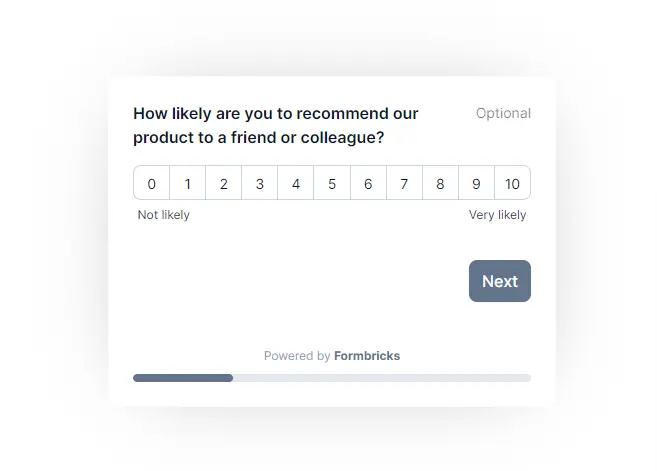
NPS (Net Promoter Score℠). "How likely are you to recommend [product] to a friend or colleague?" Scored 0-10, typically followed by an optional open-ended follow-up. Measures loyalty and advocacy over time. Best triggered after users have had enough sessions to form a real opinion, not on first login. See NPS question examples for phrasing variations and follow-up question templates.
CSAT (Customer Satisfaction Score). Measures satisfaction with a specific interaction: a support ticket, a purchase, a feature the user just used. Trigger immediately after the relevant action while the experience is still vivid.
CES (Customer Effort Score). "How easy was it to [complete this task]?" Useful after onboarding flows, checkout processes, or any workflow where friction is a suspected problem. The customer effort score guide covers benchmarks and question formats in detail.
PMF (Product-Market Fit) survey. "How would you feel if you could no longer use [product]?" With answer options: very disappointed, somewhat disappointed, not disappointed. Pioneered by Sean Ellis as a product-market fit diagnostic. Best run with your most engaged users after they have experienced core value.
Feature feedback survey. Targeted at users who just used a specific feature. "How useful was [feature]?" or "What would make this better?" The narrower the targeting, the more actionable the answers. The guide on what is product feedback is a good starting point for defining what you are actually trying to learn before writing questions.
Onboarding segmentation survey. Appears early in the user journey to collect job role, use case, or company size. Used to route users into different onboarding tracks and personalize what they see next without asking everything at once.
Churn and exit survey. Shown when a user cancels a subscription, deletes an account, or navigates away from a critical page. One of the highest-signal feedback types available. Users who have already decided to leave are typically willing to explain why, which makes the data unusually candid. Pairing churn survey data with proactive retention tactics is covered in the guide to reducing churn rate.
Competitive and positioning survey. Ask users what they would switch to if your product disappeared, or where they first heard about you. Short, high-value questions that inform positioning and acquisition strategy.
Question formats that work in microsurveys
Not all question types perform equally well in a 1-3 question format. The ones that work best require minimal cognitive effort to answer.
Rating scales. NPS (0-10), CSAT (1-5 stars), CES (1-7 agreement scale). Fast to answer, easy to aggregate, and established enough that most users recognize the format on sight.
Single-choice (radio buttons). "What best describes why you signed up?" with 4-6 answer options. Works well for segmentation surveys and understanding user intent. Keep the answer list short and mutually exclusive.
Binary yes/no. The simplest possible format. "Did you find what you were looking for?" Use when the question genuinely has two meaningful answers. Avoid binary questions for nuanced topics where a middle state is common.
Emoji reactions. A row of 3-5 emoji options representing a sentiment spectrum. Familiar from consumer apps, low friction, and language-agnostic for international audiences.
Open-ended text (optional follow-up). "Tell us more (optional)" after a rating question. Keep it optional. Making it required creates significant drop-off. You lose almost no qualitative data by marking it optional, and you preserve completion rates for the rating itself.
Avoid matrix questions, multi-select questions with many options, and any format requiring users to read and compare more than four items at once. These belong in longer-form research tools, not microsurveys.
When to trigger a microsurvey
Timing is the most important variable after question quality. The same question at the wrong moment gets ignored.
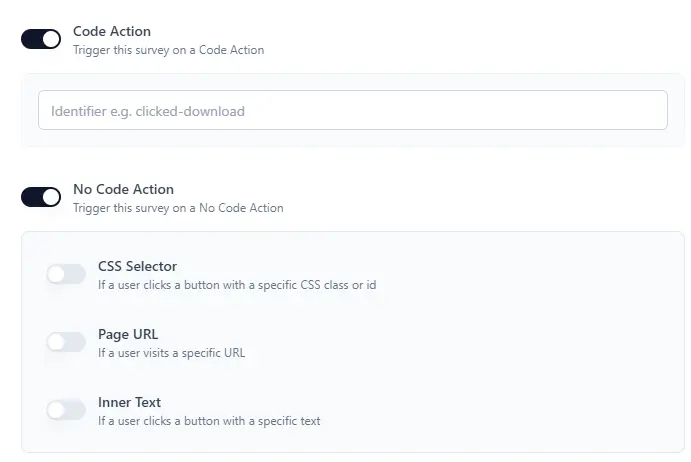
After a specific action. The most precise trigger available. Show a CES survey after a user completes onboarding. Show a feature rating after a user exports data for the first time. The question is anchored to a concrete behavior, which produces the most relevant and accurate answers. For a detailed breakdown of event-based and attribute-based targeting, the guide on advanced targeting for in-app surveys covers the implementation in detail.
At a session milestone. Show an NPS survey after a user's third or fifth session. By that point they have formed a real opinion. Triggering NPS on first login produces scores that reflect novelty rather than satisfaction.
At the moment of churn risk. Cancellation flows, downgrade pages, or extended inactivity. Users at these moments are more likely to give honest, critical feedback. That honesty is exactly what you need to understand and reduce churn.
After a support interaction. CSAT for support is most accurate when triggered immediately after ticket resolution, before the user has moved on to something else.
On exit intent. When cursor movement signals the user is about to leave a key page. Works well on pricing and checkout pages to surface conversion blockers. Does not work reliably on mobile, where exit intent cannot be detected.
Time on page. After 30-60 seconds on a page, which filters out quick bounces and targets users who are actually reading. Good for content feedback and documentation evaluation.
How to design a microsurvey that gets responses
Start with the decision, not the question. Before writing anything, identify what you will do differently based on the answer. If you cannot name the decision, you do not have a clear goal yet.
Write in plain language. "How satisfied are you with the overall ease of task completion in the product?" is worse than "How easy was that to do?" Shorter, simpler questions get more accurate answers because they leave less room for misinterpretation.
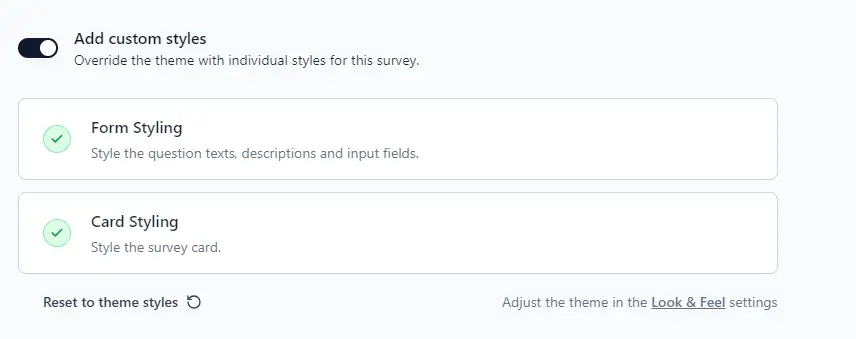
Match your brand. A survey that looks out of place damages trust. Match the font, color scheme, and corner radius to your product design. Users are more likely to respond to something that looks native.
Show a progress indicator for multi-question surveys. "Question 1 of 2" makes the end visible and reduces abandonment by letting users know they are nearly done.
Use conditional logic for follow-ups. Show an open-ended follow-up only when a user gives a low score. A detractor who scores NPS 3 is far more likely to explain why than a promoter who scored 9. Conditional logic keeps the survey short for most users while capturing the qualitative signal from the users who most want to share it.
Add a thank-you message. A brief confirmation after submission closes the loop and leaves a positive impression. For high-value users, a personal follow-up based on their answer, particularly for churn or low NPS ratings, can recover relationships and surface root causes that the rating alone does not explain. The closing the feedback loop guide covers how to act on responses systematically.
Progressive profiling with microsurveys
Most onboarding flows ask too many questions at signup. Users are still deciding whether your product is worth their time. A twelve-question welcome survey is a significant friction point at exactly the wrong moment.
Progressive profiling spreads data collection across multiple short interactions over time. Instead of asking for job role, company size, use case, and goals all at once, you ask one question at signup and collect the rest through well-timed microsurveys across the first few sessions.
The result is a complete user profile built gradually, with each question asked at the moment it is most relevant. Job role at signup. Use case after the user has tried the core workflow. Goals after their second session. Team size when they first invite a colleague.
Response rates at each step are higher because the question fits the context. Users also experience less friction at activation, which typically improves the conversion rate from signup to active user. The user onboarding best practices guide covers how progressive data collection fits into a broader onboarding strategy.
When microsurveys are NOT the right tool
Microsurveys are good at measuring things you already know enough to ask about. They are not good at exploring things you do not yet understand.
If you are trying to understand why users are churning and you do not have a hypothesis yet, a microsurvey will give you aggregate scores but not the underlying story. For generative research like that, you need user interviews, open-ended long-form surveys, or session recordings that let users show you their experience rather than rate it.
Microsurveys also struggle with sensitive topics. Users are unlikely to be candid about billing frustrations, support failures, or serious product disappointments in a one-question modal. A longer anonymous survey or a direct personal conversation creates more psychological safety for honest negative feedback.
Finally, microsurveys have an inherent sampling bias: they capture only users who are actively using the product when the survey fires. Users who churned last week, users who never activated, and users who engage infrequently are systematically underrepresented. Account for this when interpreting aggregate data from in-app surveys.
Preventing microsurvey fatigue
Survey fatigue happens when users see too many surveys too often. It lowers response rates over time and creates friction in the product experience.
Several controls prevent it:
- Minimum survey intervals. Set a 30-90 day minimum between surveys for any single user. NPS should run at most quarterly. CSAT after a specific action can fire more frequently, but still requires a cooldown period.
- Response-based suppression. Once a user answers, stop showing that survey. For logged-in users, track this at the account level rather than in a cookie, so suppression persists across devices and browser sessions.
- Sampling. Show surveys to 20-30% of eligible users rather than the full cohort. You typically get enough responses to be statistically meaningful without exhausting your entire user base.
- One active survey per user. If multiple surveys could fire at the same moment, set a priority order and show only the highest-priority one.
Good frequency controls protect data quality. Users who are fatigued by surveys respond less carefully or not at all. Users who see surveys rarely treat each one as worth their attention. The strategies covered in how to increase survey response rate complement these frequency controls when you want to push rates even higher.
Data ownership and privacy
Microsurveys collect behavioral and attitudinal data from real users in real time. That makes data handling a legitimate concern, particularly for teams subject to GDPR, CCPA, or internal data residency requirements.
Cloud-based survey tools route responses through third-party infrastructure. For many teams this is an acceptable tradeoff. For teams in healthcare, finance, or enterprise software, it often is not.
Self-hosting resolves this entirely. All response data stays on your own servers with no third-party processor involved. Formbricks is open source and can be fully self-hosted, which eliminates this category of compliance risk for privacy-sensitive teams.
Formbricks for microsurveys
Formbricks is an open-source survey platform designed for product teams running in-app microsurveys. It deploys via a lightweight JavaScript SDK and supports event-based, attribute-based, and segment-based targeting.
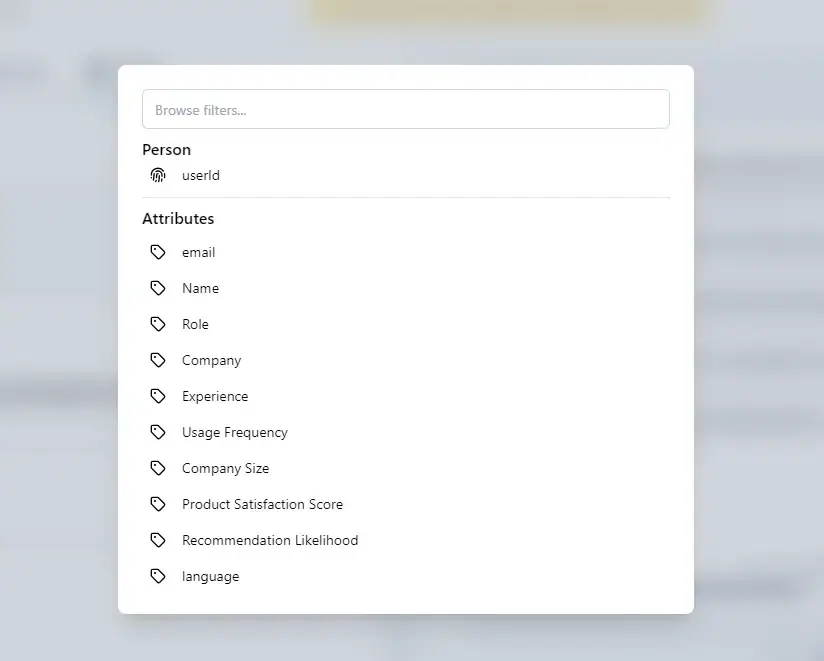
What sets it apart from general-purpose survey tools is targeting precision. You can scope a microsurvey to users who adopted a specific feature in the last 14 days, are on a paid plan, and have completed more than five sessions. That level of specificity means your questions reach the users who can actually answer them accurately, which is what drives response rates above 40%.
Because Formbricks is open source, it can be fully self-hosted. All response data stays on your infrastructure. For teams with GDPR obligations or enterprise security requirements, this eliminates a category of third-party data processing risk entirely.
Explore Formbricks in-app surveys or get started with a free cloud account.
Frequently asked questions
Try Formbricks now