Popup surveys: best practices, triggers, and examples (2026)

Johannes
CEO & Co-Founder
8 Minutes
April 24th, 2026
Most websites lose 95% of their visitors without ever knowing why. Popup surveys are the fastest way to ask.
They appear while users are still on your site or inside your app, so you capture feedback in the moment instead of piecing it together from stale email responses hours later. A well-timed popup survey takes 20 seconds to answer and gives you data that takes weeks to gather any other way.
This guide covers everything you need to know to run them effectively: what they are, when to trigger them, how to write them, and how to avoid the common mistakes that tank response rates.
What is a popup survey?
A popup survey is a short questionnaire displayed as an overlay, modal, or widget on a website or web app. It appears while users are actively browsing, without redirecting them to a separate URL. You will also see them called on-site surveys, on-page surveys, widget surveys, or survey intercepts.
The defining characteristic is context. A popup survey appears where the experience is happening, not in someone's inbox three days later.
Most popup surveys are short: one to three questions. That brevity is intentional. It keeps friction low, which is why response rates are far higher than equivalent email surveys. If response rates are a persistent problem across your feedback channels, the strategies to increase survey response rate are worth reviewing alongside this guide.
Why popup surveys outperform other feedback methods
The comparison is stark when you look at real response rate data.
| Method | Typical response rate | Context quality | Setup overhead |
|---|---|---|---|
| Email survey (warm list) | 5-15% | Low. User is no longer in context | High |
| Email survey (cold) | 1-5% | None | High |
| Signup form questions | Medium completion, low accuracy | None. User just arrived | Low |
| Chatbots | Low | Medium | Medium |
| Popup survey (anonymous traffic) | 3-5% | High | Low |
| Popup survey (logged-in users) | 40-70% | Very high | Low |
The gap between anonymous traffic and logged-in users is significant. Anonymous visitors have no relationship with your brand yet, so 3-5% is realistic. But logged-in users who are actively using your product, targeted with a question relevant to what they just did, routinely respond at 40-70%.
That is the core case for popup surveys inside web apps. To get the same number of responses from email, you would need to contact far more people, far more often. For a full comparison of all survey distribution methods, including email, link, and embedded formats, that guide covers the tradeoffs in detail.
The accuracy advantage matters too. When users answer while in the experience, they report what they actually felt. When you ask them later by email, they reconstruct a memory, which is less reliable.
Types of popup surveys
Different questions call for different survey types. Here are the ones that actually see use:
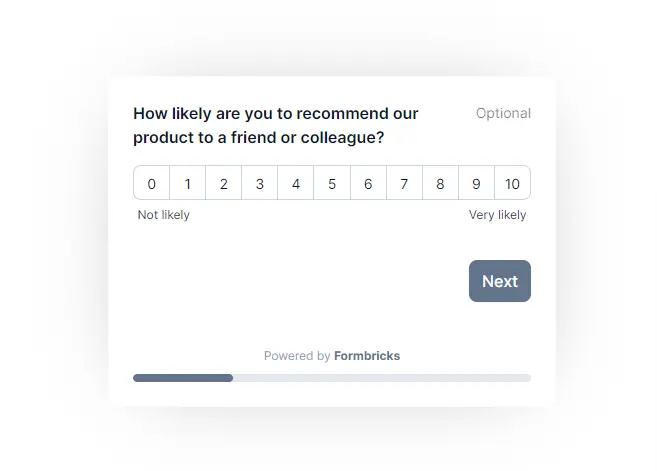
NPS (Net Promoter Score℠). Measures likelihood to recommend on a 0-10 scale. Best used periodically for logged-in users who have had enough time to form an opinion. Do not trigger NPS on day one. See NPS question examples for phrasing and follow-up question templates.
CSAT (Customer Satisfaction Score). Measures satisfaction with a specific interaction: a support ticket, a purchase, a feature. Trigger it immediately after the relevant action while the experience is fresh.
CES (Customer Effort Score). Asks how easy it was to complete a task. Useful after onboarding flows, checkout processes, or any workflow where friction is a known risk. The customer effort score guide covers benchmarks and question formats.
Exit-intent surveys. Appear when the user's cursor moves toward leaving the browser window or tab. Used to understand why visitors leave without converting or purchasing.
Product feedback surveys. Ask about specific features, new releases, or roadmap priorities. Target users who have actually used the feature you are asking about. If you are new to this, what is product feedback is a good starting point before you define your questions.
Onboarding segmentation surveys. Appear early in the user journey to collect job role, use case, or company size. Used to personalize onboarding paths and downstream communications.
Market research surveys. Collect demographic or behavioral data from site visitors. Broader in scope and typically used for audience understanding rather than product improvement.
When to trigger a popup survey
Timing is the most important variable in popup survey performance. The same question shown at the wrong moment gets ignored. Shown at the right moment, it gets answered.
These seven triggers cover the majority of use cases:
1. Exit intent. Triggered when the system detects the user is about to leave, based on cursor movement toward the browser chrome. Works well on pricing pages, checkout abandonment, and documentation. Does not work on mobile, where exit intent cannot be reliably detected.
2. Time on page. Show the survey after the user has been on a page for a set number of seconds. A 30-60 second threshold filters out bounces and targets users who are actually reading or exploring. Good for content pages and landing pages.
3. Scroll depth. Trigger after the user scrolls past a certain percentage of the page. An 80% scroll threshold on a long-form article indicates high engagement. This is where to ask if the content was helpful.
4. Page-specific. Display only on pages where the question is relevant. An order confirmation page is the right place for a post-purchase CSAT. A docs page is where to ask if the answer was found. A pricing page is where to ask what is preventing conversion.
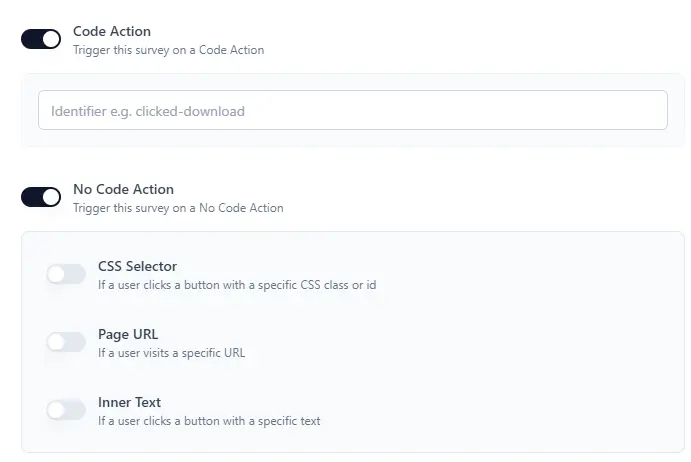
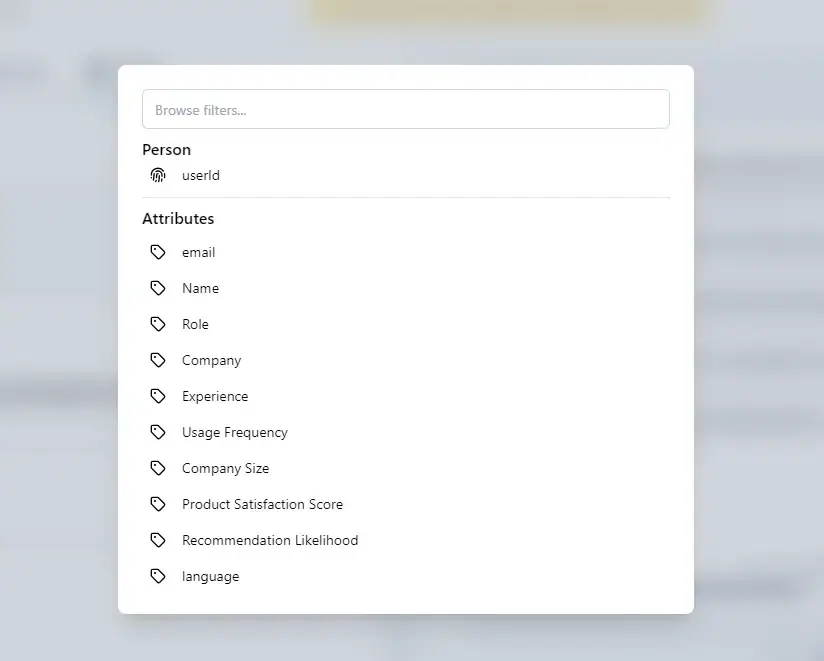
5. Event-based. Triggered by a specific user action in your app, not a page view. Examples: user exports data for the first time, user completes onboarding, user reaches a usage milestone. Event-based triggering produces the most relevant questions because the survey is anchored to a concrete behavior. For a deeper look at how segment and attribute targeting works in practice, see advanced targeting for in-app surveys.
6. Session or visit count. Show to users on their Nth session. This is useful for NPS surveys where you want users to have enough product experience before asking for a recommendation score. Triggering NPS after three or more sessions produces more representative scores than triggering on first login.
7. Attribute-based. Target users who match specific profile conditions: plan type, job role, account age, feature adoption status. A survey asking "What would make you upgrade?" should only reach users on a free plan. Attribute-based targeting removes irrelevant responses from your dataset before collection, not after.
How to design a popup survey that gets responses
The design of the survey itself has a measurable impact on completion rates.
Keep it to 1-3 questions. Every additional question reduces completion. If you need more data, use conditional logic to show a follow-up question only when a specific answer triggers it.
Start with the easiest question. A rating scale or single-choice question requires almost no effort. If you open with an open-ended question, a meaningful share of users will close the survey immediately.
Show a progress bar. For multi-question surveys, a progress bar showing "1 of 3" makes the end visible and reduces abandonment.
Make open-ended questions optional. "Tell us more (optional)" on a follow-up text field consistently outperforms making it required. You lose almost no qualitative data and avoid significant drop-off.
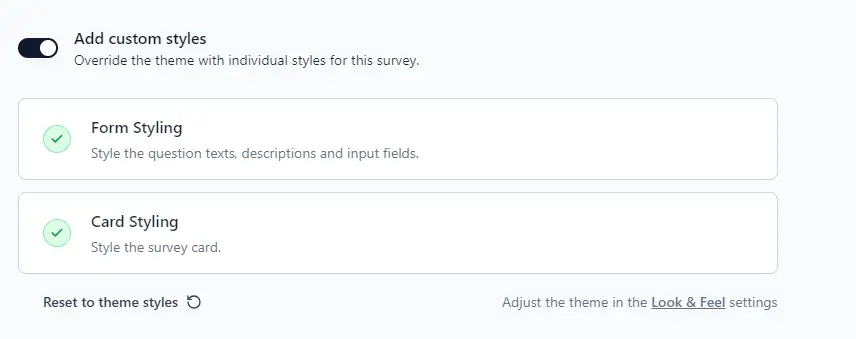
Match your brand. A survey that looks out of place damages trust. Match the font, color, and corner radius to your product. Users are more likely to respond to something that looks native.
Use a human face or avatar. Multiple sources report higher completion rates when surveys include a photo of a real person rather than a company logo. It signals that a human will read the response.
Add a thank-you message. Close the loop after submission. A brief "Got it, thank you" message confirms the response was received and leaves a positive impression.
Where to place popup surveys
Placement affects both visibility and intrusiveness. These four formats cover the range of options:
Bottom-right or bottom-left slide-in widget. The least disruptive placement. The survey slides in from a corner without covering content. Best for ongoing or ambient feedback collection where you do not want to interrupt the main flow.
Centered modal overlay. The most visible placement. It pauses the main content, so use it sparingly. Appropriate for high-stakes questions like post-purchase CSAT or NPS where you genuinely need a response.
Sticky feedback tab. A persistent tab on the side of the page that users can click to open a short form. Passive and always available. Low response volume but collects feedback from highly motivated users.
Survey bar. A narrow strip at the top or bottom of the page with a single question. Subtle, does not interrupt reading, and works well for article or documentation evaluation.
For most product teams, the slide-in widget is the right default. It has enough visibility to generate responses without disrupting the experience.
The anonymous vs. logged-in gap
The difference between a 3-5% response rate on anonymous traffic and a 40-70% rate for logged-in users is not a minor variation. It reflects two fundamentally different feedback contexts.
Anonymous visitors are strangers. They have no investment in your brand, no reason to spend time answering your questions, and no history that lets you target them precisely. Generic, low-friction questions work best here. "What brought you to this page?" or "Did you find what you were looking for?" are reasonable. Anything more specific or personal will go unanswered.
Logged-in users are customers or engaged users. They have chosen to use your product. A question about a feature they just used is directly relevant to their current experience. They have a stake in the answer. This is why targeting by behavior, attributes, and events is so important for product teams. The more precisely you can match the question to what the user just did, the higher the response rate and the better the data quality.
If you are running popup surveys inside a web app, invest in event-based targeting. It is the single biggest lever for response rate improvement. The full guide on how to use in-app surveys to collect product feedback walks through the implementation end to end.
Preventing survey fatigue
Survey fatigue happens when users see too many surveys too often. It produces lower response rates over time and, more importantly, it degrades the user experience.
Several controls prevent it:
- Cookie-based frequency limits. Track who has already seen the survey and suppress repeat shows. Set a minimum interval between surveys for any single user, typically 30-90 days depending on survey type.
- Response-based suppression. Once a user has answered, do not show them the same survey again. For logged-in users, store this at the account or user level, not just in a cookie.
- Sampling. Show the survey to a percentage of eligible users rather than all of them. A 20-30% sample often generates enough responses without exhausting your entire user base.
- One active survey per user at a time. If multiple surveys could trigger simultaneously, set a priority order and show only one.
Good frequency controls are a feature, not a restriction. They protect the quality of your data by ensuring respondents are engaged rather than habituated.
Data ownership and privacy
Popup surveys collect behavioral and attitudinal data from real users in real time. That makes data handling a legitimate concern, particularly for teams subject to GDPR, CCPA, or internal data residency requirements.
A few things to get right:
Explain why you are collecting feedback. A brief note explaining that responses will be used to improve the product builds trust and is required under GDPR if you are collecting personal data alongside survey responses.
Avoid attaching personally identifiable information unless necessary. For anonymous traffic surveys, responses should be genuinely anonymous. For logged-in user surveys, be clear about whether responses are linked to user accounts.
Know where your data goes. Cloud-based survey tools route responses through third-party infrastructure. If data residency matters for your team, self-hosting gives you direct control. Formbricks is open source and can be fully self-hosted, keeping all response data on your own servers.
Formbricks for popup surveys
Formbricks is an open-source survey platform built for product teams. It supports in-app surveys triggered by events, user attributes, and segment conditions, deployed via a lightweight JavaScript SDK.
The key difference from most survey tools is targeting precision. Formbricks lets you define exactly who sees a survey based on what they have done, who they are, and what plan or cohort they belong to. A survey asking "What's missing from this feature?" can be scoped to users who adopted the feature in the last 14 days, on a paid plan, with more than five sessions. That kind of precision is not possible with time-on-page triggers alone.
Because it is open source, Formbricks can be self-hosted. All response data stays on your infrastructure. For teams with GDPR obligations or enterprise security requirements, this eliminates a category of third-party data processing risk.
Explore Formbricks in-app surveys or get started with a free cloud account.
Frequently asked questions
Try Formbricks now