

.qsf file Qualtrics exports into a draft survey. Formbricks AI decides which Formbricks question type fits each Qualtrics question; every question text, option and translation is copied from your file, never written by the AI. Logic is not imported: the import report lists every rule, so you can rebuild it in the editor.
The Qualtrics import uses Formbricks AI, which is part of the Enterprise
Edition. See What the import needs.
Before you export
1
Check the survey flow
Questions that are not in the survey flow, such as the ones in the Trash / Unused Questions block, are
skipped. Move anything you still need into the flow first.
2
Export the QSF
In Qualtrics, open Tools → Import/Export → Export Survey and save the
.qsf file. One file holds one
survey.Import into Formbricks
1
Open the import dialog
Go to Surveys, open the New Survey menu and choose Import Qualtrics survey. The templates page has
the same option as a card.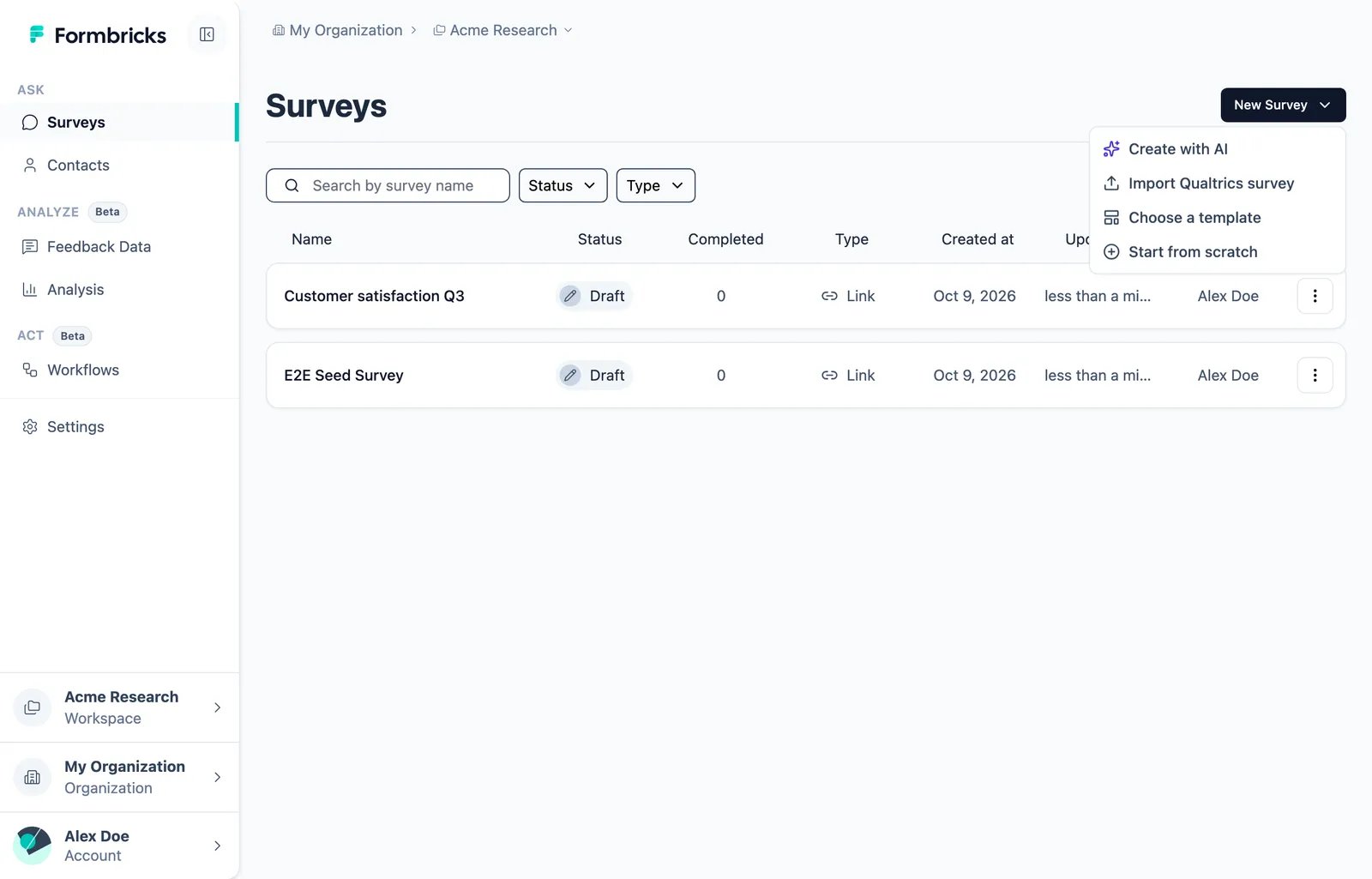
2
Drop the file
Drop the
.qsf file into the dialog, or click to choose it. The import takes from a few seconds to about two
minutes for a large survey. You can stop it at any time.3
Review the draft and the report
The review shows every imported question, a summary of the survey and the Import report. The report lists
everything that was left out or changed. It opens by itself when it has warnings.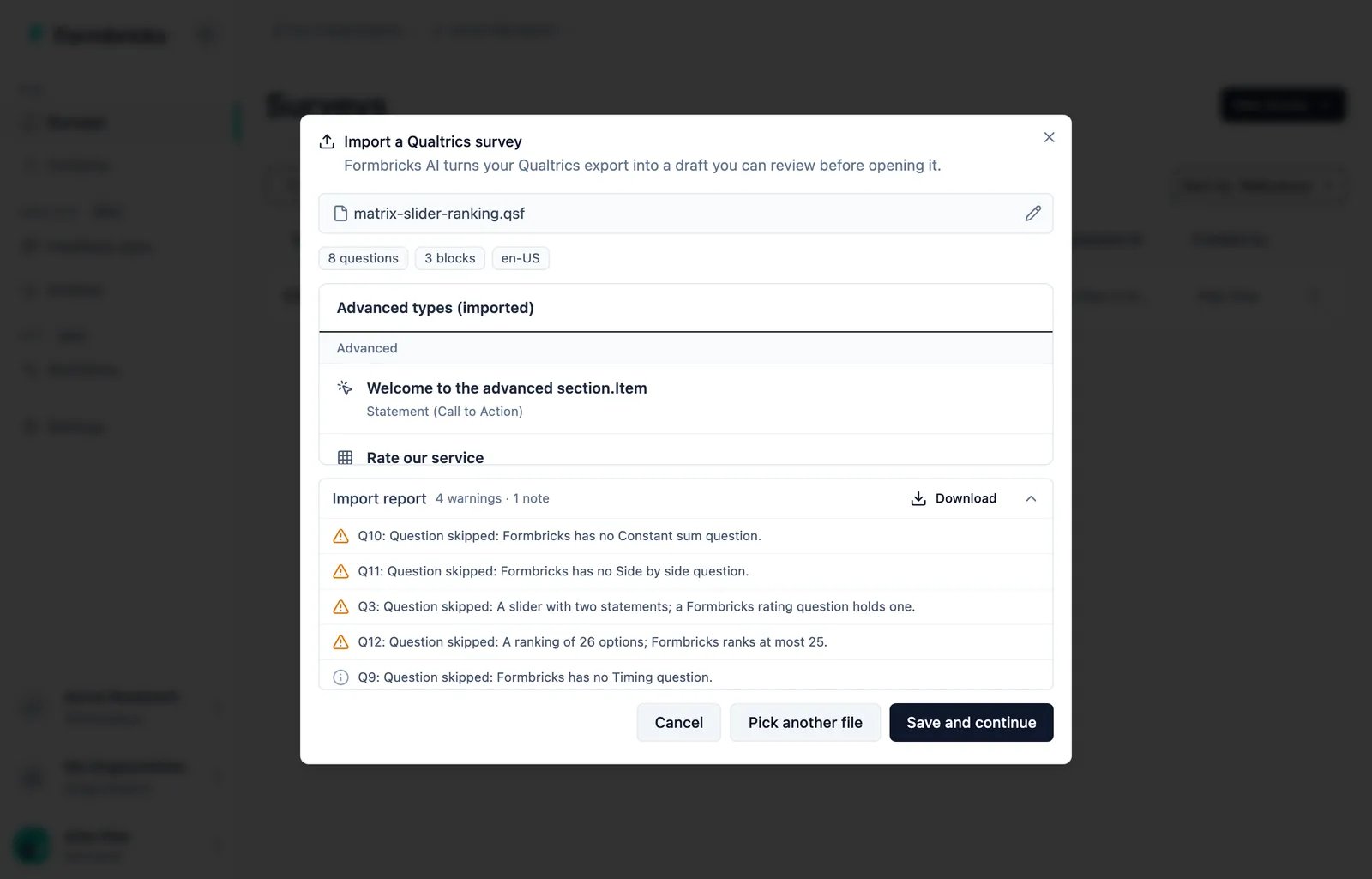
4
Save and continue
Click Save and continue. The survey is created as a draft and opens in the editor. Nothing is published.
What comes across
A few things change on the way, and each change is in the report:
- A matrix that takes several answers per row becomes a matrix with one answer per row.
- A Formbricks rating has 3, 4, 5, 6, 7 or 10 points. A slider of another size gets the next size up, at most 10.
- Embedded data names that are not valid hidden field IDs are renamed, for example
Store-Nametostore_name. - Duplicate option labels are numbered, for example
N/AandN/A (2). - A recall shows
...when the recalled answer is empty. Set your own fallback in the editor. - A redirect URL needs a plan that allows external links. Without one, the redirect is removed.
What does not come across
Everything below is listed in the import report, next to the question it belongs to.- Logic. Skip logic, display logic, branches and randomizers are not imported. Each rule is described in a sentence, so you can rebuild it with conditional logic.
- Question types Formbricks does not have. Constant sum, side by side, heat map, hot spot, drill down, pick group and rank, highlight, signature, drawing and gap analysis. Timing, meta info and captcha questions are also skipped.
- Other piped text, such as dates or loop and merge fields.
- Images, scripts and text colors in question texts. Bold, italics and links are kept.
- End-of-survey messages from the Message Library. The export only holds a reference to them, so the survey gets a default ending instead.
- Quotas, scoring and survey options such as the back button or the progress bar. Set them up in the editor.
Languages
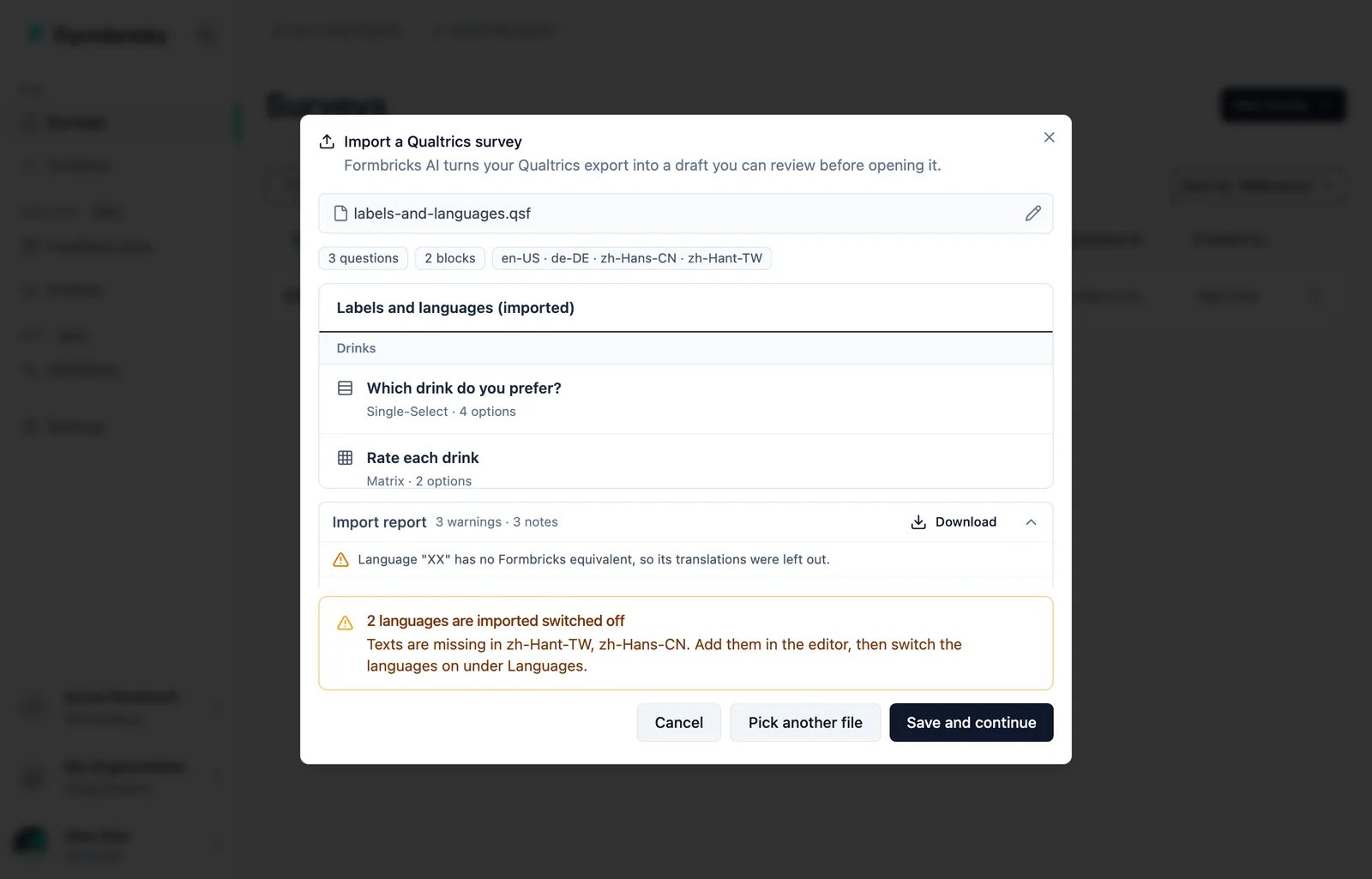
Each Qualtrics language becomes a survey language, with a region code:EN becomes en-US, DE becomes de-DE and ZH-S becomes zh-Hans-CN. A language Formbricks does not support is left out.
A language with missing texts is imported switched off. The review names it, and the missing texts stay empty, never filled with another language. Add them in the editor, then switch the language on under Languages.
After the import
- Work through the report from the top.
- Rebuild the logic. The report describes each rule.
- Add any missing translations, then switch those languages on.
- Check recall fallbacks, styling and survey settings.
- For app or website surveys, add triggers.
- Preview the survey, then publish.
What the import needs
- Your plan: on Formbricks Cloud, a plan with AI. Self-hosted instances need an Enterprise license.
- The organization’s AI switch: Settings → Organization → General → Smart functionality (AI). Only Owners and Managers can turn it on.
- An AI provider on self-hosted instances. See AI Features.
Limits
- One survey per file, up to 15 MB.
- Up to 200 questions, 200 options per question, 50 languages and 200 embedded data fields. Extra embedded data fields are left out and reported.
- If the survey is too large to save in one piece, the import leaves out the last languages, then the last questions, and reports each.
- One import at a time per user.
Self-hosting: proxy body size
The import uploads the whole file in one request, up to about 16 MB. If a reverse proxy sits in front of Formbricks, allow request bodies of at least 16 MB on/api/internal/surveys/import/stream. nginx allows 1 MB by default: