

Purpose
Trial conversion analytics tell you how many people dropped and where. They cannot tell you why, and the why is the only part you can act on.1. Start from the template
Open Surveys, click New Survey and choose Choose a template. Search for Trial Conversion, then click the card to create the survey.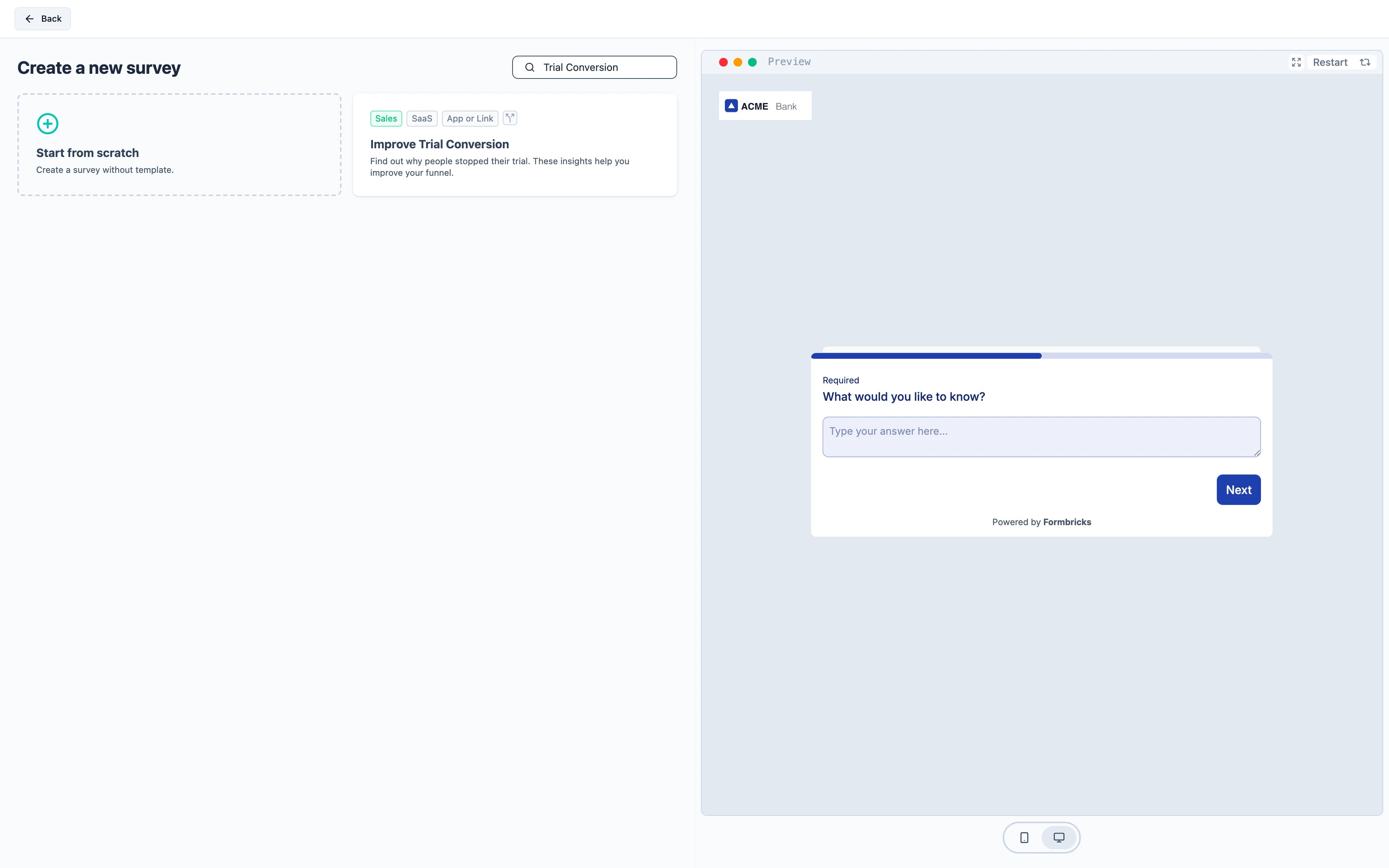
2. Trigger it at the right moment
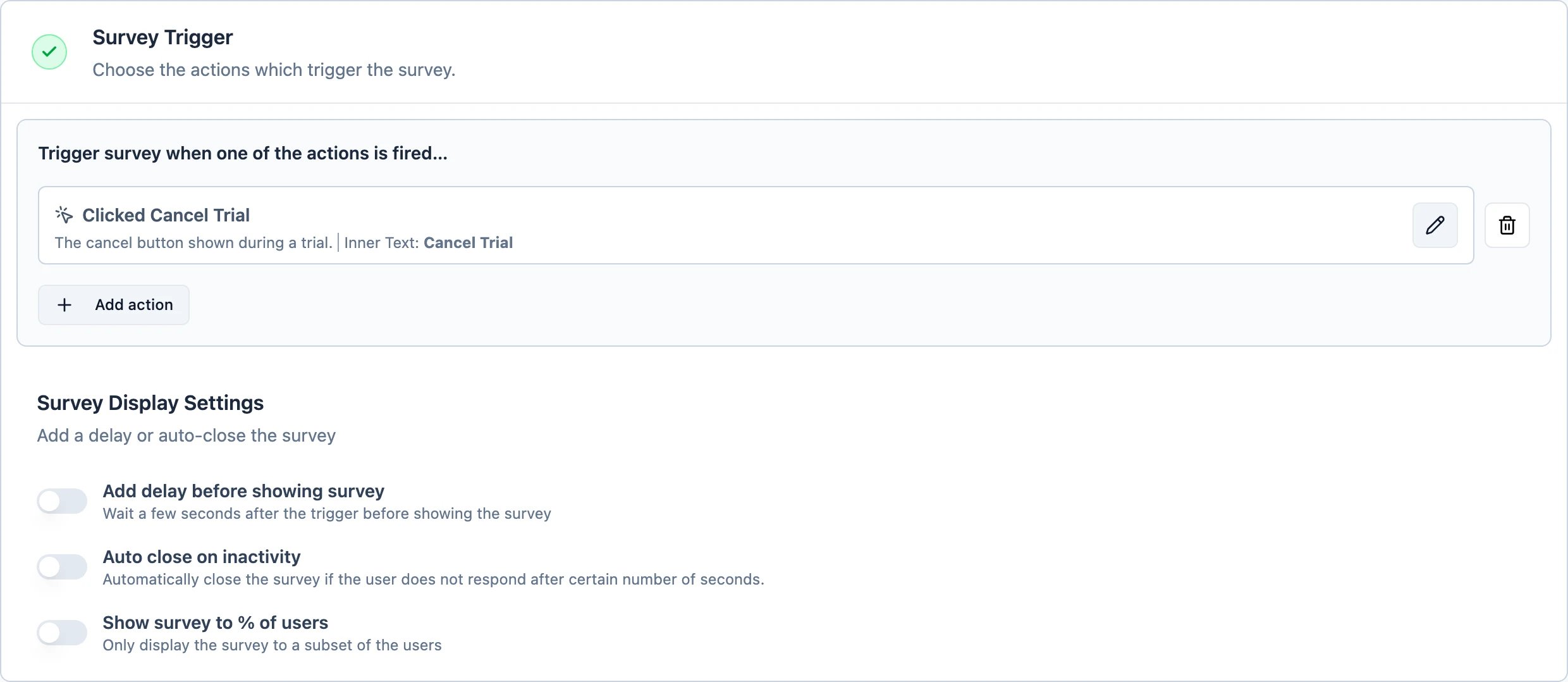
Two triggers work, depending on how your trial ends. If cancelling is a button, match it with Inner TextCancel Trial. If it is a page such as /trial-cancelled, use a Page View action with Limit to specific pages.
Open the Settings tab, find Survey Trigger and add the action.
3. Decide how often it may appear
Still on Settings, open Display & Recontact. Choose Show only once.Recontact Options and the workspace-wide Cooldown Period
are two separate gates and a survey has to pass both — Recontact Options first, then the cooldown. If
your workspace shows at most one survey a week, this survey inherits that unless you set Ignore
Cooldown Period.
4. Activate
Activate starts it. The widget picks up the change within a minute.This is an app survey, so it needs the Formbricks widget running in your product. If you have not
installed it yet, follow the quickstart first.