

Creatives are part of the Formbricks Enterprise Edition, on self-hosted
instances whose license includes Creatives. They are not available on Formbricks Cloud.
The summary page
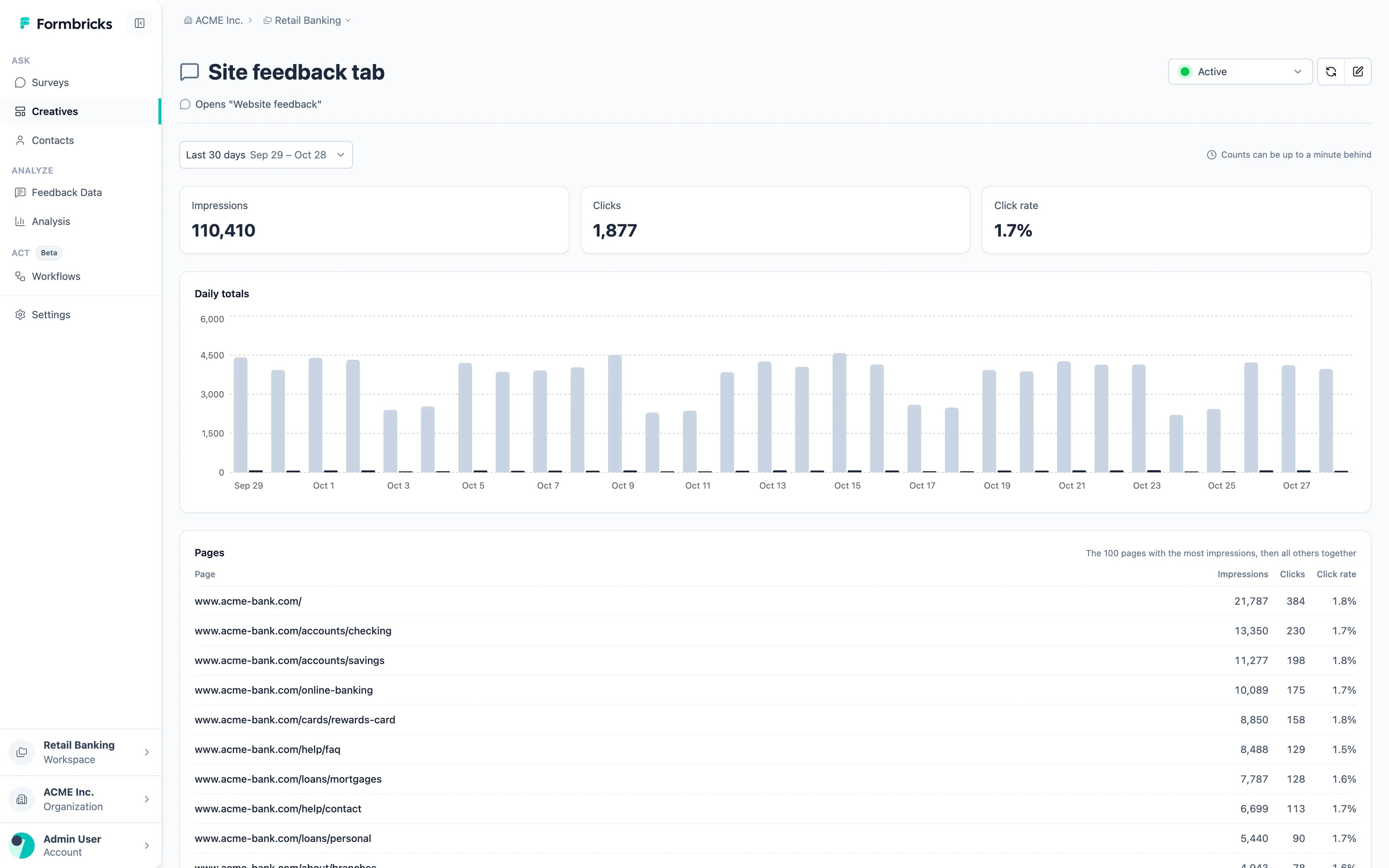
Daily totals charts impressions and clicks per day. Pages lists the 100 pages with the most impressions, each with its impressions, clicks and click rate, and adds up all other pages in one row. A page is the host and path, such as
www.acme-bank.com/loans/mortgages, without the query string or #hash. Each UTC day, a creative counts its first 1,000 different pages one by one and any further pages together, so on a very large site a busy page reached late in the day can land in the all-other-pages row.
Date range
Pick a range above the numbers: Last 30 days by default, from Today to Last year, or a Custom range of up to 366 days. Days are counted in UTC, and the numbers are usually up to a minute behind; on instances with thousands of busy creatives they can lag a little longer.What isn’t counted
- Bots and crawlers.
- Anything while your license doesn’t include Creatives, since creatives aren’t shown then.
Self-hosting: impressions and clicks are counted in Redis and written to the database every minute by
the background job worker, which runs by default. The worker only picks up today and yesterday (UTC), so
without it, counts not written by the end of the next UTC day are lost; counts already written stay on the
summary page. See Job Runner.
Responses opened by a creative
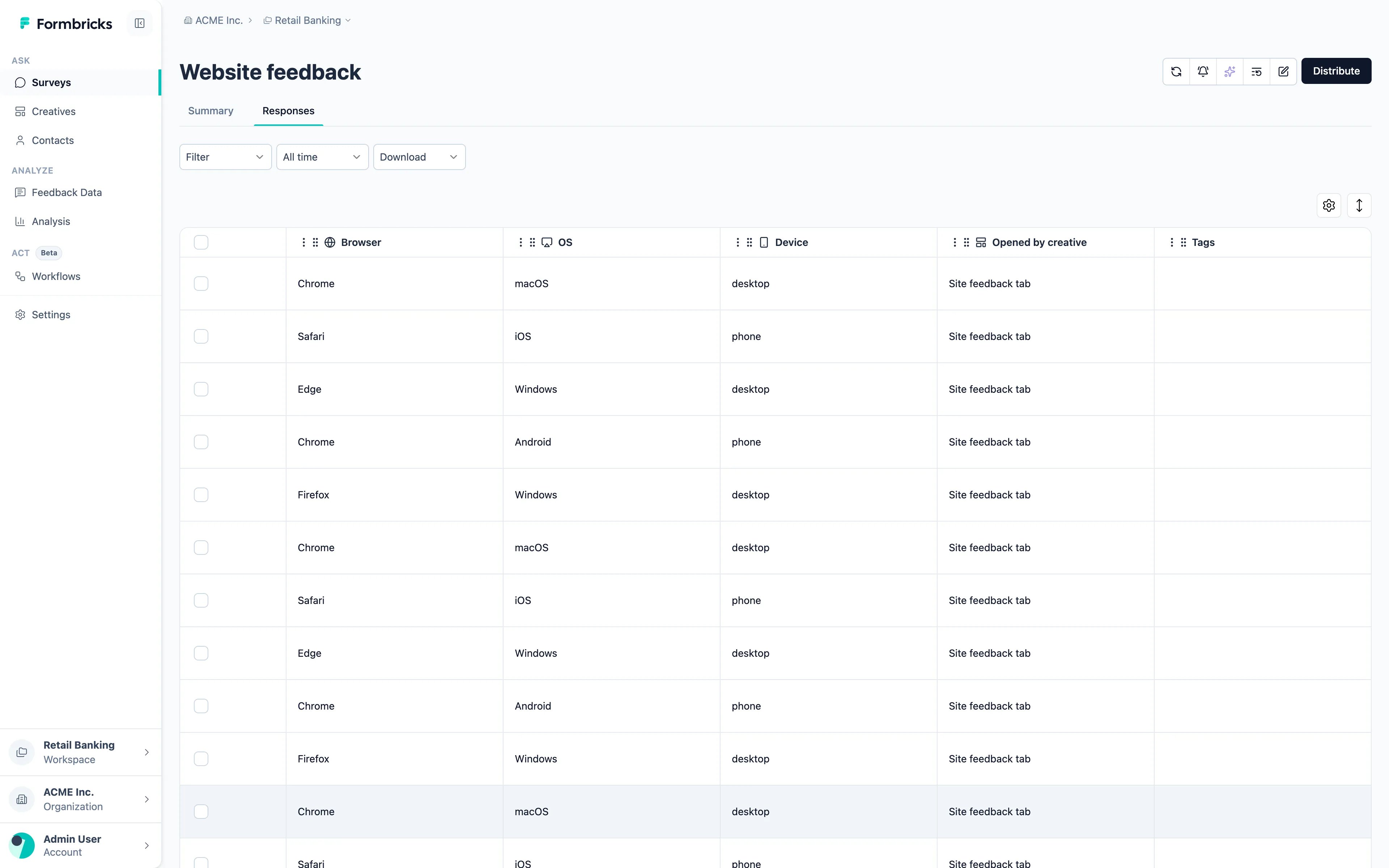
Every response to a survey opened by a creative records which creative opened it, as Opened by creative (the creative’s name when the response came in) and Opened by creative ID, as long as that creative still exists and still opens the survey when the response arrives:- on the response card, with the rest of the response’s metadata;
- as a column in the response table, shown by default on surveys that creatives open;
- in the response Filter, so you can compare what the feedback button brought in with the survey’s own popups;
- in the CSV and Excel export.
Counts in the API
The Management API v3 returns the same counts withGET /api/v3/creatives/{creativeId}/stats, per UTC day, and broken down by page or by device type (desktop, tablet, phone) with groupBy. The MCP tool get_creative_stats reads them too.
Still have questions? Join us in GitHub Discussions and we’ll be glad to help.