Customer Experience Analytics: How to Measure and Improve CX (2026)

Johannes
Co-Founder and CEO
7 Minutes
March 5th, 2026
Companies that lead on customer experience outperform laggards by nearly 80% in revenue growth, according to Forrester. Yet most businesses still rely on gut instinct or fragmented spreadsheets to understand how customers feel. The gap between what customers expect and what businesses deliver is widening, and customer experience analytics is the discipline that closes it.
CX analytics is not just about collecting survey responses or tracking page views. It is the practice of unifying data from every customer touchpoint, from in-app surveys and support tickets to purchase history and social media, and turning that data into insights you can act on. The global CX analytics market was valued at US$7.82 billion in 2024 and is projected to hit US$16.01 billion by 2033, driven by the demand for more personalized, seamless interactions.
This guide covers everything you need to build a data-driven CX program:
- What customer experience analytics is and how it works
- The CX metrics and KPIs that matter (with formulas)
- How to unify customer data across silos
- Five strategies to improve CX using analytics
- Customer journey analytics: mapping the full lifecycle
- How CX analytics applies across industries and roles
- How to choose the right CX analytics tools
- Common pitfalls to avoid
What is Customer Experience Analytics?
Customer experience analytics (also called CX analytics) is the systematic collection, integration, and analysis of data from every customer interaction to understand and improve how people experience your brand. It combines three types of data:
- Feedback data: Survey responses (NPS®, CSAT, CES), reviews, and direct customer input
- Behavioral data: Website clicks, product usage patterns, purchase history, and in-app interactions
- Operational data: Support ticket volumes, response times, resolution rates, and agent performance
When you bring these together, you move from isolated snapshots to a complete picture of the customer journey. You can see not just what happened (a customer abandoned their cart) but why it happened (the checkout flow was confusing on mobile) and what to do about it (redesign the mobile checkout).
This is what separates CX analytics from basic web analytics or standalone survey tools. Web analytics tells you what people do on your site. CX analytics tells you the full story across every channel and connects it to business outcomes like retention, revenue, and lifetime value.
CX Analytics at a Glance
| Component | What It Does |
|---|---|
| Data Collection | Gathers data from every touchpoint: surveys, web traffic, support interactions, social media, in-app behavior |
| Data Integration | Combines structured data (purchase history, scores) and unstructured data (review text, call transcripts) into a unified view |
| Journey Mapping | Visualizes the entire customer path to identify key moments, pain points, and opportunities |
| Sentiment Analysis | Interprets the emotion (positive, negative, neutral) in customer feedback using NLP |
| Root Cause Analysis | Digs into the "why" behind customer behaviors like churn, low satisfaction, or drop-offs |
| Predictive Analytics | Forecasts future customer behavior and trends based on historical data |
| Actionable Insights | Translates data into specific recommendations for improving the experience |
How Customer Experience Analytics Works
CX analytics follows a structured process. Whether you are using a dedicated platform or building your own stack, the core workflow looks the same:
1. Collect data from every touchpoint
Start by mapping every place a customer interacts with your brand. This includes your website, mobile app, survey responses, support channels (phone, chat, email), social media, and in-store visits. The goal is to capture both quantitative signals (clicks, scores, purchase amounts) and qualitative feedback (open-ended survey comments, review text, call transcripts).
Do not try to collect everything at once. Start with the two or three highest-impact touchpoints for your business and expand from there.
2. Integrate and unify the data
Raw data sitting in separate systems is nearly useless. You need to bring it together into unified customer profiles so you can see the full journey, not just fragments. This means connecting your CRM, your feedback tools, your web analytics, and your support system.
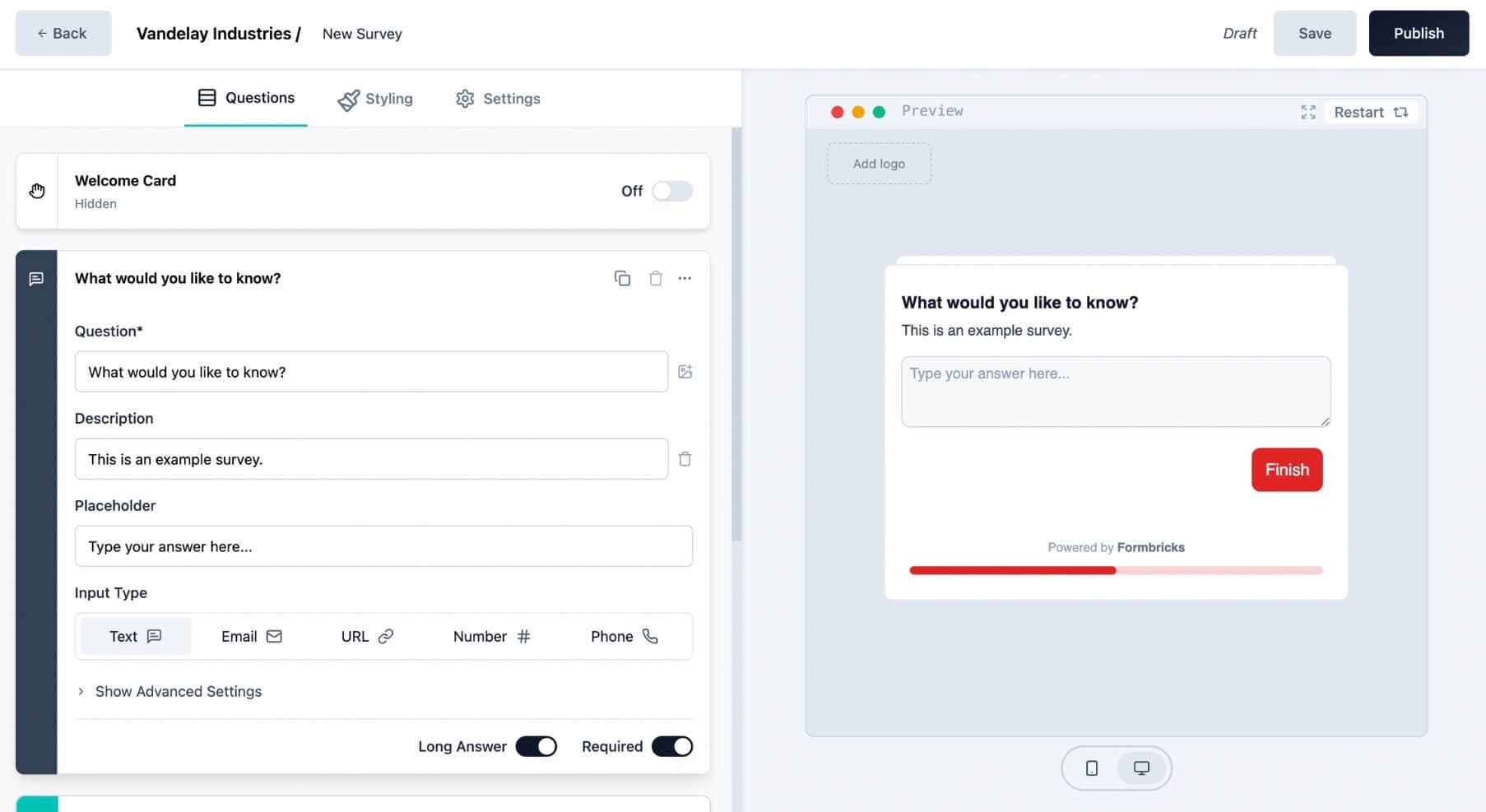
A Customer Data Platform (CDP) or an experience management tool like Formbricks can serve as the connective tissue, stitching together behavioral data from your product with survey responses and support interactions.
3. Analyze for patterns and root causes
With unified data, you can run analyses that were impossible before. Segment customers by behavior, satisfaction level, or lifecycle stage. Use sentiment analysis to detect emerging issues in open-ended feedback. Map the customer journey to identify where friction peaks and where delight happens.
The key question at this stage is always "why." A high churn rate is a symptom. The root cause might be a confusing onboarding flow, a missing feature, or poor support response times.
4. Turn insights into action
The best CX analytics program is worthless if insights stay in a dashboard. Route findings to the teams that can act on them. If survey data shows onboarding confusion, that goes to Product. If support transcripts reveal a recurring billing complaint, that goes to Finance. If social listening detects a brand perception shift, that goes to Marketing.
Build feedback loops that close the gap between insight and action. Let customers know you heard them and made changes. This builds trust and encourages future feedback.
The CX Metrics and KPIs That Matter
You cannot improve what you do not measure. A strong customer experience analytics program tracks a mix of feedback metrics, behavioral metrics, and financial metrics. Here are the ones that matter most.
Feedback Metrics
These come directly from customers and measure how they feel at specific moments:
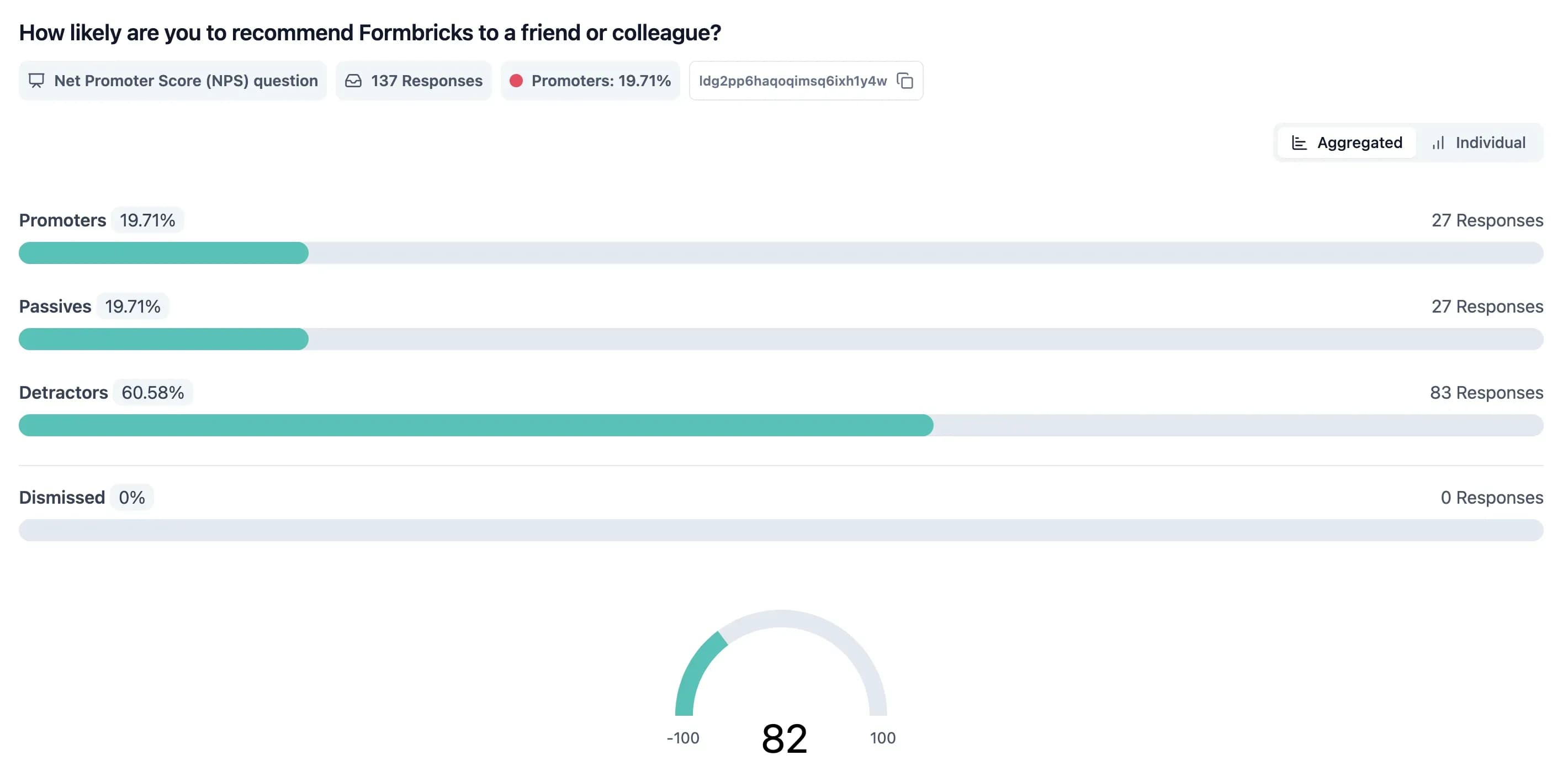
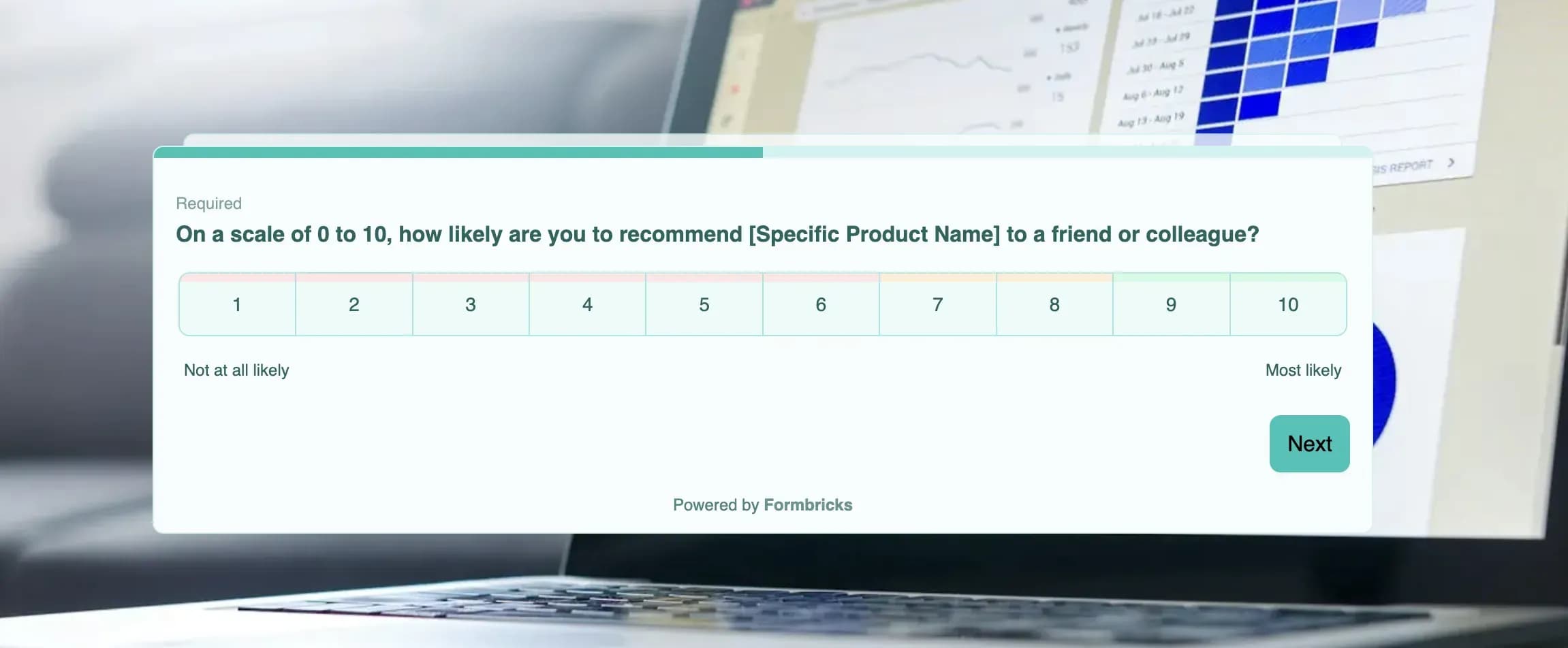
Net Promoter Score℠ (NPS) measures long-term loyalty by asking "How likely are you to recommend us?" on a 0-10 scale. Respondents are grouped into Promoters (9-10), Passives (7-8), and Detractors (0-6).
Formula: NPS = % Promoters - % Detractors
A score above 50 is generally considered excellent. NPS is a strategic, big-picture metric. Learn more about NPS question best practices.
Customer Satisfaction (CSAT) is a snapshot of happiness after a specific interaction. A question like "How satisfied were you with your experience today?" rated 1-5 provides immediate, in-the-moment feedback. CSAT is ideal for pinpointing moments of excellence or failure at individual touchpoints.
Formula: CSAT = (Number of satisfied responses / Total responses) x 100
Customer Effort Score (CES) measures how easy or difficult it was for a customer to get something done. High effort is a major churn predictor. If customers have to call support three times to resolve one issue, that is a problem no amount of friendly service can fix.
Formula: CES = Sum of all effort scores / Total number of responses
The real power comes from looking at these metrics together, not in isolation. A customer might give a high CSAT for a friendly support agent but a low CES because they had to contact support three separate times. That combination tells a story that neither metric tells alone.
To sanity-check NPS from promoter and detractor counts, use our NPS calculator.
For CSAT percentages and CES averages from the same wave of feedback, use the CSAT calculator and CES calculator before you trend results in dashboards.
Behavioral and Financial Metrics
Feedback scores tell you how customers feel. These metrics tie experience to your bottom line:
Customer Churn Rate is the percentage of customers who stop doing business with you over a given period. It is the ultimate signal of dissatisfaction. If churn is high, nothing else matters.
Formula: Churn Rate = (Customers lost during period / Customers at start of period) x 100
Customer Retention Rate is the flip side of churn. High retention is the hallmark of a winning CX program because it proves you are building lasting, valuable relationships.
Formula: Retention Rate = ((Customers at end - New customers acquired) / Customers at start) x 100
Customer Lifetime Value (CLV) forecasts the total revenue you can expect from a single customer over their entire relationship. Improving CX directly boosts CLV because happy customers stick around longer and spend more.
Formula: CLV = Average purchase value x Purchase frequency x Average customer lifespan
Tracking CLV helps you understand the long-term financial impact of your CX investments and makes it much easier to justify your budget to stakeholders.
When you need to translate experience improvements into a revenue story for stakeholders, use our CX ROI calculator to model the upside.
How to Unify Your Customer Data
Your customer data is probably scattered across a dozen systems. Your CRM knows purchase history, your analytics tool tracks clicks, your support desk has complaints, and social media channels capture what customers really think. Each system holds a piece of the puzzle, but none shows the complete picture.
To run effective CX analytics, you need to tear down those data silos and build unified customer profiles.
Key Data Sources and What They Reveal
| Data Source | Data Type | Example Insights |
|---|---|---|
| CRM System | Structured | Purchase history, contract value, CLV, support ticket history |
| Website and App | Behavioral | Pages visited, features used, cart abandonment rates, time on key tasks |
| Support Channels | Unstructured | Call transcripts, chat logs, email threads with direct feedback and sentiment |
| Surveys (NPS, CSAT, CES) | Quantitative and Qualitative | Loyalty scores, satisfaction ratings, open-ended comments about specific experiences |
| Social Media | Unstructured | Brand mentions, public complaints, competitor comparisons, emerging trends |
| In-App Surveys | Contextual | Real-time feedback captured at the exact moment of interaction inside your product |
Capturing the Voice of the Customer
The analytics market is shaped by how customers communicate. Text analytics led all solution types with a 41% revenue share, proving how much value is buried in written feedback. Call centers still account for 33% of the sector's revenue. To capture this voice effectively, focus on three capabilities:
-
Thoughtful survey design. Do not just ask for a number. Always include open-ended questions that invite people to explain the "why" behind their rating. Tools like Formbricks let you deploy targeted surveys at the exact moment of interaction, whether inside your product, on your website, or via email. For inspiration on what to ask, browse our collection of customer experience survey questions.
-
Social listening. Monitor mentions of your brand, products, and competitors on social media and review sites. This is where you find raw, unfiltered truth.
-
Text and sentiment analytics. Use tools to comb through support tickets, call transcripts, and reviews. These tools automatically spot recurring themes, gauge sentiment, and flag problems before they escalate.
Five Strategies to Improve CX Using Analytics
Collecting data is the starting point. The real value comes from translating insights into improvements customers can feel. Here are five proven strategies:
1. Identify and Fix High-Impact Friction Points
Not all pain points are equal. Use your CX data to map experience quality across different journey stages and isolate where frustrations peak. A confusing checkout flow that causes 30% cart abandonment deserves more attention than a minor formatting issue on a secondary page.
Delta Dental of Minnesota used conversation analytics and found that just four issues accounted for 60% of all dissatisfied calls. By channeling insights into targeted training, they drove a 20% increase in First Contact Resolution and a 40% decrease in effort for both agents and customers.
2. Personalize Experiences at Scale
CX analytics reveals preferences, habits, and emotional drivers that let you shift from one-size-fits-all to personalized journeys. Predictive models can identify which customers are likely to churn, what offers resonate, and when proactive outreach works best.
With Formbricks, you can use behavioral targeting to show different surveys to different user segments based on their actions, attributes, or lifecycle stage, collecting the right feedback from the right people at the right time.

3. Shift from Reactive to Proactive
Without analytics, businesses scramble: rushing to deal with angry reviews, handling support tickets for recurring issues, and wondering why customers leave. With analytics, you see problems coming.
By 2025, an estimated 89% of businesses compete primarily on customer experience. Gartner predicts that 40% of customer service organizations will move from reactive to proactive strategies using analytics. The shift from "fixing problems after they happen" to "preventing problems before customers notice" is the single biggest ROI driver of CX analytics.
4. Build Cross-Functional Feedback Loops
Customer experience does not live in one department. A rough onboarding experience might be caused by unclear marketing promises, a clunky product UI, and a slow support response. Fixing it requires Marketing, Product, and Support to work together.
The best CX programs close the feedback loop by routing insights to the right team and tracking whether changes actually moved the metrics. When customers see that their feedback led to real improvements, they become more willing to share feedback in the future, creating a virtuous product feedback loop.
5. Reduce Customer Effort Systematically
CES is one of the strongest predictors of churn. Every time a customer has to repeat information, navigate a confusing process, or contact support for something that should be self-service, you lose trust.
Map the highest-effort interactions in your journey and systematically eliminate them. Peckham Inc. used analytics to uncover bottlenecks in their contact center, identifying problems like inefficient call routing and technology limitations. The result was a $2.7M increase in annual revenue.
Choosing the Right CX Analytics Tools
The market for CX analytics tools is crowded. Before comparing features, focus on a few fundamental questions:
What Type of Tool Do You Need?
- Voice of the Customer (VoC) platforms collect and analyze direct feedback. Think surveys, NPS, CSAT, and CES with text analytics on open-ended responses. For real-world examples of how brands run VoC programs, see our voice of customer templates.
- Web and product analytics suites (like Google Analytics or Mixpanel) focus on behavioral data: clicks, funnels, feature usage, and drop-offs.
- All-in-one experience management platforms pull everything together: surveys, behavioral data, support interactions, and CRM info into one hub.
An open-source tool like Formbricks fits the VoC and experience management category, giving you the flexibility to tie deeply into your existing tech stack while keeping your data private.
Key Questions Before You Choose
- Does it integrate with your stack? Your CX platform must connect to your CRM, support system, and analytics tools. No integration means more data silos.
- Can it scale? The tool you pick today needs to handle tomorrow's volume. Ask about performance with more data, more users, and more channels.
- Is it usable by non-technical teams? A powerful analytics tool is worthless if only data scientists can use it. Product managers, marketers, and support leads should be able to find their own answers.
- Does it align with your data privacy needs? With GDPR, CCPA, and growing customer awareness, privacy is critical. For organizations that need full control, self-hosted, open-source solutions ensure sensitive customer data never leaves your infrastructure.
- Does it support in-app feedback collection? The most valuable feedback is captured in context, at the exact moment of interaction. Tools with native in-app survey capabilities dramatically outperform standalone link-based surveys for response rates and data quality.
Customer Journey Analytics: Mapping the Full Experience
Customer journey analytics is a subset of CX analytics focused on mapping and optimizing the sequence of interactions a customer has with your brand. While CX analytics looks at the big picture (metrics, sentiment, business outcomes), journey analytics zooms in on the path customers take and where they stumble.
The most effective journey analytics frameworks break the customer lifecycle into four stages, each with its own signals and actions:
Onboarding and First Use
Your first impression determines whether new customers stick around or churn early. Track time-to-value (how long it takes a user to reach their first meaningful outcome), step completion rates in your onboarding flow, and first contact resolution if they reach out to support. High drop-off at a specific step usually points to a confusing UI or a missing explanation.
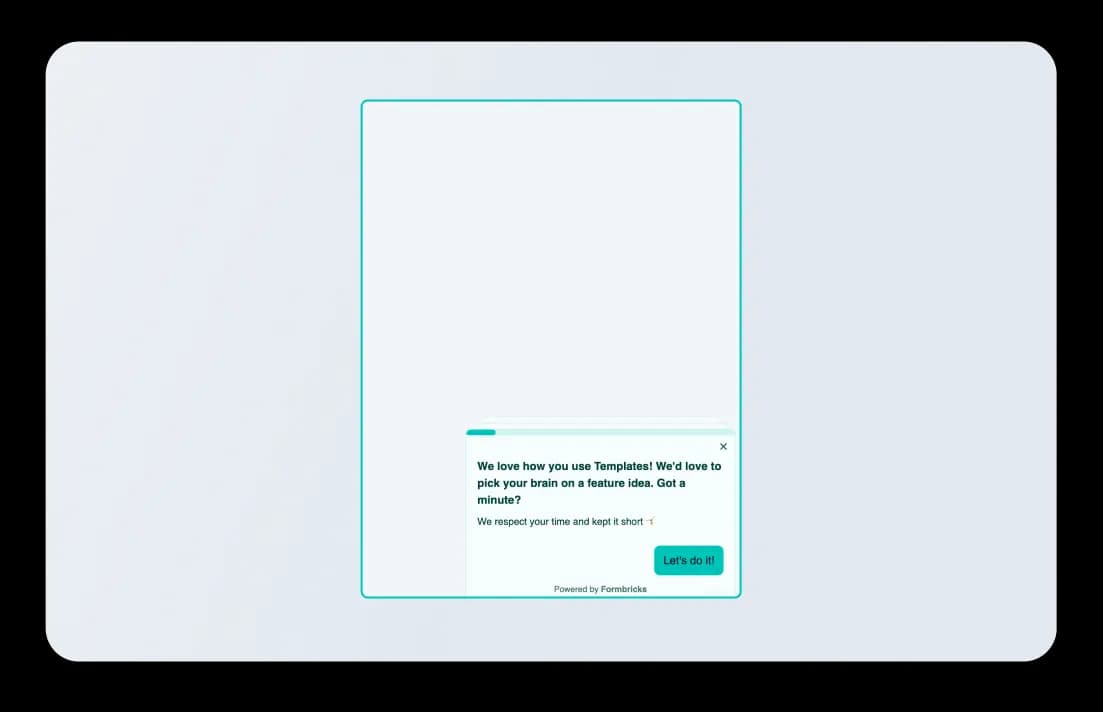
Use in-app surveys triggered after onboarding completion to capture immediate feedback while the experience is fresh.
Adoption and Everyday Use
Once customers are onboard, you need to ensure they are getting continuous value. Track feature adoption rates, session frequency, and CSAT scores tied to specific features. Low adoption of a high-value feature often means customers do not know it exists, not that they do not need it.
Targeted in-app prompts can guide users toward features correlated with higher retention and lifetime value.
Help and Recovery
When something goes wrong, your response either damages trust or strengthens it. Track Customer Effort Score after support interactions, categorize support topics to find recurring issues, and monitor sentiment trends over time. If the same issue generates repeated contacts, fix the root cause rather than optimizing agent scripts.
Renewal, Loyalty, and Advocacy
At this stage, the focus shifts to retention and expansion. Track usage trend analysis (is engagement increasing or declining?), NPS trajectory over time, and recency of the last negative support interaction. Declining product usage combined with unresolved support tickets is the strongest churn predictor.
Customers who score as Promoters on NPS are ideal candidates for referral programs, case studies, and advocacy campaigns. Use targeted surveys to identify them and follow up.
CX Analytics by Industry
Different industries face different CX challenges. Here is how CX analytics applies across the most common sectors:
SaaS and Technology. Product usage data is the richest signal. Track feature adoption, time-to-value, and in-app survey responses. Churn prediction models built on usage decline and support ticket frequency are highly effective. Self-service capabilities and product feedback loops are critical.
Retail and E-commerce. Cart abandonment analysis, post-purchase CSAT surveys, and social listening drive the most value. Omnichannel consistency (matching the in-store experience with the digital experience) is the primary challenge. Personalization powered by purchase history and browsing behavior directly impacts conversion.
Financial Services. Regulatory compliance adds complexity. CX analytics must balance data privacy with personalization. Customer effort is the key metric because financial processes (loan applications, account changes) are inherently complex. Reducing effort at high-friction touchpoints has outsized impact on retention.
Healthcare. Patient experience surveys, appointment scheduling friction, and post-visit feedback are the core data sources. HIPAA compliance constrains which tools you can use and how data flows. Self-hosted survey platforms that keep data on your own infrastructure solve this.
Travel and Hospitality. Real-time feedback during the experience (not just after) is essential. Guest satisfaction at check-in, during the stay, and at checkout are distinct touchpoints that need separate measurement. Social media sentiment and online review management are disproportionately important because travelers research reviews before booking.
CX Analytics by Role: Who Uses What
CX analytics is not just for the CX team. Different roles need different views of the same data:
CX and Customer Success Leaders need the full picture: NPS trends, journey maps, churn risk scores, and closed-loop tracking. They own the overall program and need to prove ROI to leadership.
Product Managers care about feature adoption rates, in-app survey responses, and friction analysis. They need to know which features drive retention and where users get stuck. Behavioral data paired with qualitative feedback from in-app surveys is their most actionable input.
Marketing Teams use CX analytics to understand campaign impact on customer perception, identify brand advocates (NPS Promoters), and optimize messaging based on what resonates. Social listening and sentiment analysis are their primary tools.
Support and Service Leaders focus on operational metrics: first contact resolution, average handle time, CES, and support topic categorization. They need analytics that surface recurring issues and identify training opportunities for agents.
Executive Leadership needs the business case: how CX improvements translate to revenue, retention, and CLV. They want dashboards that connect experience metrics directly to financial outcomes, not raw data.
Common CX Analytics Pitfalls to Avoid
Even with the right tools and data, CX programs can fail. Watch out for these traps:
Over-indexing on quantitative data. A low NPS tells you there is a problem. The qualitative feedback in open-ended responses tells you why. Never skip the "why." To get the full picture, combine metric-based surveys with open-ended questions.
Looking at averages instead of extremes. An average NPS of 42 might hide the fact that Gen Z customers rate you at 10 while Boomers rate you at 70. Disaggregate your data. Averages tell you "how you are doing." Extremes tell you "where you are winning or losing."
Treating every fluctuation as a crisis. A bad day on social media or a low CSAT wave after a product launch might be temporary noise, not a systemic failure. Pair real-time monitoring with rolling averages and cohort trend analysis.
Failing to close the loop. When customers take the time to give feedback, they want to know they have been heard. Acknowledging their input and showing them the changes you made builds trust and encourages future participation.
Analysis paralysis. The most common failure mode in CX programs is admiring the data instead of using it. Every insight should pass a "so what" test. If you cannot explain why it matters for your business in 30 seconds, refine it further.
Frequently Asked Questions
If you're evaluating CX analytics platforms, see our guides on Medallia alternatives, Survicate alternatives, and Sprig alternatives.
Try Formbricks now