
Typeform Review 2026: Ratings, Real Complaints, Pricing, and Where It Falls Short

Johannes
Co-Founder @ Formbricks
11 Minutes
Updated November 13, 2026
This Typeform review starts with a split verdict. Typeform scores 4.5 out of 5 on G2 and 4.7 on Capterra, where users praise its design and ease of use. On Trustpilot it scores 2.9, and its negative reviews focus on billing, response caps and refunds. Both are true. Typeform builds some of the best-looking forms on the market, and its pricing model catches teams out. I went through Typeform's pricing page, help docs and the three main review sites to work out who it fits and who should skip it.
At a glance:
| Verdict | |
|---|---|
| Best for | Short, polished forms for marketing, HR and research |
| Price | Free (10 responses/month); $39, $79 or $129 a month; $28 to $91 billed yearly |
| Strengths | Design, one-question-at-a-time flow, logic, integrations |
| Weak spots | Response caps that close forms, no refunds, SSO and data residency only on Enterprise |
| Our score | 3.7 / 5 |
| Skip it if | You need high volume on a small budget, long surveys, or self-hosting |
Table of contents:
- Typeform ratings on G2, Capterra and Trustpilot
- What is Typeform?
- Typeform review: features
- Typeform pricing in brief
- Main complaint themes
- Security and data control
- Our Typeform review scores
- Who should use Typeform
- When security review blocks Typeform
- Typeform vs Formbricks
- Typeform review FAQ
Typeform Ratings on G2, Capterra and Trustpilot
| Site | Score | Reviews | What reviewers focus on |
|---|---|---|---|
| G2 | 4.5 / 5 | 1,027 | Ease of use (top tagged pro), "Expensive" (top tagged con) |
| Capterra | 4.7 / 5 | 982 | Design, templates, respondent experience |
| Trustpilot | 2.9 / 5 | 798 | Price, subscription and billing, response limits |
Scores and counts checked November 10 to 12, 2026. Counts move daily.
Why the gap? G2 and Capterra mostly collect reviews from active users rating the product. Trustpilot draws more customers with a billing or account problem. Typeform does respond: Trustpilot shows it replies to about 92% of negative reviews. The pattern is consistent: people like using Typeform and dislike paying for it.
What Is Typeform?
Typeform is a Barcelona-founded form builder, started in 2012. It is remote-first, has more than 250 employees and says it serves over 150,000 businesses (typeform.com/about-us). Its last announced funding was a $135M Series C in 2022 (SiliconANGLE).
The product is a one-question-at-a-time form that feels like a conversation. Typeform now positions itself around AI forms and automated workflows, with Typeform AI (forms from a prompt), Growth Flow (lead enrichment and follow-ups) and Research Flow (participant recruitment, video research and AI analysis, sold through sales).
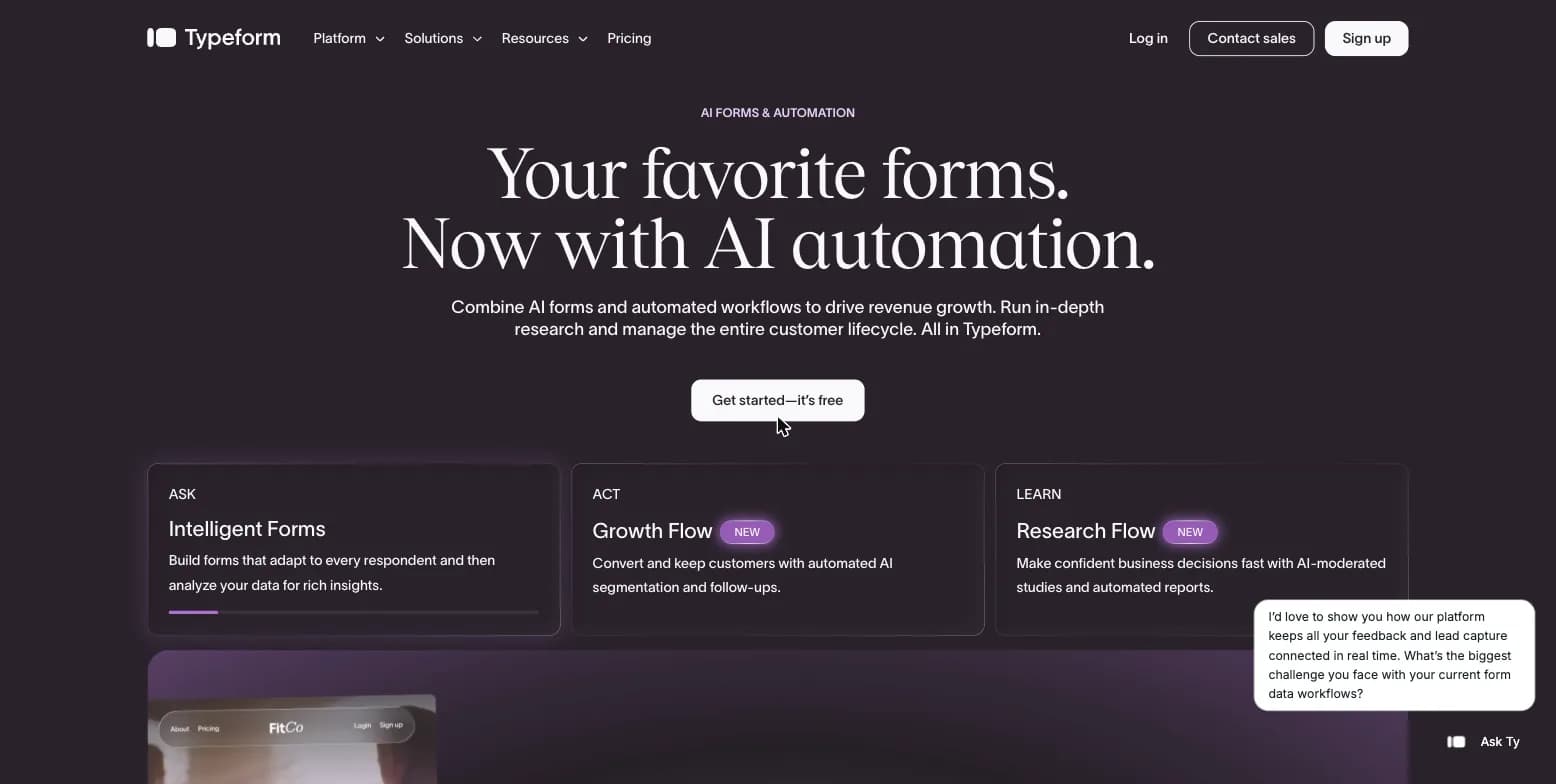
Typeform homepage, captured August 15, 2026.
People use Typeform for lead capture, customer feedback, quizzes, event registration, job applications and onboarding forms. It is a legitimate, established company with a public pricing page and a large user base.
Typeform Review: Features
Form builder
The builder shows one question per screen with large type, images and video backgrounds. Typeform AI drafts a form from a prompt. Conditional logic, recall (piping earlier answers), scores and calculations, multiple endings and hidden fields are available, and logic is included on the free plan (typeform.com/pricing).
Distribution and integrations
Forms go out as links, embeds or popups. Integrations include Google Sheets, Slack, Airtable, Mailchimp, HubSpot, Pipedrive and Salesforce (Salesforce from Business), plus webhooks and a developer API. Responses download as CSV or XLSX.
Analytics
Every plan shows response summaries. Drop-off rates and conversion tracking start at Business ($129 a month). Meta Pixel, Google Analytics and Google Tag Manager also start at Business (Growform).
Growth Flow, Talent and Research Flow
Growth Flow ($379 a month) adds enrichment for 1,500 responses a month, Smart Insights and email and SMS follow-ups. Talent ($169 a month) adds video answers and AI clarification questions for hiring. Research Flow is contact-sales only.
Pros and cons
| Pros | Cons |
|---|---|
| ✅ Best-in-class form design and respondent experience | ❌ Free plan stops at 10 responses a month |
| ✅ Logic, hidden fields and integrations even on the free plan | ❌ Shared response cap closes all forms when you hit it |
| ✅ Typeform AI drafts forms quickly | ❌ Ad tracking and drop-off rates need the $129 Business plan |
| ✅ Specialist plans for HR and marketing | ❌ No refunds, auto-renewal, no pause |
| ✅ Easy for non-technical teams | ❌ SSO, HIPAA and data center choice only on Enterprise |
Typeform Pricing in Brief
| Plan | Monthly | Billed yearly | Responses/month | Users |
|---|---|---|---|---|
| Free | $0 | $0 | 10 | 1 |
| Basic | $39 | $28/mo | 100 | 1 |
| Plus | $79 | $56/mo | 1,000 | 3 |
| Business | $129 | $91/mo | 10,000 | 5 |
| Talent | $169 | $119/mo | 3,000 | 3 |
| Growth Flow | $379 | $266/mo | 10,000 | 5 |
| Enterprise | Contact sales | Contact sales | Custom | 6+ |
Source: typeform.com/pricing, checked November 12, 2026. Typeform raised Basic, Plus and Business from $29, $59 and $99 after December 2025 (Growform). Our Typeform pricing guide covers add-ons, feature gates and what teams really spend.
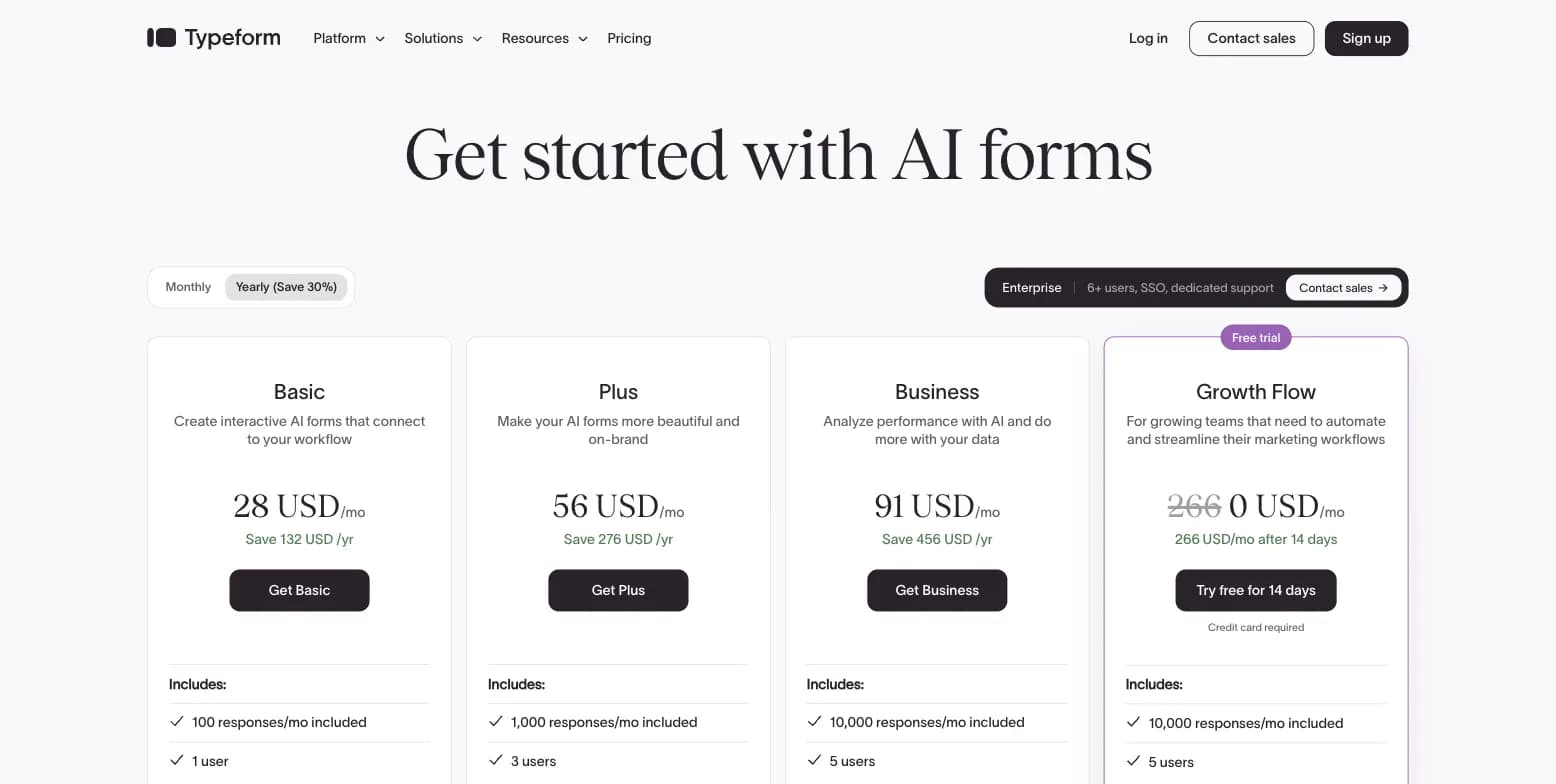
Typeform pricing page, captured August 16, 2026, before the latest page update.
Main Complaint Themes
Reading Typeform's Trustpilot reviews and the cons tagged on G2, five themes come up again and again.
1. Price and price increases. "Expensive" is the most tagged con on G2. The 2026 increase (Basic $29 to $39, Plus $59 to $79, Business $99 to $129) added about a third to the core plans.
2. Response limits that close forms. The monthly allowance is shared across every form. At the cap, Typeform switches forms to private until next month. Deleted responses still count and unused responses do not roll over (Growform).
3. Auto-upgrade and auto-renewal. Auto-upgrade is on by default after you leave the free plan. It keeps forms open by moving you to a higher response tier, and that tier stays on your bill until you downgrade. Plans renew automatically.
4. No refunds. Typeform does not refund unused time, and you cannot pause a prepaid subscription (typeform.com/pricing FAQ). Many one-star reviews describe a renewal charge the customer did not expect.
5. Features gated to higher tiers. Branding removal needs Plus. Drop-off rates and ad pixels need Business. SSO, HIPAA, custom domains and more than 5 users need Enterprise.
A sixth, smaller theme: long surveys. The one-question-per-screen flow that works for a 6-question form gets slow for a 40-question research survey, though Typeform's newer multi-question pages help.
Security and Data Control
Security is a standard criterion in any software review, and it is where Typeform's plan ladder is steepest.
- Hosting and certifications: Typeform runs on AWS, with TLS 1.2 in transit and AES-256 at rest (typeform.com/pricing FAQ), and holds SOC 2 Type II, ISO 27001 and ISO 27701 (Typeform security).
- Data center choice: US or EU, Enterprise only.
- SSO (SAML, OAuth, OpenID): Enterprise or custom Growth plans only.
- HIPAA: Enterprise only.
- GDPR: included on all plans.
- Self-hosting: not offered at any price.
For most small teams this is fine. For a bank, a hospital, a public agency or any company whose security review asks "where exactly does respondent data live, and who processes it", it means an Enterprise contract at minimum, and a no if the policy requires your own infrastructure.
Our Typeform Review Scores
| Criterion | Score | Why |
|---|---|---|
| Ease of use | 5 / 5 | Fast builder, AI drafts, praised across G2 and Capterra |
| Form experience | 5 / 5 | The best one-question-at-a-time forms available |
| Features | 4 / 5 | Strong logic and integrations; analytics gated to Business |
| Value for money | 2.5 / 5 | 100 responses for $39; useful features start at $129 |
| Billing and support | 2.5 / 5 | No refunds, auto-upgrade by default, Trustpilot 2.9 |
| Security and data control | 3 / 5 | SOC 2 Type II and ISO 27001/27701; SSO, HIPAA and region choice Enterprise-only; no self-hosting |
| Overall | 3.7 / 5 | Great product, expensive and inflexible to buy |
These scores are our editorial judgment based on the pricing page, help docs and review data above.
Who Should Use Typeform
Use Typeform if:
- You build short marketing, quiz, lead-gen or hiring forms where respondent experience drives completion.
- Your volume fits a plan comfortably (for example, a few hundred responses a month on Plus).
- You want lead enrichment and follow-ups in one place (Growth Flow).
Skip Typeform if:
- You need thousands of responses a month on a small budget. See our list of Typeform competitors, where Tally, Fillout and Jotform cost less per response.
- You run long research surveys. SurveyMonkey fits better; see SurveyMonkey vs Typeform.
- Your security review requires SSO, a data center choice or self-hosting without an Enterprise contract.
When Security Review Blocks Typeform
If the last point applies, Formbricks is built for that case. Formbricks is an open-source experience management platform that enterprises run where their data already lives.
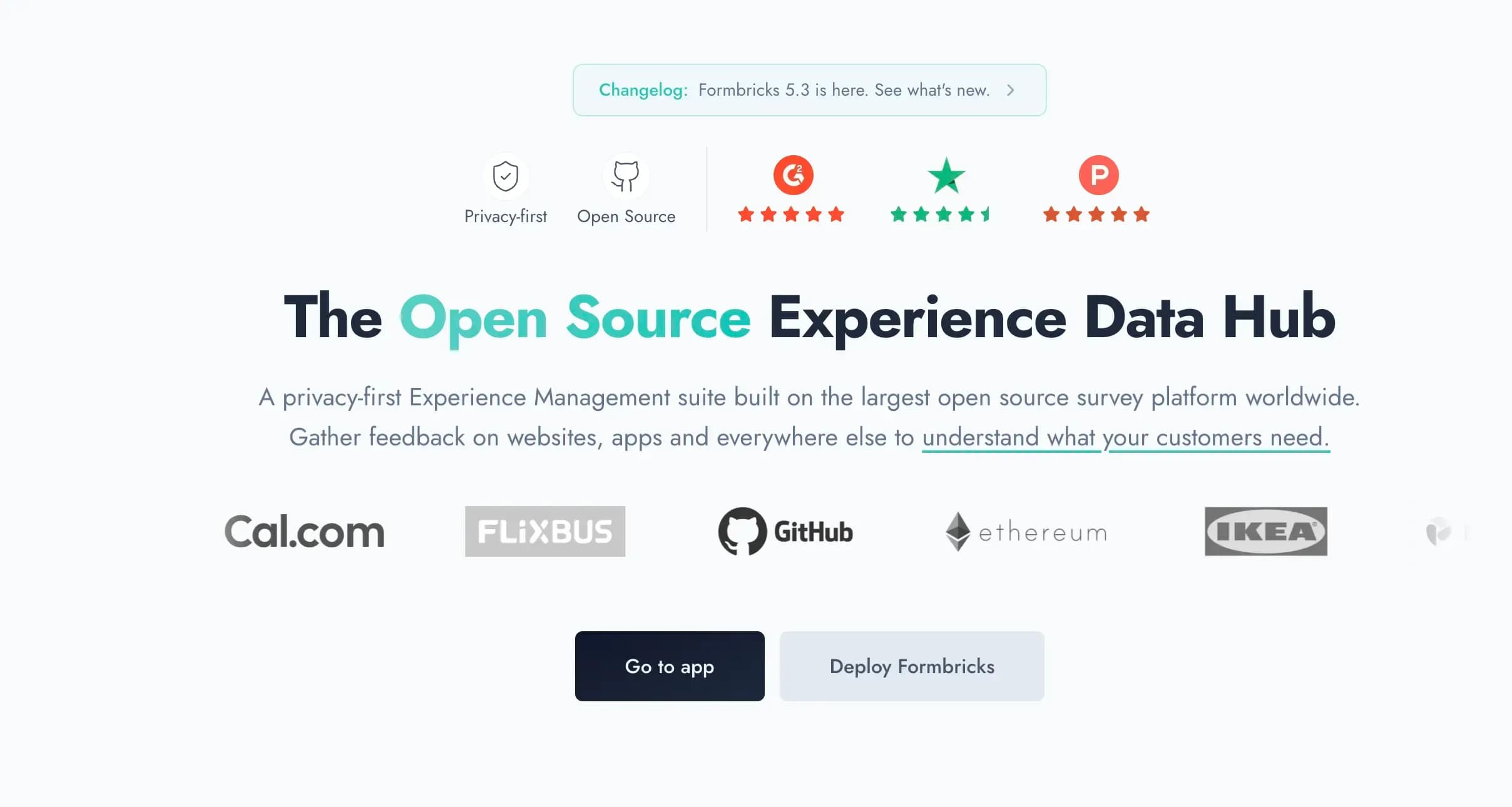
Captured August 15, 2026 from formbricks.com.
- Data sovereignty. Responses stay in your jurisdiction and on your infrastructure. When you self-host Formbricks, there are no third-party sub-processors in the data path.
- Deployment choice. Self-host on your own servers or in your own AWS, Azure or GCP account today; Dedicated cloud and Managed by Formbricks (EU or Saudi Arabia) are coming soon. The Formbricks Public Cloud is hosted in Frankfurt, Germany.
- Security and compliance. The Formbricks Public Cloud is SOC 2 Type II and ISO 27001 compliant, GDPR and CCPA compliant (compliance, SOC 2). Self-hosted teams run the same codebase under their own controls. HIPAA teams self-host, since the Formbricks Public Cloud is not HIPAA compliant yet.
- Experience Suite. The Experience Suite adds Unify Feedback with AI enrichment and Topics (preview), dashboards and charts, Workflows (beta), SAML and OIDC SSO, teams and access roles, 2FA, audit logs, support SLAs, a DPA and custom terms.
For IT, that is a Docker or Kubernetes deployment with a full API, and a SOC 2 report for the Public Cloud on request. For CX and product teams, it is link, website, in-app and email surveys in one place, targeted by user attributes, with cost that follows responses rather than seats. Own your experience data instead of renting it back.
The Experience Suite is an annual license priced by responses and workspaces, with unlimited seats; pricing is by quote, with a free 15-day trial license key. Small teams can try Formbricks Surveys, with a free Hobby plan (250 responses a month) and Pro at $89 a month ($74 billed yearly).
Typeform vs Formbricks
| Typeform | Formbricks | |
|---|---|---|
| Built for | Conversational marketing, HR and research forms | Experience management with data you control |
| Form design | Best in class, one question per screen | Clean surveys; less conversational polish |
| Free tier | 10 responses/month | 250 responses/month (Surveys Hobby); free self-hosted Community Edition |
| Entry paid plan | $39/month, 100 responses, 1 user | $89/month ($74 yearly), 2,000 responses, unlimited seats |
| Channels | Links, embeds, popups | Link, website, in-app (iOS and Android SDKs) and email surveys |
| Automation | Growth Flow ($379/month) | Workflows (beta) in the Experience Suite; webhooks and integrations from Pro |
| Feedback analysis | Summaries; drop-off on Business; Smart Insights on Growth Flow | Unify Feedback from all sources with AI enrichment and Topics (preview), dashboards and charts (Experience Suite) |
| SSO | Enterprise or custom Growth plans | Experience Suite (SAML, OIDC) |
| Hosting | AWS; US or EU choice on Enterprise | Self-hosted anywhere, or Public Cloud in Frankfurt |
| Certifications | SOC 2 Type II, ISO 27001, ISO 27701, GDPR; HIPAA BAA on Enterprise | SOC 2 Type II and ISO 27001 (Public Cloud), GDPR, CCPA; self-hosted runs under your own controls |
| Lead enrichment, payments | Yes | No |
Typeform wins on design and marketing features. Formbricks wins on data control, deployment choice and seat-free pricing.
Typeform Review FAQ
Is Typeform a legit site?
Is Typeform actually free?
Which is better, Google Forms or Typeform?
What do people use Typeform for?
What is Typeform's rating on G2, Capterra and Trustpilot?
What are the most common Typeform complaints?
Does Typeform work well for long surveys?
Does Typeform offer self-hosting or EU data hosting?
Which is better, Typeform or SurveyMonkey?
How much does Typeform cost per month?
Final Verdict
Typeform is a well-made product with an expensive, rigid way to buy it. If you build short, customer-facing forms and your volume fits a plan, it is still one of the best choices. If response caps, renewals or security review are your problem, look elsewhere: Tally or Jotform for price, and Formbricks if you need to own where the data lives.