

9 Best Usersnap Alternatives & Competitors in 2026 (Including Open Source)

Johannes
Co-Founder @ Formbricks
12 Minutes
August 16th, 2026
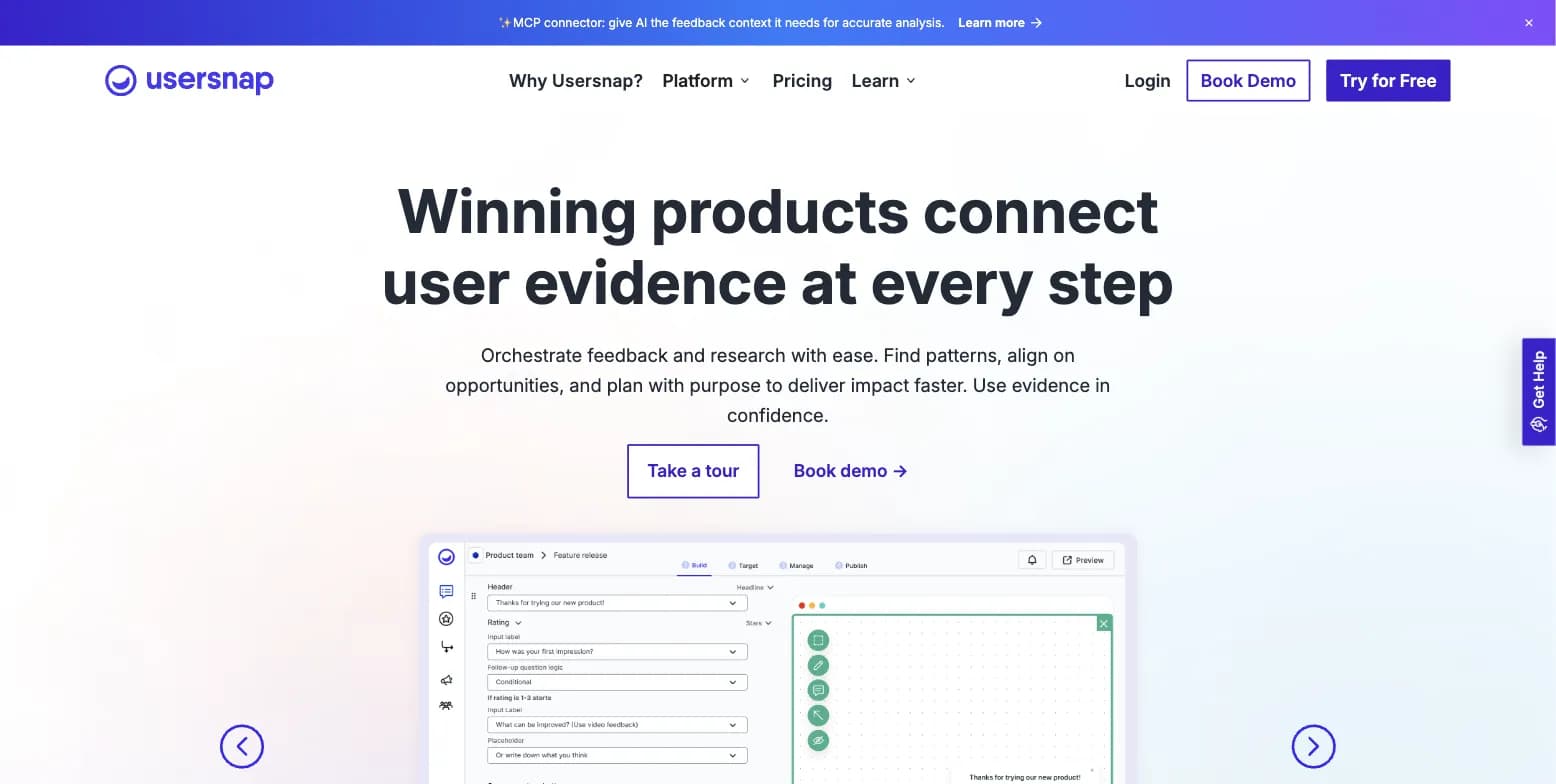
Usersnap is a solid visual bug-reporting and feedback-triage tool for product teams, built around screenshot capture, console logs, and AI-assisted feedback channels. But there's no forever-free tier, tiers are hard-capped by seat count, and there's no self-hosting option for teams with data-residency requirements. Every tool on the usual "Usersnap alternatives" lists is closed-source. One on this list is open-source and self-hostable. Here are 9 platforms worth a serious look.
What Is Usersnap?
Usersnap is a user feedback and product development platform founded in Linz, Austria in 2012 by Josef Trauner, with Klaus-M. Schremser later joining as co-founder and Head of Growth. saas.group acquired the company in September 2023, its first Austrian acquisition, with both founders continuing to lead as CEO and CRO.
Usersnap positions itself as a platform for high-productivity product teams to collect screen-capture issues, run in-app surveys, gather new feature ideas, and promote releases. The company reports 300m+ feedback widget views monthly, 60,000+ customers worldwide, 2m+ feedback items generated, and usage in 100+ countries.
The product centers on four core areas:
- Visual bug and feedback capture: screenshot and video capture with automatically attached browser console logs, URL, and device/browser metadata
- In-app micro surveys: real-time in-app surveys and feedback widgets alongside bug-report collection
- AI feedback triage and Channels: an AI "Sentiment Sensor" triages incoming feedback, "Channels" ingest feedback from CS tickets and sales calls with AI extraction, and an Opportunity Board scores and prioritizes requests
- Integrations and MCP: 100+ integrations including Jira, Azure DevOps, Slack, Trello, Asana, GitHub, and Zendesk, plus an MCP connector so AI tools can query feedback data directly
Important: Usersnap is a visual bug-reporting-led feedback platform, not a full survey or experience management suite. It competes most directly with dev-ops-adjacent tools like BugHerd, Userback, and Marker.io rather than broader XM platforms, and its in-app microsurvey feature sits alongside bug capture rather than at the center of the product.
Usersnap Pros & Cons
| Pros | Cons |
|---|---|
| Ease of use and tight integration with Jira, Slack, and Azure DevOps | Subscription cost can be high, particularly for smaller companies |
| Fast, structured bug/issue capture with browser console logs and rich metadata | REST API access and some advanced features are reserved for higher and Enterprise tiers |
| AI Sentiment Sensor and Channels ingest feedback from CS tickets and sales calls | No self-hosted or on-prem deployment option |
| 100+ integrations plus an MCP connector for AI tools | Seat-capped tiers (5/10/20/50) force a full-tier jump as teams grow |
G2 rating: 4.5/5 (93 reviews). Capterra rating: 4.8/5 (48 reviews).
Why Teams Look for Usersnap Alternatives
We reviewed Usersnap's own pricing and security pages, its G2 and Capterra reviews, and independent "Usersnap alternatives" roundups to understand the recurring pain points. Five patterns come up repeatedly.
1. No Self-Hosted or On-Prem Option
Usersnap is hosted exclusively on AWS EU-central-1 (Frankfurt). Enterprises that need to run feedback infrastructure on their own servers, or that fall outside EU data residency, have no deployment path at all, not even on a higher tier.
2. No Forever-Free Tier
There's no free-forever plan. The trial gives full access to Premium-plan features until you collect 20 feedback items, then you must upgrade to a paid plan to keep collecting feedback.
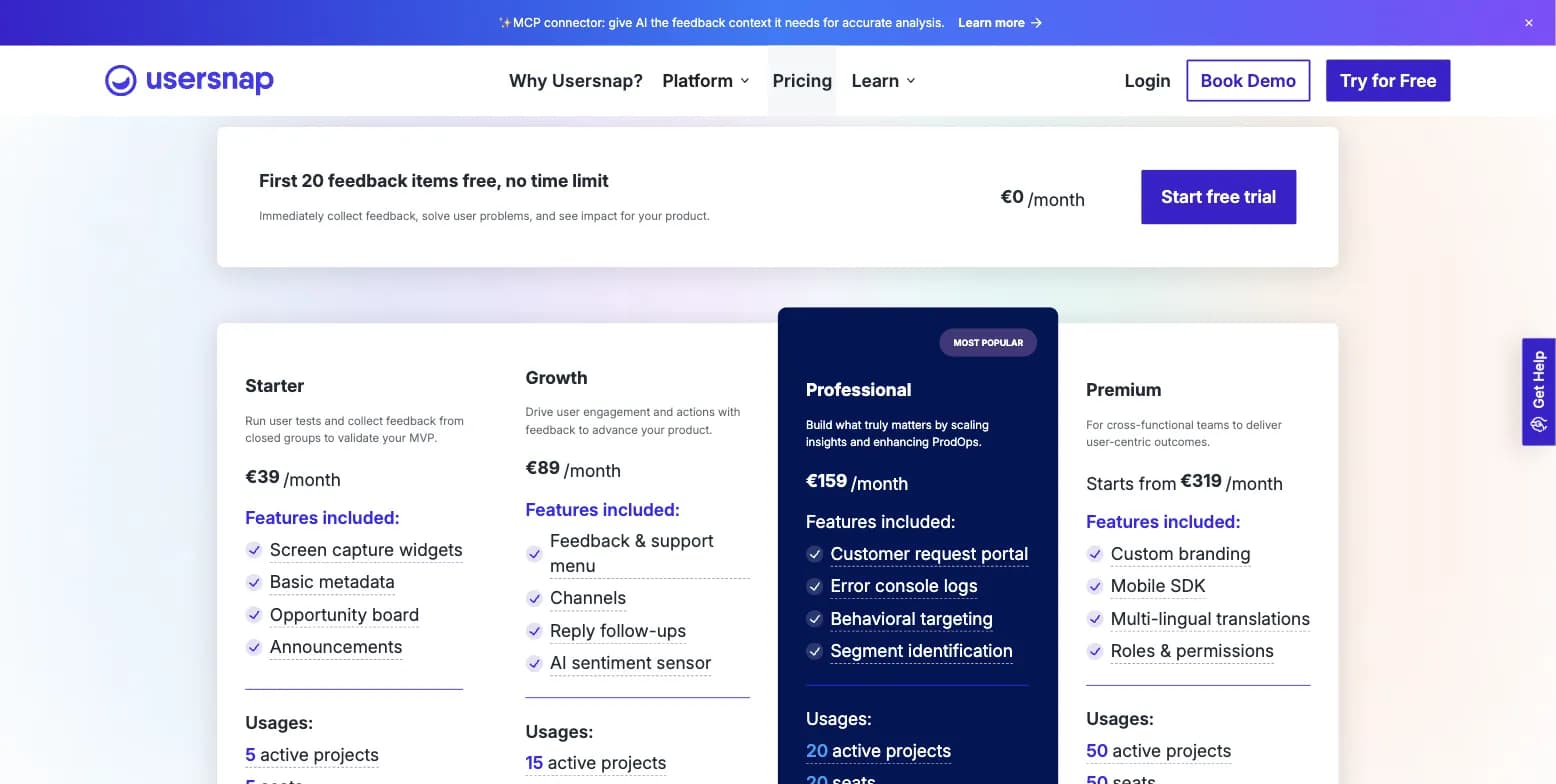
Captured August 15, 2026.
3. Seat-Capped Tiers That Force a Jump
Team-member seats are hard-capped per tier: 5 seats on Starter, 10 on Growth, 20 on Professional, 50 on Premium. A growing team can't add a handful of seats incrementally, it has to jump a full pricing tier once it outgrows the cap.
4. Feature Gating Isn't Fully Itemized, and Third-Party Listings Are Stale
Feature gating across tiers (custom branding, browser error recording, webhooks, mobile SDK) requires scrolling a long feature table to compare rather than a single glance. G2 and Capterra both list different, lower legacy prices than the live vendor pricing page, those third-party listings appear stale relative to Usersnap's current pricing.
5. Broader Product-Development Scope Can Add Complexity
Usersnap's feature set spans bug capture, microsurveys, AI-assisted triage, Channels, and an Opportunity Board. For teams that just want simple website feedback or bug tracking, that broader scope can mean more setup and configuration than a single-purpose tool requires.
Usersnap Alternatives at a Glance
| Alternative | Best For | Free Plan | Starting Price | Open Source |
|---|---|---|---|---|
| Formbricks | Open-source feedback & experience management suite | Yes (250 responses/mo) | $89/month ($74/mo annual) | Yes |
| BugHerd | Visual bug tracking for web dev and agency teams | No (14-day trial) | ~$41-42/month | No |
| Userback | Closest like-for-like: visual feedback + surveys + feature portal | Limited (not for business use) | $19/user/month | No |
| Marker.io | Feedback widget + QA bug tracking | No (15-day trial) | ~$39-59/month | No |
| Feedbucket | Agency client website feedback | No (14-day trial) | $49/month | No |
| Gleap | All-in-one SaaS toolkit (chat + bugs + roadmap) | Limited | $29/month | No |
| Qualaroo | Contextual in-app and website microsurveys | Yes (50 responses/mo) | $19.99/month | No |
| Hotjar | Behavior analytics + lightweight feedback | Not independently confirmed | ~$48/month | No |
| Typeform | Standalone conversational surveys | Limited | $25/month | No |
Top 9 Usersnap Alternatives in 2026
1. Formbricks: Open-Source Feedback and Experience Management
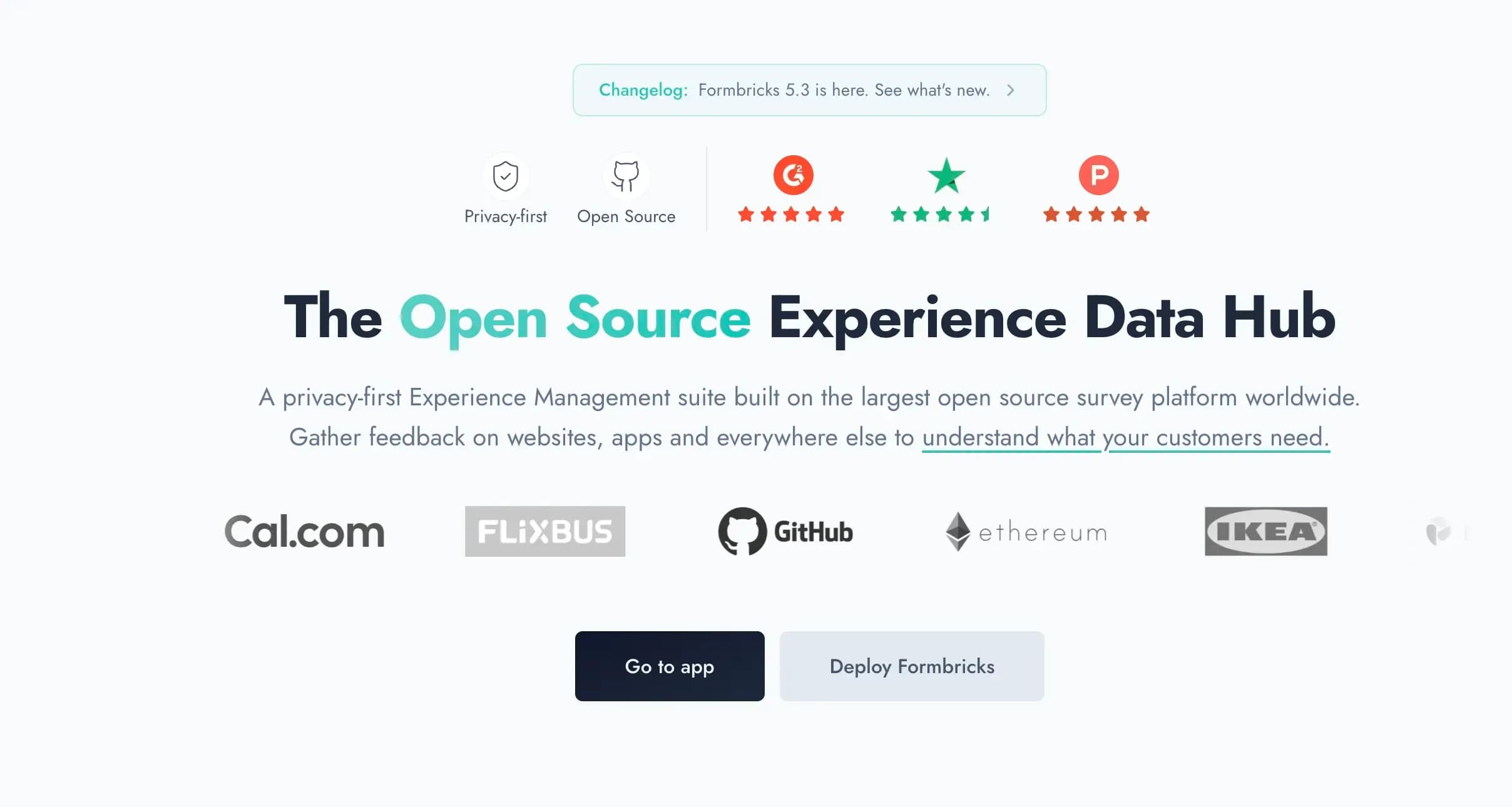
Formbricks is an open-source feedback and experience management platform. Where Usersnap leans toward visual bug reporting and feedback triage with microsurveys as a secondary capability, Formbricks is built around feedback management, feedback analytics, and workflow automation as the core product, and it can be fully self-hosted on your own infrastructure.
Key features:
- Multi-channel surveys: website surveys, in-app surveys, link surveys, and email surveys, all managed from one platform instead of a bug-reporting widget with surveys bolted on
- Feedback analytics: response dashboards, drop-off and partial-response tracking, segmentation, and aggregate plus per-response views
- Workflows and integrations: Formbricks Workflows for post-response automation, plus native integrations to Salesforce, HubSpot, Slack, Google Sheets, and Notion via webhooks
- Free API on every tier, including MCP: full API access (Public Client API and Management API) and an MCP connection available on the free Hobby plan, not reserved for higher tiers the way Usersnap gates its REST API
- Advanced targeting: attribute-based segmentation with conditional logic, for example "show this survey to power users who haven't responded in 30 days"
- iOS and Android SDKs for native in-app surveys
- Self-hosting on your own infrastructure, with Formbricks never having access to your data when self-hosted
Why Choose Formbricks Over Usersnap
A Full Feedback and Experience Management Suite, Not a Bug-Reporting Tool With Surveys Bolted On. Usersnap's core strength is visual bug capture: screenshots, video, and console logs. Its in-app surveys sit alongside that as a secondary feature. Formbricks flips that priority: website surveys, in-app surveys, link surveys, and email surveys all live on one platform, backed by feedback analytics and workflows that route responses into Salesforce, HubSpot, Slack, Google Sheets, or Notion.
⚡ Formbricks in Action: A product team running an NPS survey after a feature release, a CSAT survey by email after a support ticket, and a churn survey inside the app can run all three from Formbricks and see them against the same contact record, something a bug-reporting-first tool like Usersnap isn't built around.
Self-Hosting for Data Residency, Where Usersnap Has No Option At All. Usersnap is hosted exclusively on AWS EU-central-1 (Frankfurt), with no self-hosting path anywhere on its site. Formbricks offers a free, self-hosted Community Edition (AGPLv3) that keeps all response data on infrastructure you control, a hard requirement for healthcare, finance, and government teams that can't put customer feedback on a third-party server.
⚡ Formbricks in Action: A regulated fintech evaluating both platforms rules out Usersnap immediately once its security team confirms there's no self-hosting path. They deploy Formbricks Community Edition inside their own VPC instead, keeping all response data on infrastructure their security team can audit directly.
A Forever-Free Tier, Where Usersnap Has None. Usersnap's trial gives full Premium access only until you collect 20 feedback items, then requires upgrading to a paid plan. Formbricks' Hobby plan is free forever: 250 responses per month, one workspace, all question types, conditional logic, and full API access including MCP, hosted in Frankfurt.
⚡ Formbricks in Action: A five-person startup collecting onboarding feedback hits Usersnap's 20-item trial cap in the first week and has to decide whether to pay before they've even validated the feedback loop. On Formbricks, they run the same program on the free Hobby plan indefinitely, with room to grow into Pro once volume actually justifies it.
Free API Access on Every Tier, Not Gated Behind Enterprise. Usersnap's own reviewers on Capterra note that REST API access and some advanced features are reserved for higher and Enterprise tiers. Formbricks includes full API access, including MCP, on the free Hobby tier and every paid tier above it, so engineering teams can automate survey creation and pull response data without a paywall.
Formbricks Pricing (verified from formbricks.com/pricing, August 2026):
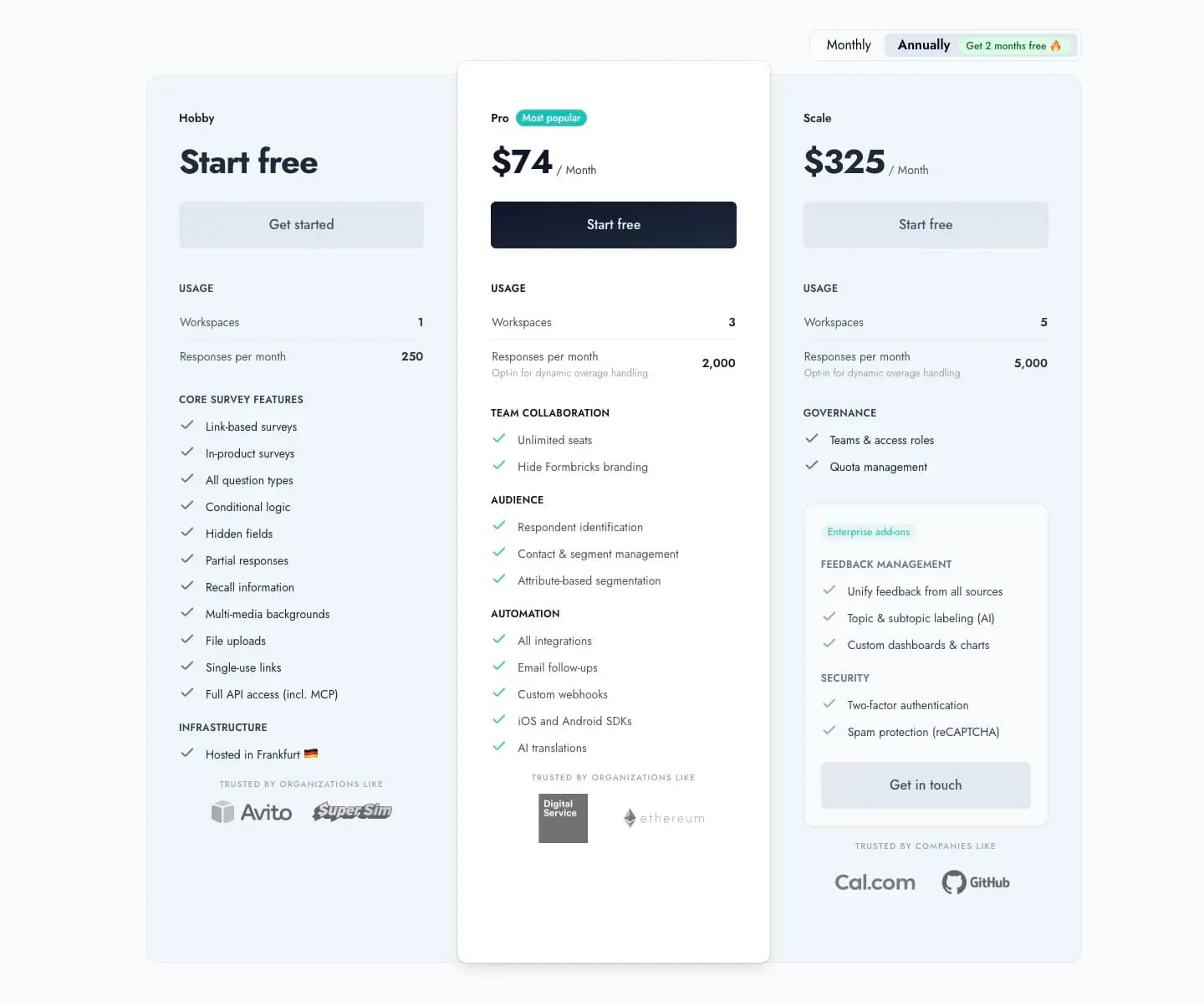
- Hobby (Free): 1 workspace, 250 responses/month, all question types, conditional logic, hidden fields, partial responses, full API access (incl. MCP), hosted in Frankfurt
- Pro: $89/month billed monthly, or $74/month billed annually ($890/year total), 3 workspaces, 2,000 responses/month, unlimited seats, branding removal, respondent identification, attribute-based segmentation, all integrations, email follow-ups, custom webhooks, iOS/Android SDKs, AI translations
- Scale: $390/month billed monthly, or $325/month billed annually, 5 workspaces, 5,000 responses/month, teams and access roles, quota management, plus enterprise add-ons for unified feedback management (AI topic/subtopic labeling, custom dashboards) and security (two-factor authentication, spam protection)
- Enterprise: Custom pricing, contact sales
Self-hosted: Community Edition is free forever, open-source (AGPLv3), with unlimited surveys and no seat caps.
Who Should Use Formbricks?
- You want feedback management, feedback analytics, and workflow automation as your primary product, not a secondary feature bolted onto a bug-reporting tool
- You're in a regulated industry (healthcare, finance, government) with a data-residency requirement that a Frankfurt-only cloud tool can't satisfy
- You're a developer-led team that wants full API access, including MCP, free on every tier instead of gated behind Enterprise
- You need surveys across multiple channels (website, in-app, link, email) unified in one platform rather than a single in-app widget
- You want unlimited seats instead of jumping a full pricing tier every time your team outgrows a 5/10/20/50-seat cap
2. BugHerd: Best for Visual Bug Tracking on Web Dev and Agency Teams
BugHerd is a point-and-click visual feedback tool built specifically for web development and design teams. Where Usersnap serves broader product-development use cases across SaaS and enterprise, BugHerd narrows in on website and web-app bug tracking with an integrated task board.
Key features:
- Point-and-click screenshot annotation, with automatic capture of page, browser, device, and screen-resolution metadata
- Built-in Kanban task board for managing feedback without a separate project management tool
- Two-way sync integrations with Asana, Trello, ClickUp, and Jira
- Public feedback collection directly through client-facing websites
- Unlimited projects included on paid plans, with browser extension or JavaScript install, no account required for clients
Why Choose BugHerd Over Usersnap
A Built-In Kanban Board Instead of a Separate PM Tool. BugHerd includes its own task board for managing feedback end to end. Usersnap doesn't ship a built-in Kanban board, so teams typically integrate with an external project management tool to get the same workflow.
Simpler Setup for Web-Specific Feedback. BugHerd's own comparison page argues that Usersnap's broader product-development focus can mean more setup and configuration than a team just tracking website bugs actually needs. That's BugHerd's own framing rather than an independent benchmark, but it reflects a real trade-off: a narrower tool is often faster to configure for a narrower job.
Pricing: BugHerd's own comparison page cites its entry plan at $41-42/month (the page states both figures) for unlimited projects, positioning it against what it describes as a 2-project cap on Usersnap's roughly $39/month entry tier. That figure doesn't fully reconcile with Usersnap's current pricing page, which lists Starter at $49/month for 5 seats with unlimited feedback items and no explicit project cap, so treat BugHerd's competitive claim as marketing framing rather than an independently verified number.
G2 rating: 4.8/5 (140+ reviews). Capterra rating: 4.7/5 (60+ reviews). BugHerd reports 10,000+ companies and 350,000+ users across 172 countries.
Who Should Use BugHerd?
- You're a web development or design agency that needs client feedback turned directly into tasks
- You want a built-in Kanban board instead of syncing to a separate project management tool
- Your primary use case is website and web-app bug tracking, not broader product feedback or in-app surveys
3. Userback: Closest Like-for-Like Feature Match
Userback combines screen annotation, microsurveys, feature requests, and session replay, making it one of the closest feature-for-feature matches to Usersnap on this list.
Key features:
- Screen annotation and video feedback captured directly from the site
- Session replay, in-app microsurveys, and NPS alongside bug reporting
- Public and private feature-request portals for user co-creation and voting
- Guest portal so clients can collaborate without creating an account
- Two-way integrations with popular project management tools
Why Choose Userback Over Usersnap
Public and Private Feature Portals for Co-Creation. Userback ships dedicated feature-request portals where users can submit ideas and vote, a capability that goes beyond Usersnap's Opportunity Board by putting the co-creation loop directly in front of end users, not just internal teams.
A Guest Portal Built Into the Page. Clients and users can comment and collaborate directly on the site without signing up for a separate account, reducing friction compared to tools that require guest sign-up before feedback can be left.
Pricing: Userback recently moved to per-seat pricing. Lower tiers cap out at 2 projects, so most teams end up on the Business plan at $19 per user per month. A free plan exists but isn't intended for business use.
Who Should Use Userback?
- You want the closest feature parity to Usersnap: screen annotation, microsurveys, session replay, and feature requests in one tool
- Public feature-request portals with user voting matter to your product roadmap process
- You're comfortable with per-seat pricing rather than Usersnap's flat, seat-capped tiers
4. Marker.io: Feedback Widget and QA-Focused Bug Tracking
Marker.io is a feedback widget built for internal QA teams tracking bugs on their own web assets, with session replay showing the actions that led to a bug report.
Key features:
- One-click installation, no coding required, compatible with local, staging, and live sites across all browsers
- Session replay showing user actions leading up to a submitted bug report
- Automatic capture of console logs, network errors, and device metadata alongside screenshots
- Two-way integrations with 15+ project management tools
- Customizable widget appearance for internal teams versus external clients
Why Choose Marker.io Over Usersnap
Session Replay Tied Directly to Bug Reports. Marker.io plays back the exact actions a user took before submitting feedback, giving QA teams context Usersnap's static screenshot-plus-metadata capture doesn't include on its own.
Purpose-Built for Internal QA Workflows. Where Usersnap spans bug capture, surveys, and an Opportunity Board for broader product feedback, Marker.io stays focused on the QA and bug-tracking use case specifically, with two-way sync so fixing an issue in your PM tool updates Marker.io automatically.
Pricing: Sources disagree on Marker.io's entry price: one comparison cites $39/month, another cites a $59-399/month range with the Team Plan at $199/month as the tier most agencies need for client collaboration and native integrations. Confirm current pricing directly with Marker.io before budgeting.
Who Should Use Marker.io?
- Your team runs internal QA on your own web assets and wants session replay tied to every bug report
- You want two-way integration sync (fix it in Jira, it updates automatically in the feedback tool)
- Video feedback isn't a requirement, Marker.io's own limitation is that it lacks that format
5. Feedbucket: Best for Agencies Managing Client Website Feedback
Feedbucket is purpose-built for web agencies collecting and organizing client feedback on live sites, installed with a script tag or WordPress plugin.
Key features:
- Annotated screenshots or video recordings submitted directly on the site, no extension required for clients
- Guest portal so clients can comment and collaborate without signing into a separate tool
- Deep two-way integration with project management tools (Asana, ClickUp, Trello), including @feedbucket mentions that sync comments back to the client
- Automatic capture of technical metadata alongside every piece of feedback
- JavaScript API for building a custom version of the feedback widget
Why Choose Feedbucket Over Usersnap
Roughly a Quarter of Usersnap's Agency-Tier Price. Feedbucket's own comparison table lists its Pro plan at $49/month against what it cites as roughly €199/month for Usersnap's agency-equivalent tier, positioning itself as one of the more affordable options for agencies that only need website feedback, not the broader product-development feature set Usersnap charges for.
No Extra Login for Clients. Feedback and collaboration happen directly on the site through a guest portal, removing the account-creation step that some feedback tools require before a client can leave a comment.
Pricing: Pro plan at $49/month for 5 projects with unlimited website feedback. Business plan at $89/month for unlimited projects, 25 team members, and advanced features like branding and custom metadata. 14-day free trial, no credit card required.
Who Should Use Feedbucket?
- You run a web agency building sites or web apps for clients and want a tool purpose-built for that workflow
- You already use a project management tool (Asana, ClickUp, Trello) and want feedback synced into it, not a new system to log into
- You only need website and web-app feedback, not mobile, image, or PDF annotation
6. Gleap: All-in-One SaaS Feedback, Chat, and Roadmap Toolkit
Gleap bundles bug reporting, live chat, an AI chatbot, a knowledge base, public roadmaps, and surveys into one platform, describing itself as an "all-in-one customer feedback tool."
Key features:
- Bug reporting and visual feedback with screenshots, console logs, and network request data
- Live chat and an AI chatbot alongside a built-in knowledge base
- Public roadmap and session replay showing what a user did before submitting feedback
- Unlimited projects included across every pricing tier
Why Choose Gleap Over Usersnap
One Platform Instead of Several Point Tools. Gleap brings together bug reporting, live chat, a knowledge base, and a public roadmap in a single subscription. SaaS teams that would otherwise stitch Usersnap together with a separate chat tool and a separate roadmap tool can consolidate into one bill.
Unlimited Projects on Every Plan. Where Usersnap caps seats per tier, Gleap includes unlimited projects across all its pricing tiers, though its lower tier lacks session data and other details needed for a fair comparison to Usersnap's feature set.
Pricing: Two primary tiers from $29 to $149/month. The $29 plan allows unlimited bug reports but lacks session data, so a fair feature comparison to Usersnap requires the Team plan at $149/month. The trial requires a credit card upfront, and integrations are one-way rather than Usersnap's two-way sync.
Who Should Use Gleap?
- You're a SaaS company that wants bug reporting, live chat, a knowledge base, and a roadmap in one platform instead of separate tools
- Unlimited projects across every tier matters more to you than Usersnap's seat-capped structure
- One-way integrations (versus two-way sync) are an acceptable trade-off for the bundled feature set
7. Qualaroo: Best for Contextual In-App and Website Microsurveys
Qualaroo is built entirely around contextual "Nudge" surveys, the survey side of what Usersnap offers as a secondary feature alongside bug capture.

Key features:
- Nudge technology for contextual, non-intrusive survey prompts in-app, on-site, and by email
- Native AI Sentiment Analysis, Automated Tagging, and an AI Response Summarizer for open-ended responses
- Advanced targeting by location, cookies, custom properties, and more
- iOS and Android native SDK for mobile in-app surveys
- GDPR and HIPAA compliant
Why Choose Qualaroo Over Usersnap
Microsurveys Are the Core Product, Not a Secondary Feature. Where Usersnap's in-app surveys sit alongside its bug-reporting focus, Qualaroo is built end to end around contextual survey logic, with native AI sentiment analysis and automated tagging built directly into every response.
A Forever-Free Plan With Premium Features Included. Qualaroo offers a forever-free plan for startups and small businesses with all premium features enabled, compared to Usersnap's trial-only free access capped at 20 feedback items.
Pricing: Forever-free plan for startups and small businesses. Paid plans start at $19.99/month.
Who Should Use Qualaroo?
- Contextual microsurveys and user insight are your primary need, not visual bug capture or screenshot annotation
- You want native AI sentiment analysis and automated tagging built into every survey response
- A forever-free plan with full premium features matters more to you than Usersnap's capped trial
8. Hotjar: Behavior Analytics Alongside Lightweight Feedback
Hotjar pairs heatmaps and session recordings with on-site feedback widgets and short surveys, adding behavioral context that a feedback-first tool like Usersnap doesn't capture on its own.

Key features:
- Heatmaps showing clicks, scrolls, and mouse movement
- Session recordings to watch real user behavior
- Trigger surveys deployed at specific moments in the user journey
- Segmentation of heatmaps by device, browser, country, and other criteria
- Centralized analytics dashboard for reviewing all collected data
Why Choose Hotjar Over Usersnap
Behavioral Context Usersnap Doesn't Offer. Heatmaps and session recordings show exactly where users hesitate, click, or drop off, a layer of behavioral insight that a bug-reporting and microsurvey tool like Usersnap doesn't capture on its own.
Segmentable Analytics for Deeper Investigation. Hotjar's ability to segment heatmaps by device, browser, and country lets teams dig into patterns that a feedback-widget-only tool can't surface.
Pricing: Starts at $48/month per third-party comparison data. Confirm current tiers directly with Hotjar (now part of Contentsquare) before budgeting, since pricing pages for behavior-analytics tools change frequently.
Who Should Use Hotjar?
- You want behavior analytics (heatmaps, session recordings) alongside lightweight feedback, not deep bug-tracking or ticketing workflows
- You're evaluating what to pair alongside a dedicated feedback or bug-reporting tool rather than fully replacing it
- Understanding where users struggle on a page matters as much to you as collecting direct feedback
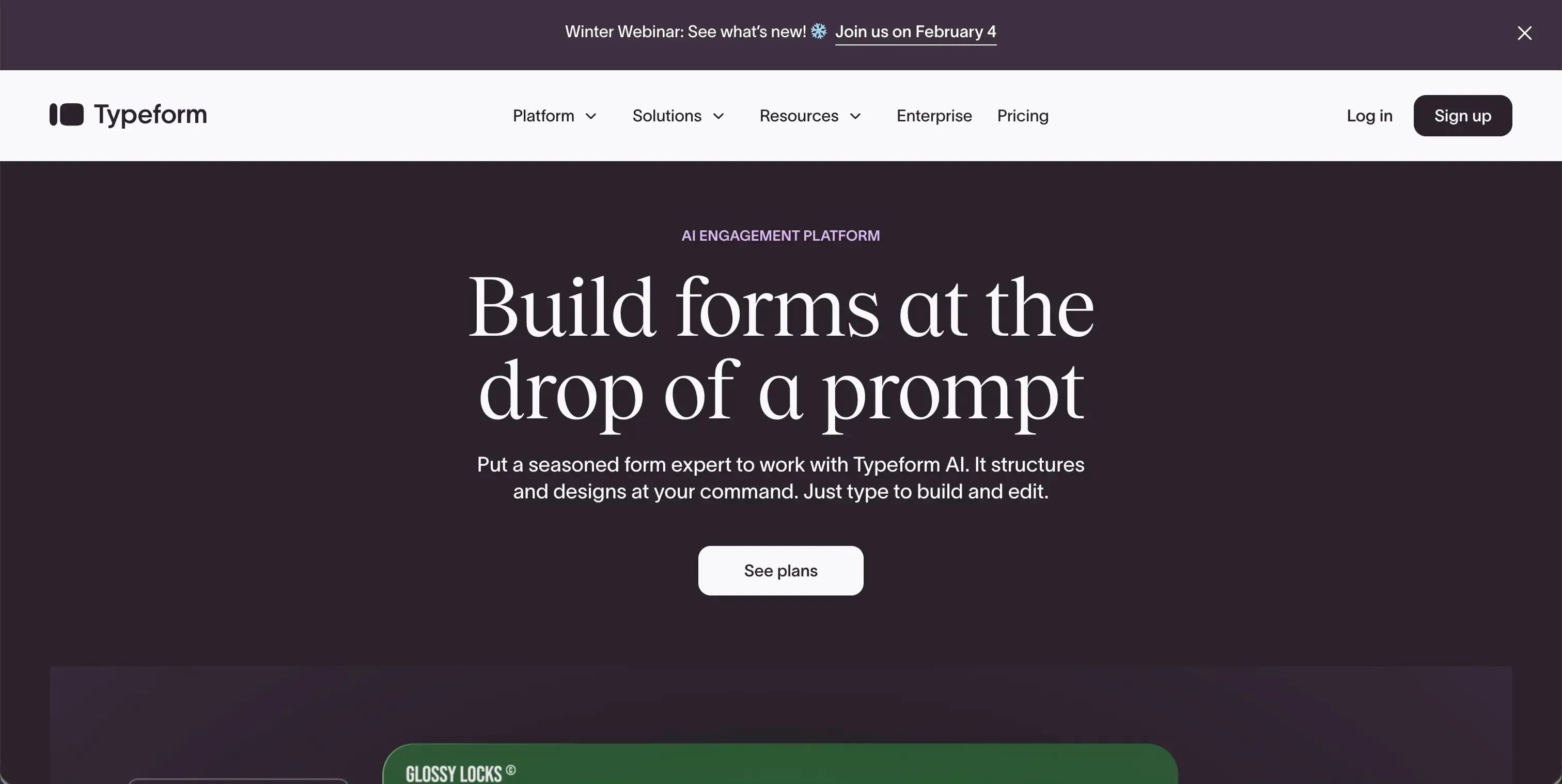
9. Typeform: Standalone Conversational Surveys
Typeform takes a completely different approach from Usersnap: polished, standalone conversational surveys rather than an embedded feedback or bug-reporting widget.
Key features:
- One-question-per-screen conversational format designed to feel like natural dialogue
- Logic jump for personalized, branching survey paths
- 500+ integrations for workflow automation
- Hundreds of ready-made templates for NPS, CES, and CSAT
- AI-powered lead qualification and VideoAsk for video-based questions and responses
Why Choose Typeform Over Usersnap
A Standalone Survey Experience, Not an Embedded Widget. Typeform is built for surveys and forms that live outside your product, shared as a link or embedded on a landing page, rather than a widget capturing bug reports or in-app feedback the way Usersnap does.
Conversational Format Aimed at Completion Rates. The one-question-at-a-time, chat-like format and logic-jump branching are designed specifically to keep respondents engaged through a standalone survey, a different problem than Usersnap's embedded, contextual capture is solving.
Pricing: Starts from $25/month.
Who Should Use Typeform?
- You need standalone, brand-forward surveys or forms, not an embedded bug-reporting or feedback widget
- Lead qualification, market research, or NPS/CSAT campaigns are your primary use case
- Visual polish and completion rate matter more to you than technical bug-report metadata
Other Usersnap Alternatives Worth a Quick Look
A few more tools came up repeatedly without warranting a full section, worth a mention if the nine above don't fit:
- MarkUp.io: proxy-based feedback on live websites with no installation required, at $79/month, but integrations are one-way and it can't capture screenshots on sites behind Basic Auth
- SureFeedback (formerly ProjectHuddle): self-hosted-dashboard feedback for WordPress-based agencies, at roughly $139/year plus your own WordPress hosting costs
- Ruttl: proxy-based feedback across websites, video, images, and PDFs with live CSS editing, priced per user from $18/month
- UserTesting: video-first usability testing with a drag-and-drop test builder, aimed at research teams rather than bug tracking
- ProProfs Survey Maker: drag-and-drop survey and quiz builder with 100+ templates, more general-purpose than Usersnap's product-feedback focus
How to Choose the Right Usersnap Alternative
Picking a replacement depends on which part of Usersnap's bundle (bug capture, microsurveys, or feedback triage) you actually use most.
Start With Your Use Case
- Feedback and experience management as the primary product: Formbricks
- Visual bug tracking for web dev/agency teams: BugHerd or Marker.io
- Closest like-for-like feature match: Userback
- Agency client website feedback: Feedbucket
- All-in-one SaaS toolkit (chat, bugs, roadmap): Gleap
- Contextual in-app/website microsurveys: Qualaroo
- Behavior analytics alongside feedback: Hotjar
- Standalone conversational surveys: Typeform
Then Evaluate These Criteria
| Criteria | Questions to Ask |
|---|---|
| Data ownership | Can you self-host? Is data hosted in a single region (Usersnap: AWS Frankfurt only)? |
| Core use case | Is it visual bug capture, in-app microsurveys, or broader feedback and experience management? |
| Seat structure | Flat seat-capped tiers, per-seat pricing, or unlimited seats? |
| Free tier | Forever-free with real functionality, or a capped trial like Usersnap's 20-item limit? |
| Integrations | Two-way sync with your project management tool, or one-way only? |
| API access | Free on every tier, or reserved for higher/Enterprise plans? |
The Data Sovereignty Factor
Every tool on this list except Formbricks is closed-source and cloud-only. Usersnap itself is hosted exclusively on AWS EU-central-1 (Frankfurt), with no path to self-hosting anywhere in its product.
Formbricks is the only open-source Usersnap alternative here. The Community Edition is free forever, self-hostable on your own infrastructure, and Formbricks never has access to your data when self-hosted. Read more about GDPR-compliant survey tools and enterprise survey software built privacy-first.
For more comparison articles, see our Pendo alternatives, Chameleon alternatives, Refiner alternatives, and SurveySparrow alternatives guides.
Frequently Asked Questions
Looking for the only open-source Usersnap alternative? Formbricks gives you feedback management across website, in-app, link, and email surveys, feedback analytics, and workflow integrations with Salesforce, HubSpot, Slack, Google Sheets, and Notion, plus a free API on every tier. Self-host it for full data ownership, or start on the cloud Hobby plan for free.
Try Formbricks now