

Microsoft Forms Pricing in 2026: The M365 Price Increase Old Content Hasn't Caught Up With, and a Feedback-First Alternative

Johannes
Co-Founder @ Formbricks
9 Minutes
August 16th, 2026
Microsoft Forms has no standalone price of its own, it's a feature bundled into any Microsoft account and into Microsoft 365. That makes "Microsoft Forms pricing" a search that older content answers with a number Microsoft has since changed. A comparison article still ranking for this exact keyword, published July 2025, states the Microsoft 365 Business plan needed for Forms' business features costs "$6 per user/month."
Microsoft's own current pricing-update page tells a different story: Microsoft 365 Business Basic moved from $6 to $7 per user/month effective July 1, 2026, alongside similar increases across Standard ($12.50 to $14) and Premium. The $6 figure that older ranking content cites isn't wrong for when it was written, it's simply out of date.
I pulled Microsoft's own 2026 pricing-update announcement and its Microsoft 365 Business plans page to see what Forms' business tier actually costs today. Here's the current picture, and how it compares to Formbricks, an open feedback and experience management suite.
I believe Microsoft Forms is the right call if:
- Your organization already runs on Microsoft 365 and needs quick internal polls, quizzes, or lightweight surveys
- You need tight Teams, Excel, and Outlook integration for internal collaboration
- Simplicity and zero setup time matter more than feature depth or external-facing feedback collection
It's a weaker fit if:
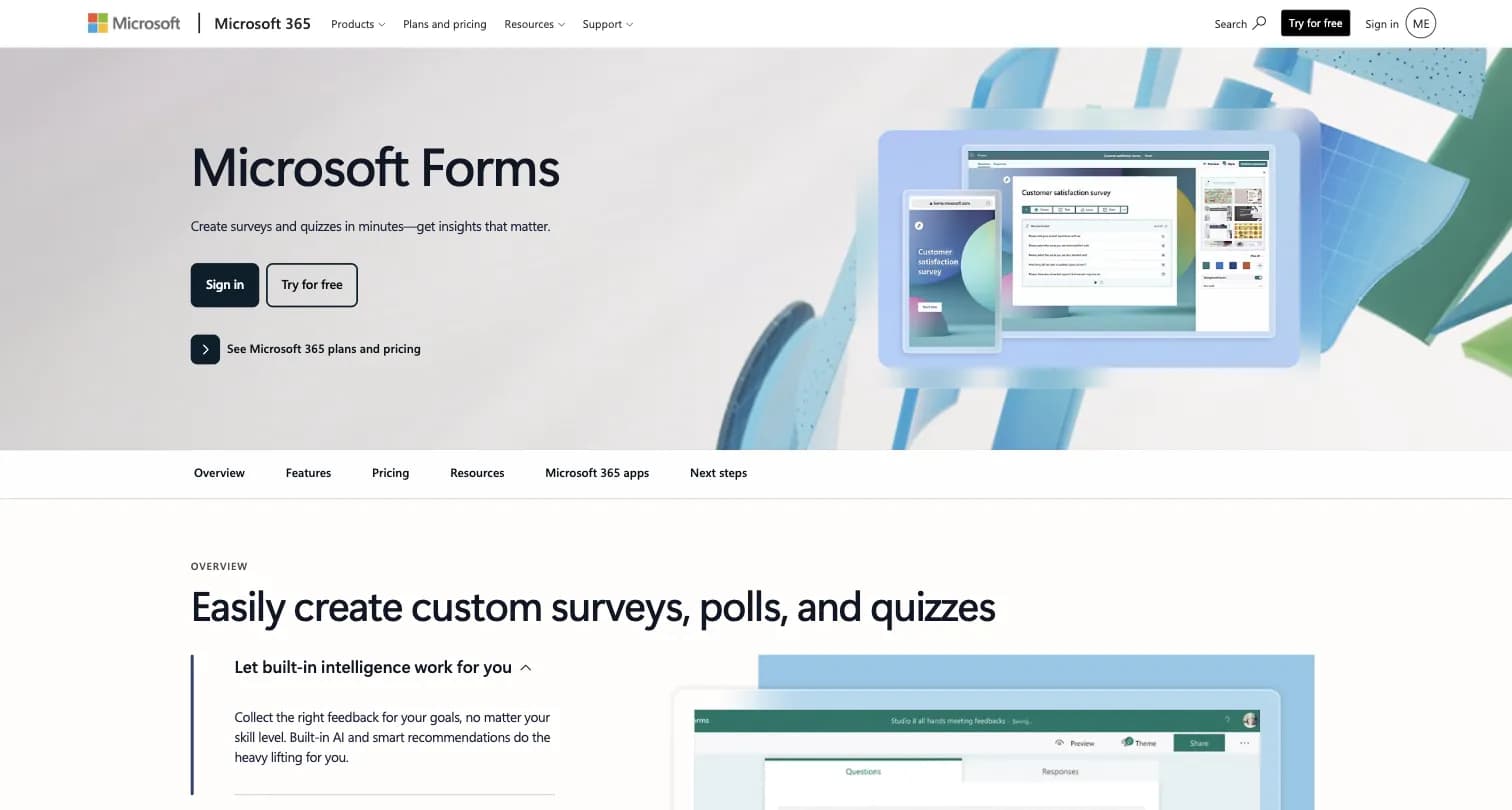
Captured August 15, 2026 from microsoft.com/en-us/microsoft-365/online-surveys-polls-quizzes.
- You need to collect file attachments or forms from external, non-employee respondents at scale
- You need a recurring, structured NPS, CSAT, or PMF program with targeting and analytics
- You want GDPR-specific compliance features built into the form tool itself, not just Microsoft's general compliance program
Because of that, I've included a full comparison with Formbricks later in this breakdown, since structured feedback programs are Formbricks' core product, something a free, bundled form tool isn't built for.
Table of contents:
- Microsoft Forms Pricing at a Glance
- The Price Increase Older Ranking Content Hasn't Caught Up With
- Free Plan: Any Personal Microsoft Account
- Microsoft 365 Business Basic: $7/User/Month
- Microsoft 365 Business Standard: $14/User/Month
- Microsoft 365 Business Premium: $22/User/Month
- Where Microsoft Forms Pricing Falls Short
- Formbricks: An Open Feedback and Experience Management Suite
- What Reviewers Say About Microsoft Forms
- Feature Value Breakdown
- Microsoft Forms vs Formbricks: Side-by-Side Pricing
- Who Should Actually Use Microsoft Forms
- Microsoft Forms Pricing FAQ
- Final Verdict
Microsoft Forms Pricing at a Glance
| Plan | Price | What It Actually Buys |
|---|---|---|
| Free (personal Microsoft account) | $0 | Unlimited forms; 200 responses per form |
| Microsoft 365 Business Basic | $7/user/month (paid yearly, 2026 pricing) | Web and mobile Office apps, Exchange email, Teams, 1 TB storage/user |
| Microsoft 365 Business Standard | $14/user/month (paid yearly, 2026 pricing) | Desktop Office apps, everything in Business Basic |
| Microsoft 365 Business Premium | $22/user/month (paid yearly, 2026 pricing) | Advanced security and device management, everything in Business Standard |
Source: Microsoft's 2026 M365 packaging and pricing update, captured August 15, 2026. Microsoft Forms itself has no separate price at any tier; paying for a Microsoft 365 Business seat buys email, Teams, storage, and the rest of the suite, not a different version of Forms.
The Price Increase Older Ranking Content Hasn't Caught Up With
This is the part a "Microsoft Forms pricing" search actually runs into. A three-way comparison article still ranking for this keyword, published July 2025, states that Microsoft Forms' business-grade features "require a Microsoft 365 subscription, starting at a similar $6 per user/month" to Google Workspace.
Microsoft's own current pricing-update announcement tells a different story. Effective July 1, 2026, Microsoft raised Business Basic from $6 to $7 per user/month, Business Standard from $12.50 to $14, following the same pattern across its Business SKUs. The $6 figure wasn't invented, it was simply the correct number before Microsoft's mid-2026 increase, and older content hasn't been updated to reflect it.
The Bottom Line: if you're budgeting for the Microsoft 365 Business seat that unlocks Forms' business features, plan around today's $7/user/month Business Basic starting price, not the $6 figure some still-ranking 2025 content cites.
Free Plan: Any Personal Microsoft Account
Microsoft Forms requires nothing beyond a Microsoft account to use.
| Feature | Details |
|---|---|
| Price | $0 |
| Forms | Unlimited |
| Responses | 200 per form (personal account) |
| Question types | Text, choice, rating, ranking, Likert, and other core types |
| Analysis | Real-time charts, export to Excel |
| Free Plan | |
|---|---|
| Pros | Cons |
| ✅ No paid account needed to start | ❌ 200 responses per form is a hard ceiling |
| ✅ Real-time charts and Excel export included | ❌ No custom branding at any tier |
| ✅ Built-in AI suggestions to speed up form creation | ❌ File-upload questions block external ("Anyone can respond") access entirely |
The Bottom Line: free is genuinely usable for quick internal polls, but the 200-response cap and the file-upload/external-respondent restriction rule out anything beyond casual internal use.
Microsoft 365 Business Basic: $7/User/Month
| Feature | Details |
|---|---|
| Price | $7/user/month, paid yearly (2026 pricing) |
| Core Features | Web and mobile versions of Office apps, Exchange email, Teams, 1 TB cloud storage/user |
This is the cheapest Business tier, but it buys email, Teams, and storage for the whole seat, not a different version of Forms.
The Bottom Line: Business Basic's $7/user/month is a real, current number, just not a Forms-specific one; it requires paying for an entire Microsoft 365 Business seat to unlock Forms' organizational sharing and conditional-logic features.
Microsoft 365 Business Standard: $14/User/Month
| Feature | Details |
|---|---|
| Price | $14/user/month, paid yearly (2026 pricing) |
| Core Features | Desktop versions of Office apps, everything in Business Basic |
The Bottom Line: Standard buys the full desktop Office suite alongside Forms, not a Forms-specific upgrade path.
Microsoft 365 Business Premium: $22/User/Month
| Feature | Details |
|---|---|
| Price | $22/user/month, paid yearly (2026 pricing) |
| Core Features | Advanced security and device management, everything in Business Standard |
The Bottom Line: even at $22/user/month, none of these added features change what Microsoft Forms itself can do as a form builder.
Source: Microsoft's 2026 M365 packaging and pricing update, captured August 15, 2026.
Where Microsoft Forms Pricing Falls Short
No Standalone Pricing Tier of Its Own
- Microsoft Forms has no independent price; "pricing" always means the cost of a Microsoft 365 Business seat, which also buys email, Teams, and every other Office app
- There's no way to pay for more Forms capability without buying the whole suite
External Respondent Friction With File Uploads
- Adding a file-upload question disables the "Anyone can respond" option, blocking external, non-employee respondents from attaching documents entirely
- Teams collecting attachments from customers or applicants outside the organization hit this wall regardless of Business tier
Limited Branching Logic
- Microsoft Forms supports basic conditional logic, but reviewers and third-party comparisons describe it as limited, without the advanced skip patterns more complex forms need
No Custom Branding at Any Tier
- Every Microsoft Form uses Microsoft's own visual theme system
- There's no way to add a custom domain or fully remove Microsoft's own styling, at any Business tier
No Advanced Analytics or Dedicated CX Program Layer
- Analysis is limited to real-time charts and an Excel export
- There's no dedicated NPS/CSAT program layer, closed-loop follow-up, or segment-level feedback analytics at any tier
- No GDPR-specific compliance feature is built into the product itself, beyond Microsoft's general compliance program
Formbricks: An Open Feedback and Experience Management Suite
Formbricks isn't a free, bundled basic form tool competing on price alone. It's an open source feedback and experience management suite built around three things: feedback management, feedback analytics, and workflows and integrations, published transparently on its own dedicated pricing page.
Feedback Management. Formbricks unifies website surveys, in-app surveys, link surveys, and branded email surveys on one platform, all with full conditional logic available from the free Hobby tier, well beyond Microsoft Forms' limited branching.
Feedback Analytics. Every response flows into one dashboard. Teams can follow individual responses, zoom out for the aggregate view, track drop-off and partial submissions, and segment by custom attributes, none of which Microsoft Forms offers at any tier.
Workflows and Integrations. Formbricks Workflows automate what happens after a response comes in. Native integrations connect to Salesforce, HubSpot, Slack, Google Sheets, and Notion through webhooks and a free, unrestricted API on every tier, including the self-hosted Community Edition.
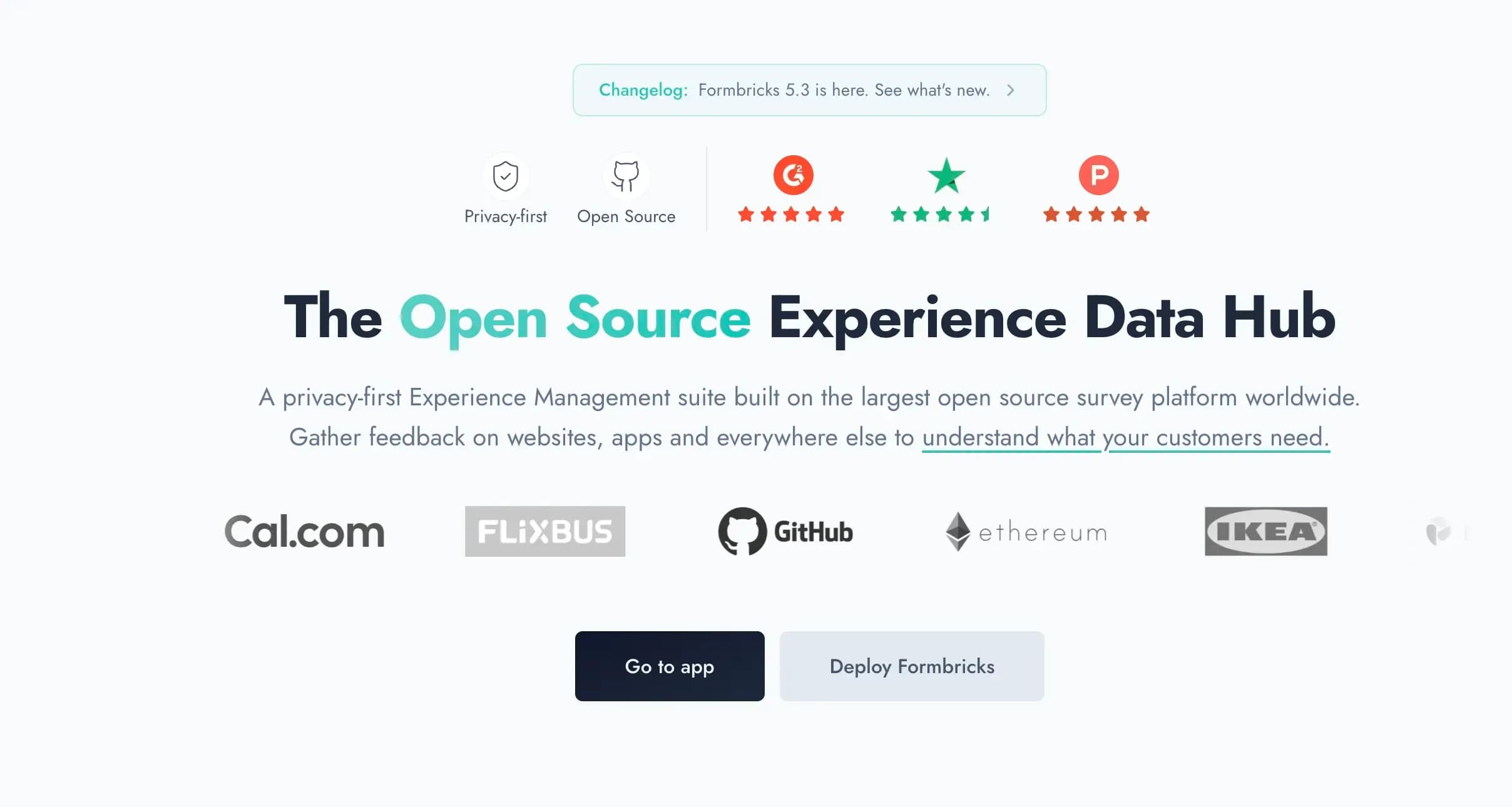
Captured August 15, 2026 from formbricks.com.
Formbricks Hobby Plan: Free Forever
| Feature | Details |
|---|---|
| Price | $0 |
| Workspaces | 1 |
| Responses | 250/month |
| API access | Full, including MCP |
| Hosting | Frankfurt, Germany |
Microsoft Forms wins on per-form response volume for a single personal account (200 responses free, unlimited forms), but Formbricks includes conditional logic, drop-off tracking, and full API access from its own free tier, with no restriction on external, non-employee respondents.
| Hobby Plan | |
|---|---|
| Pros | Cons |
| ✅ No restriction on external or non-employee respondents | ❌ 250 responses/month cap across the account |
| ✅ Full API access, no restrictions | ❌ 1 workspace only |
| ✅ Hosted in Frankfurt (EU data residency) | ❌ No native Excel-style spreadsheet view (uses its own dashboard) |
The Bottom Line: Microsoft Forms wins on raw free-tier response volume per form; Formbricks wins on what you can actually do with the logic, analytics, and external-facing collection once a response comes in.
Formbricks Pro Plan: $89/Month (or $74/Month Billed Annually)
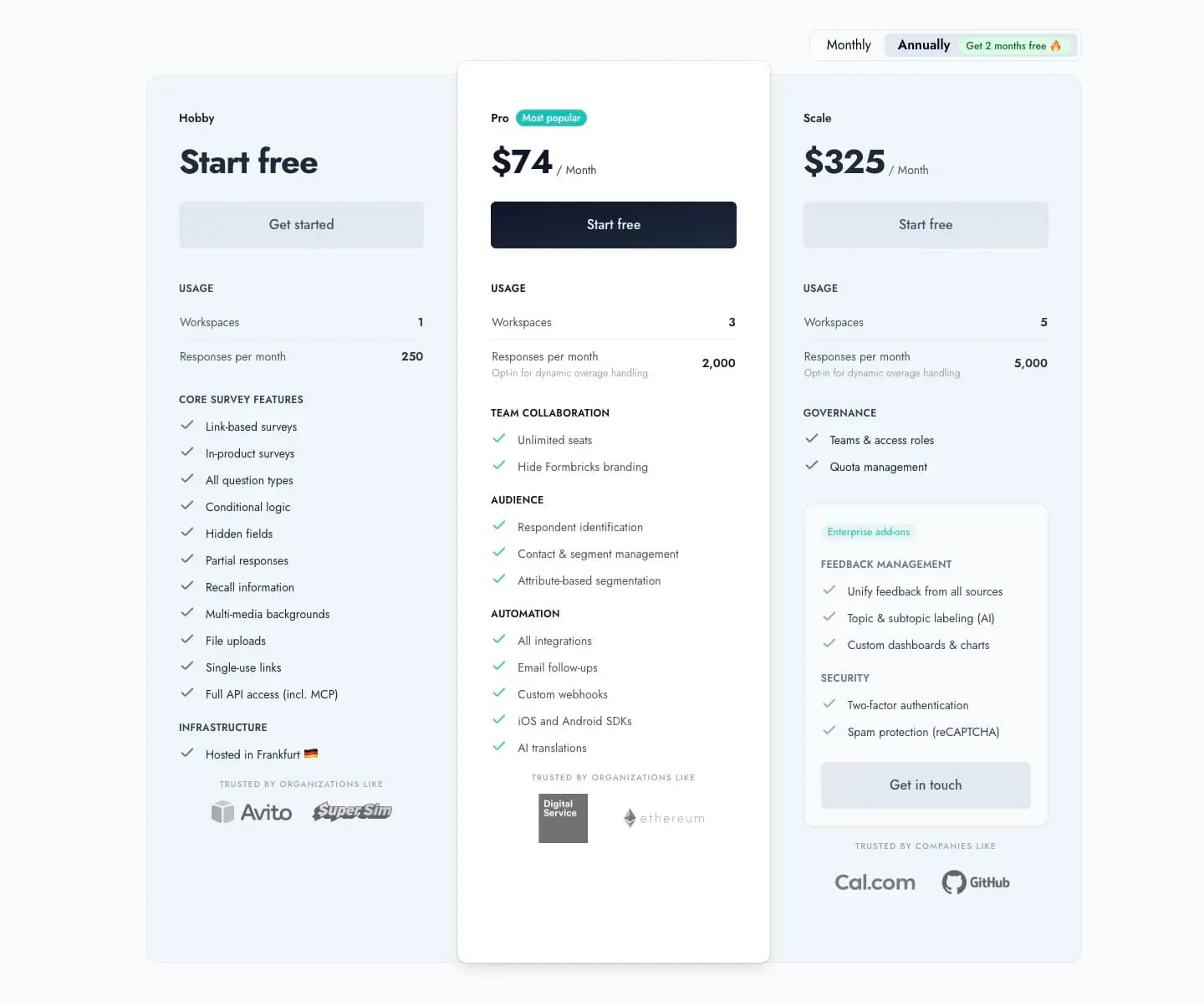
Captured August 15, 2026 from formbricks.com/pricing.
| Feature | Details |
|---|---|
| Price | $89/month, or $74/month billed annually ($890/year) |
| Workspaces | 3 |
| Responses | 2,000/month |
| Added Features | Unlimited seats, attribute-based segmentation, remove branding, all integrations |
Pro adds attribute-based targeting and full branding removal, capabilities that don't exist anywhere in Microsoft Forms, at any Microsoft 365 price point.
| Pro Plan | |
|---|---|
| Pros | Cons |
| ✅ Attribute-based segmentation for targeted surveys | ❌ Real cost, versus Microsoft Forms' bundled $0 |
| ✅ Full branding removal, unlike Microsoft Forms at any tier | ❌ 2,000 response cap (overage available) |
| ✅ Unlimited team seats included | ❌ No native Excel export equivalent (own dashboard instead) |
The Bottom Line: if budget allows, Pro buys targeting, branding, and analytics depth Microsoft Forms simply doesn't build toward at any Business tier.
Formbricks Scale Plan: $390/Month (or $325/Month Billed Annually)
| Feature | Details |
|---|---|
| Price | $390/month, or $325/month billed annually ($3,900/year) |
| Workspaces | 5 |
| Responses | 5,000/month |
| Governance | Teams & access roles, quota management |
| Enterprise add-ons | Feedback unification, AI topic labeling, custom dashboards, two-factor authentication |
The Bottom Line: Scale is Formbricks' highest published, self-serve tier, with governance features Microsoft 365 Business Premium doesn't apply to Forms at all.
Formbricks Self-Hosting: Community and Enterprise Editions
| Feature | Details |
|---|---|
| Community Edition | Open source, free, unlimited surveys and responses |
| Enterprise Edition | Contact us, adds SSO (SAML/OIDC), multi-language surveys, whitelabel, support SLAs |
| License | AGPLv3 |
| Data Control | Data never leaves your own infrastructure |
Microsoft Forms has no self-hosted option at any tier; every response lives on Microsoft's servers regardless of Business plan. Formbricks' free, self-hosted Community Edition puts full data control on any budget, matching Microsoft Forms' own price point of $0 while adding a data-residency guarantee Microsoft Forms can't offer.
What Reviewers Say About Microsoft Forms
Microsoft Forms holds a 4.4 rating across 476 reviews on G2 and a 4.6 rating across 327 reviews on Capterra.
| Microsoft Forms Reviews | |
|---|---|
| Pros | Cons |
| ✅ Native integration with Teams, Excel, and Outlook for organizations already on Microsoft 365 | ❌ Free personal account limited to 200 responses per form |
| ✅ Adaptable across departments for surveys, quizzes, and evaluations | ❌ Limited branching logic; no advanced skip patterns |
| ❌ File-upload questions block external ("Anyone can respond") access entirely |
A separate third-party comparison of Google Forms and Microsoft Forms, drawing on both platforms' own review data, echoes the same pattern: reviewers describe Microsoft Forms as adaptable for internal, cross-department use, while flagging it as offering "too few input types" and a "very basic layout" next to dedicated survey tools.
Feature Value Breakdown
Cost for Basic Internal Surveys (If Already on M365)
Microsoft Forms' Approach: Included free with any Microsoft 365 seat teams already pay for; no extra cost for the form tool itself.
Formbricks' Approach: Free Hobby tier caps at 250 responses/month across the account; unlimited on the self-hosted Community Edition.
Value Verdict: Microsoft Forms wins for organizations already paying for M365 seats, since Forms rides along at no incremental cost.
External-Facing Feedback Collection
Microsoft Forms' Approach: File-upload questions disable the "Anyone can respond" option, per Microsoft Forms' own documented behavior, blocking external respondents from attaching documents.
Formbricks' Approach: No such restriction exists; surveys are built for external customer and user feedback from the start.
Value Verdict: Formbricks wins. This is a specific, documented Microsoft Forms limitation, not an editorial preference.
CX Program Management (NPS/CSAT/Targeting)
Microsoft Forms' Approach: No dedicated CX program layer at any tier; Forms is a general-purpose survey, poll, and quiz builder.
Formbricks' Approach: Built around feedback analytics, attribute-based segmentation, and Formbricks Workflows as core, named capabilities.
Value Verdict: Formbricks wins decisively. This isn't a category Microsoft Forms competes in.
Data Residency and Self-Hosting
Microsoft Forms' Approach: Cloud-only on Microsoft's infrastructure at every tier, with no self-hosted option.
Formbricks' Approach: Free, self-hosted Community Edition (AGPLv3), plus a Frankfurt-hosted Cloud option.
Value Verdict: Formbricks wins decisively for any buyer where data residency is a requirement rather than a preference.
Microsoft Forms vs Formbricks: Side-by-Side Pricing
| Microsoft Forms | Formbricks | |
|---|---|---|
| Free tier | Unlimited forms, 200 responses/form (personal account) | Hobby: 250 responses/month, full API including MCP |
| Cheapest paid tier | N/A (Business Basic $7/user/month buys email/Teams, not Forms features) | Pro: $89/month, or $74/month billed annually |
| Branching logic | Basic, limited skip patterns | Full conditional logic from the free tier |
| External respondent support | File uploads block external access entirely | No such restriction |
| Branding | Not available at any tier | Removable from the Pro tier |
| Feedback analytics | Real-time charts and Excel export only | Drop-off tracking, segmentation, dashboards from the free tier |
| Self-hosting | Not offered at any tier | Community Edition, free, self-hosted, AGPLv3 |
| Core product | Free, bundled survey/poll/quiz tool inside Microsoft 365 | Feedback management, feedback analytics, workflows as the core platform |
Who Should Actually Use Microsoft Forms
Microsoft Forms makes sense if your organization already runs on Microsoft 365 and needs quick internal polls, quizzes, or lightweight surveys with tight Teams, Excel, and Outlook integration.
As an illustrative example, an HR team might use Microsoft Forms inside Teams to run a quick pulse-check poll among employees ahead of an all-hands meeting, a lightweight internal use case distinct from Formbricks' external customer-feedback focus. This is a hypothetical scenario, not a published customer story.
It's a weaker fit if you need to collect files or forms from external, non-employee respondents at scale, or you need a recurring, structured NPS/CSAT/PMF program with targeting and analytics.
Microsoft Forms Pricing FAQ
Final Verdict
👍 Microsoft Forms is the right call if your organization already runs on Microsoft 365 and needs quick internal polls, quizzes, or lightweight surveys, with tight Teams, Excel, and Outlook integration. Its zero incremental cost for organizations already paying for M365 seats is a genuine, earned strength.
👉 Formbricks is the better fit if you're running a structured feedback or CX program rather than an internal poll, need to collect feedback from external, non-employee respondents without Microsoft Forms' file-upload restriction, and want drop-off analytics and attribute-based targeting that Microsoft Forms doesn't offer at any Business tier. A free, self-hosted Community Edition matches Microsoft Forms' price point of $0 while adding a data-residency guarantee Microsoft Forms can't provide.
The honest read: these solve different problems. Microsoft Forms is a free, bundled survey and poll tool built for internal Microsoft 365 use; Formbricks is purpose-built for feedback management, feedback analytics, and workflows as its core product. If your search for "Microsoft Forms pricing" was really a search for a dedicated feedback platform, see Formbricks' current pricing here, or read our full Microsoft Forms alternative breakdown.
Try Formbricks now