

SurveyMonkey vs Google Forms (vs Formbricks): Which Should You Actually Use in 2026?

Johannes
Co-Founder @ Formbricks
13 Minutes
August 16th, 2026
If you're searching "SurveyMonkey vs Google Forms," you're probably deciding between free-and-basic and paid-and-capable, not comparing two similar tools. Google Forms is free with any Google account and has no meaningful limits on responses or surveys. SurveyMonkey is a paid platform with 500+ templates, deeper analytics, and a free tier so restrictive it's really a demo.
I believe Google Forms is the right call if:
- Your budget is $0 and you already use Google Workspace
- You're collecting internal feedback, RSVPs, or classroom quizzes, not customer-facing research
- You don't need custom branding, payment collection, or advanced logic
- Unlimited responses matter more than analytics depth
I believe SurveyMonkey is the right call if:
- You need 20+ question types, skip logic, or piping that Google Forms doesn't offer
- Statistical significance testing and benchmarking matter for your research
- You're comfortable with per-seat team pricing ($30-92/user/month) or hidden individual-tier pricing
- You want access to a 335M+ person respondent panel for market research
Neither platform is built around ongoing feedback programs: aggregate dashboards, segmentation, or automated follow-up workflows. If that's closer to what you actually need, there's a third option worth knowing before you pick between these two.
👉 Formbricks is an open feedback and experience management suite built around three things: feedback management (website, in-app, link, and email surveys, unified), feedback analytics (aggregate and per-response views, segmentation, drop-off tracking), and workflows and integrations (post-response automation plus native connections to Salesforce, HubSpot, Slack, Google Sheets, and Notion). Every tier, including the free Hobby plan, publishes a real price and ships a full API. A free, self-hosted Community Edition exists for teams that need data to never leave their own infrastructure, something neither SurveyMonkey nor Google Forms offers at any price.
Table of contents:
- SurveyMonkey vs Google Forms vs Formbricks at a glance
- What buyers actually mean by "SurveyMonkey vs Google Forms"
- Google Forms: free, simple, and intentionally basic
- SurveyMonkey: more features, at a real cost
- Formbricks: an open feedback and experience management suite
- Side-by-side pricing
- Feature value breakdown
- Who should choose which platform
- SurveyMonkey vs Google Forms FAQ
- Final verdict
SurveyMonkey vs Google Forms vs Formbricks at a Glance
| Google Forms | SurveyMonkey | Formbricks | |
|---|---|---|---|
| Price | Free with any Google account | Free Basic (limited), $30-92/user/month Team plans | Free Hobby, $74/month Pro (annual), $325/month Scale (annual) |
| Question types | 11-12 | 20+ | All standard types plus conditional logic |
| Response limits | None | Free: 10 questions, ~25-40 responses viewable; paid tiers cap by year | 250/month free, 2,000-5,000/month paid, unlimited self-hosted |
| Custom branding | Logo and background image, free | Requires a paid plan | Included from the free Hobby plan |
| Analytics depth | Basic charts, exportable to Sheets | Statistical significance, benchmarking, crosstabs | Aggregate + per-response views, drop-off tracking, segmentation |
| Feedback channels | Forms only | Surveys and forms | Website, in-app, link, and email surveys unified |
| Data residency / self-hosting | Google's infrastructure only | Regional data center choice on Enterprise only | Free, self-hosted Community Edition |
| API access | Limited (Apps Script) | Bundled into higher tiers | Full API free on every tier, incl. MCP |
| Best for | Free, internal, low-stakes forms | Template-driven research and market surveys | Ongoing feedback programs, developers, regulated industries |
What Buyers Actually Mean by "SurveyMonkey vs Google Forms"
Most of what ranks for this exact search comes from form-builder review blogs (Zapier, Content Snare) rather than either vendor's own comparison page, since SurveyMonkey doesn't publish a head-to-head against a free Google product the way it does against Qualtrics or Typeform.
Zapier's own testing puts it simply: "Google Forms is better suited for forms, and SurveyMonkey is better suited for surveys." Forms collect specific data (purchase orders, event registrations); surveys collect nuanced feedback or opinions. Content Snare's comparison reaches a similar conclusion: Google Forms is the better pick for individuals and small teams, while SurveyMonkey is worth paying for once you need 150+ templates, 20+ question types, AI-assisted survey creation, and deeper analytics.
Source: Zapier's SurveyMonkey vs Google Forms comparison and Content Snare's comparison, both captured August 15, 2026.
The honest read: this isn't a "which is better" question, it's a "how much survey do you actually need" question. Google Forms handles basic data collection for free. SurveyMonkey adds real research capability, at a real price. Neither is built for a recurring feedback program that needs to segment respondents or trigger a follow-up action.
Google Forms: Free, Simple, and Intentionally Basic
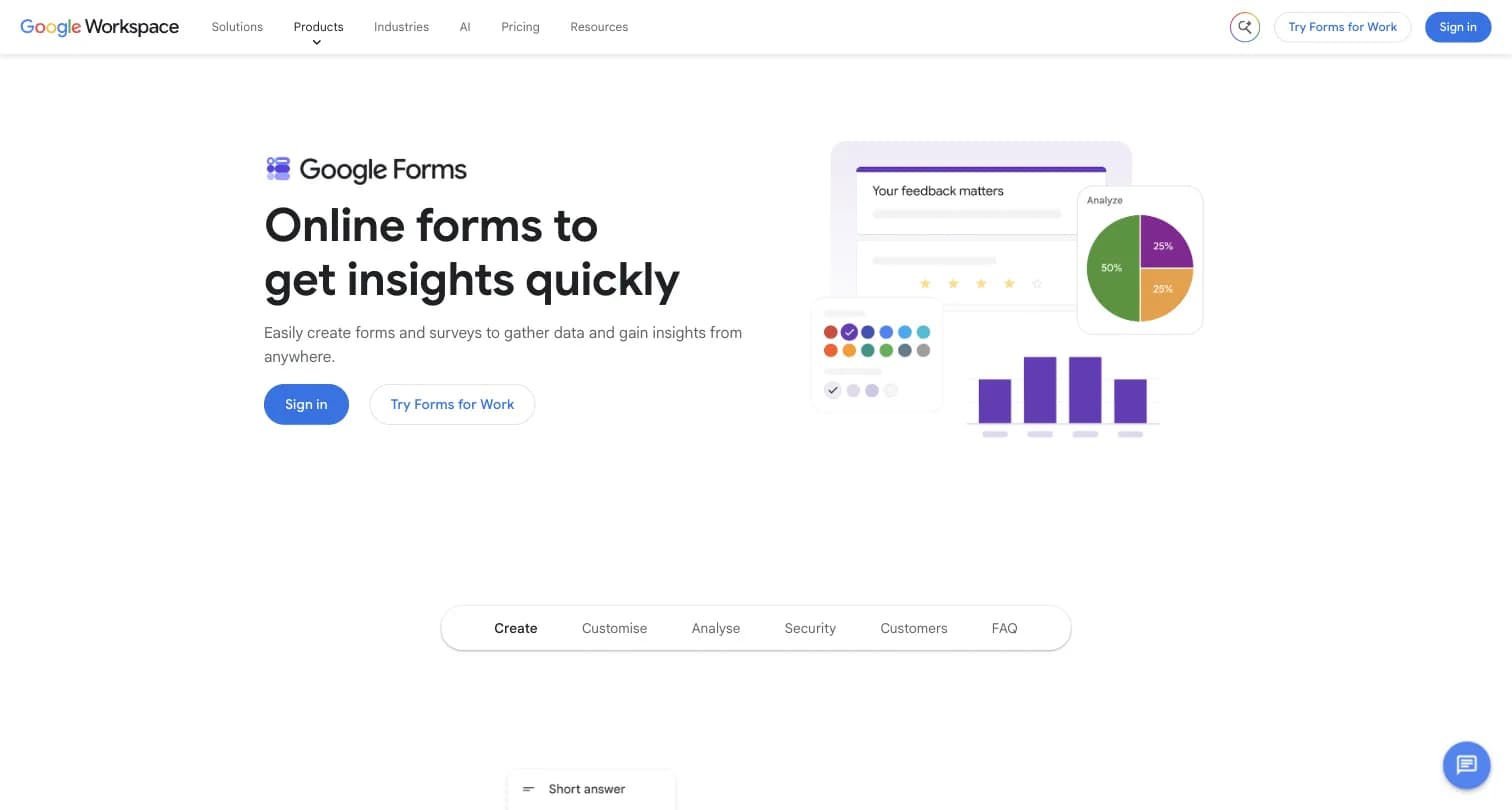
Captured August 15, 2026 from workspace.google.com/products/forms.
Google Forms is a free form and survey tool bundled into Google Workspace. It has no independent founding story or company, it's a product line inside Google, not a standalone business, which is worth noting since it means there's no separate roadmap or pricing lever Google can pull the way a dedicated survey vendor can.
What You Get for Free
Google Forms is free with any Google account (not necessarily Gmail). It includes:
- Unlimited forms and unlimited responses
- 11-12 question types, including a rating scale (1-10 stars)
- 17 templates, drag-and-drop question building
- Basic branching logic (jump to a section based on an answer)
- Real-time response charts, with export to Google Sheets
Zapier's testing found Google Forms can even auto-generate an answer type: typing a customer-experience rating question prompts a linear scale automatically, and Google's Gemini AI (available to Workspace Labs users) can generate an entire form from a prompt.
Where Google Forms Is Bundled, Not Standalone
Google Forms itself has no price. If you want more storage, custom business email, or admin controls alongside Forms, that means a Google Workspace seat: Business Starter at $7/user/month (formerly listed at $6 by some third-party sources, confirm current pricing directly with Google), Business Standard at $14/user/month, Business Plus at $22/user/month, or custom Enterprise pricing. None of these prices are Forms-specific, they're the cost of the entire Workspace suite.
Where Google Forms Falls Short
- No custom branding beyond a logo, background color, and font, no white-labeling on a paid plan because there is no paid Forms plan
- Only 11-12 question types and single-level branching logic, no piping or advanced skip logic
- No native mobile app; third-party "Google Forms app" listings on app stores aren't official
- No payment collection or e-signature support
- Basic analytics: pie charts and bar graphs, no statistical significance testing or crosstabs
SurveyMonkey: More Features, at a Real Cost
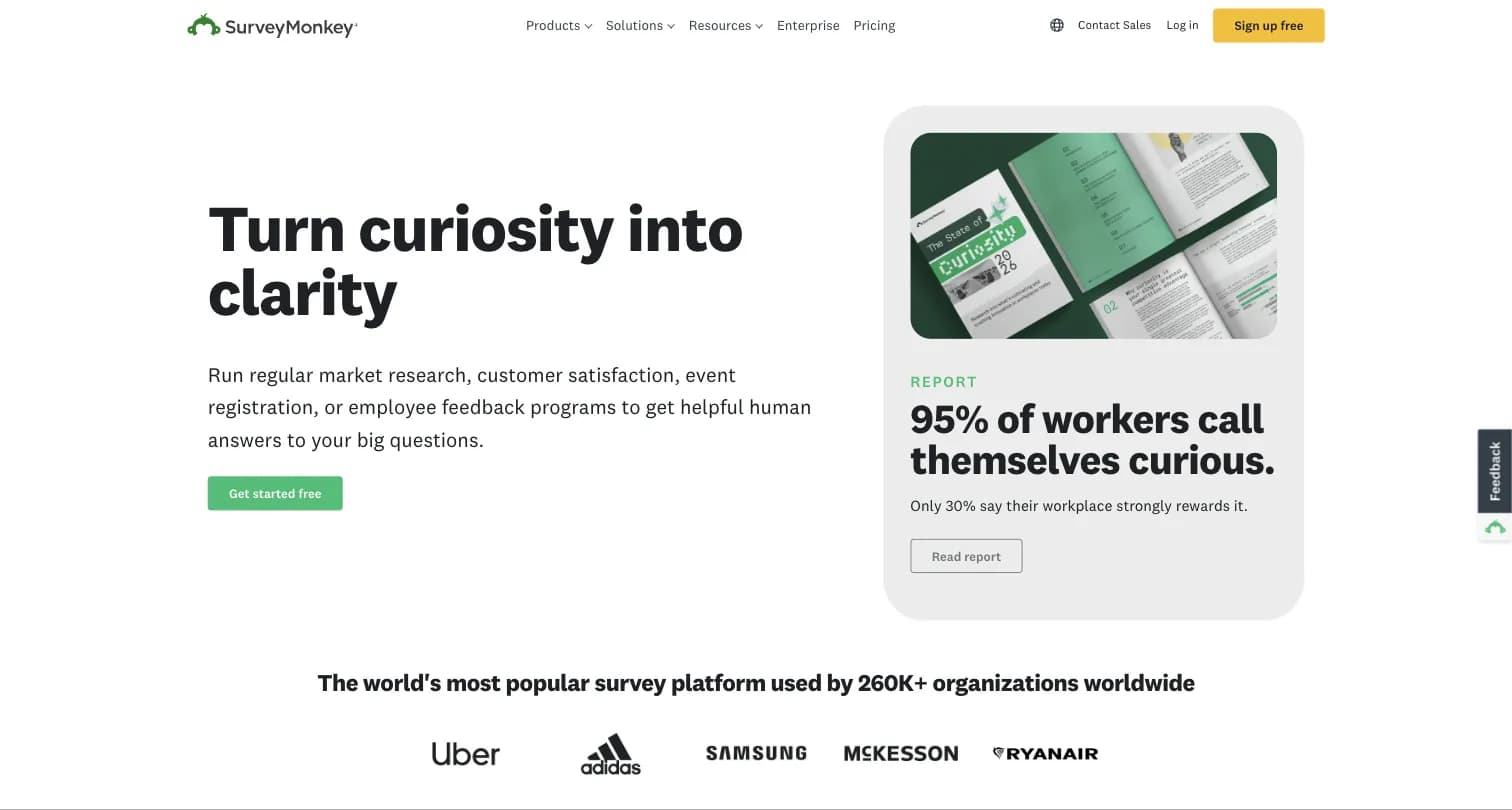
Captured August 15, 2026 from surveymonkey.com.
Ryan Finley founded SurveyMonkey in 1999 after finding no simple tool to collect customer feedback, later bringing on his brother Chris Finley as co-founder. The company relocated to Portland, Oregon in 2005 and now positions itself as the world's most popular survey platform, used by 260,000+ organizations.
Free and Individual Plans
The free Basic plan is capped at 10 questions per survey with limited response viewing, more of a demo than a usable free tier for anything beyond a tiny poll. Above that sit three Individual plans:
| Plan | Response Limit | Key Features |
|---|---|---|
| Individual Standard | 1,000 responses/month | Unlimited surveys/questions, more question types, custom design, skip logic, 200+ integrations |
| Individual Advantage | 15,000 responses/year | Premium themes, accept payments, statistical significance, multi-survey analysis, Analyze with AI |
| Individual Premier | 40,000 responses/year | White label branding, advanced logic, block randomization, multilingual surveys, crosstabs |
None of the three Individual plans show a dollar price on the public pricing page without account signup. Third-party sources disagree on what they actually cost: one blog cites $39/month for Standard billed annually (or $99/month month-to-month), another cites $99/month flat, and neither figure could be independently confirmed from SurveyMonkey's own pricing page.
Team Plans
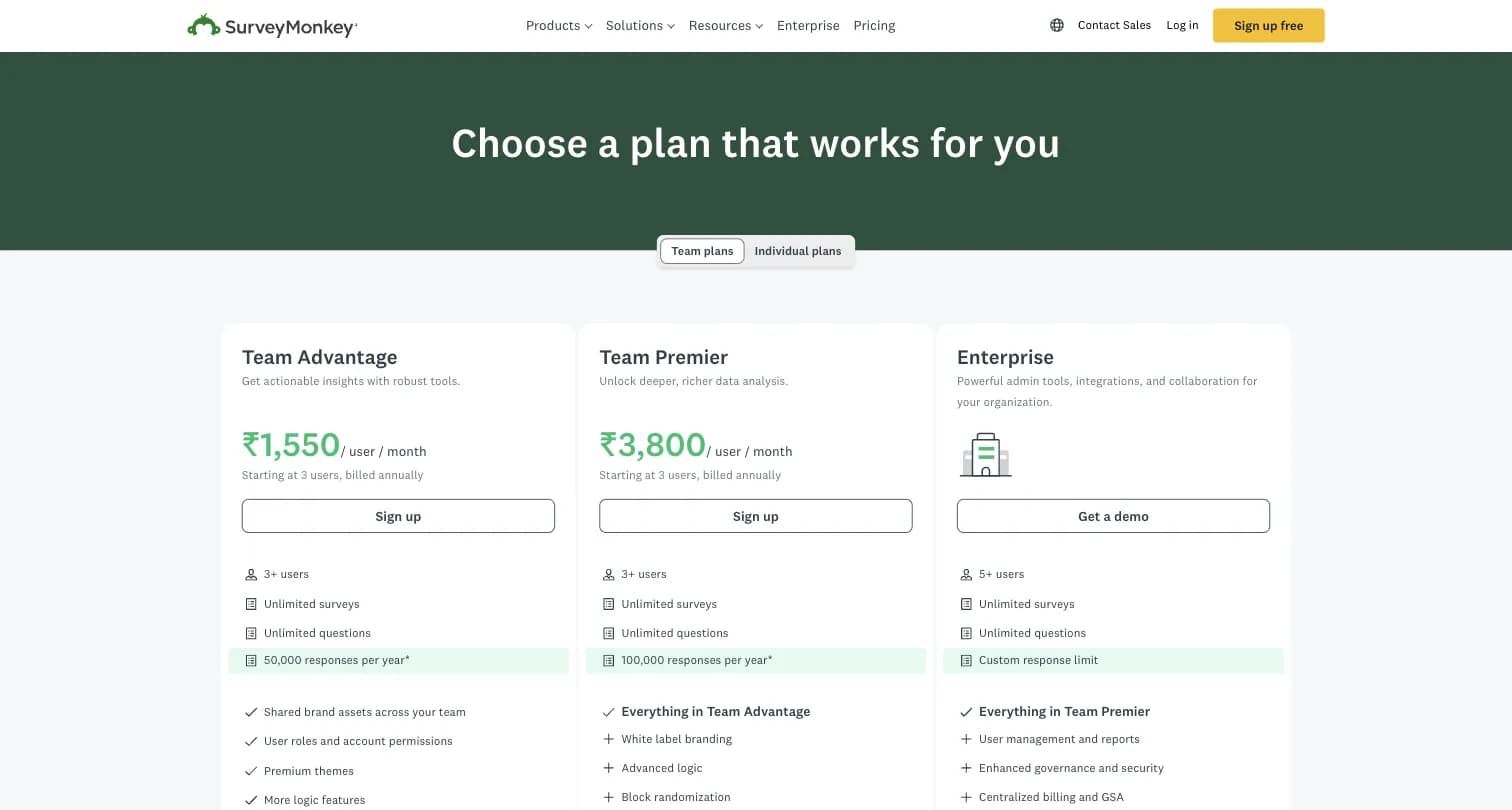
Captured August 15, 2026 from surveymonkey.com/pricing.
Team plans require a minimum of 3 users and do publish per-seat prices: Team Advantage at $30/user/month (annual billing, 50,000 responses/year), Team Premier at $92/user/month (same minimum, 100,000 responses/year, white label, advanced logic), and Team Enterprise at custom pricing (5+ users, US/Canada/EU data center choice, SSO).
Where SurveyMonkey Falls Short
- The free plan's 10-question cap and limited response viewing make it impractical for anything beyond a trivial poll
- Individual-plan dollar prices are hidden behind account signup, and third-party sources publish conflicting numbers for the same tier
- $0.15 charged per response over your plan's limit
- Team plans require a minimum of 3 users, so a 2-person team pays for a seat it doesn't need
- Pricing is the single most-disliked theme in SurveyMonkey reviews: 24.2% of negative sentiment mentions price, roughly twice the rate of other survey tools, per Thematic's analysis
Formbricks: An Open Feedback and Experience Management Suite
Formbricks isn't a third form builder competing on templates or question-type counts. It's an open source feedback and experience management suite built around three things: feedback management, feedback analytics, and workflows and integrations, published transparently and included on every tier rather than upsold as add-ons.
Feedback Management. Formbricks unifies collection channels that neither Google Forms nor SurveyMonkey combine on one platform: website surveys that target specific visitors, in-app surveys that reach any user cohort inside your product, link surveys for broad distribution, and branded surveys embedded directly in email.
Feedback Analytics. Response data flows into one place regardless of channel. You can follow individual feedback trails or zoom out for the aggregate picture, track partial and dropped-off responses, and segment by custom attributes, capabilities neither Google Forms' basic charts nor SurveyMonkey's per-survey reporting are built around.
Workflows and Integrations. Formbricks Workflows automate what happens after a response comes in, routing and acting on feedback without manual handling. On the integration side, Formbricks connects to Salesforce, HubSpot, Slack, Google Sheets, and Notion through webhooks and its open API, free on every tier, including the self-hosted Community Edition.
Formbricks Pricing
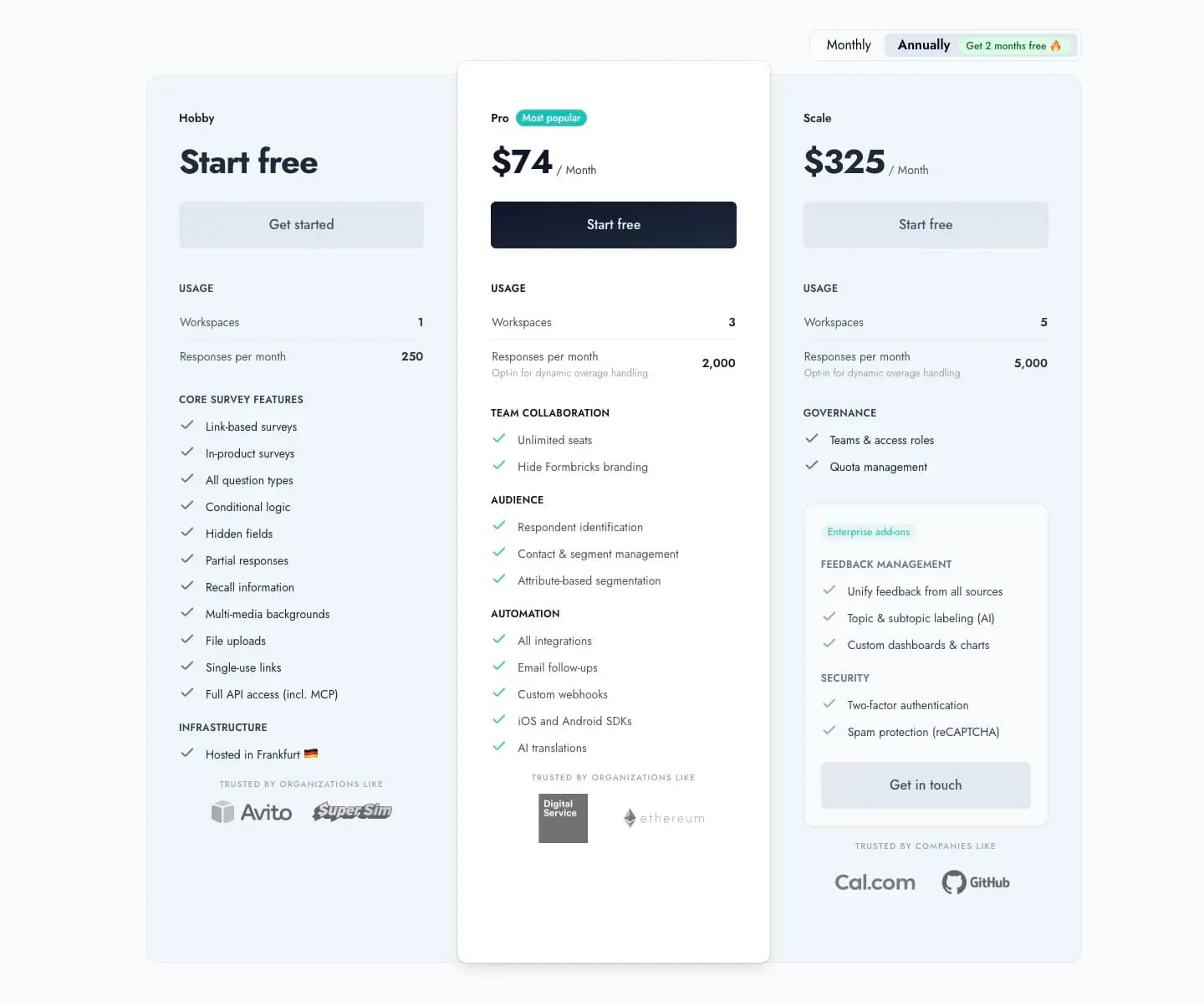
Captured August 16, 2026 from formbricks.com/pricing.
| Plan | Monthly Billing | Annual Billing | Responses/Month | Workspaces |
|---|---|---|---|---|
| Hobby | Free | Free | 250 | 1 |
| Pro | $89/month | $890/year (displayed as $74/mo) | 2,000 | 3 |
| Scale | $390/month | $3,900/year (displayed as $325/mo) | 5,000 | 5 |
Unlike Google Forms' free tier (unlimited responses but no CX program layer at any price) or SurveyMonkey's 10-question free cap, Formbricks Hobby includes full API access, including MCP, custom branding removal, and conditional logic on day one, no paid upgrade required to unlock the basics.
Formbricks Self-Hosting: Community Edition
The free, self-hosted Community Edition, licensed under AGPLv3, is where Formbricks diverges from both Google Forms and SurveyMonkey. Data never leaves your own infrastructure, there's no response cap, and even if you stop paying for Enterprise features, the Community Edition and your data remain accessible. Neither Google Forms nor SurveyMonkey offers an equivalent self-hosting path at any price.
Side-by-Side Pricing
| Google Forms | SurveyMonkey | Formbricks | |
|---|---|---|---|
| Free tier | Unlimited responses, basic features, no branding | 10 questions/survey, limited response viewing | 250 responses/month, full API incl. MCP |
| Cheapest paid tier | No Forms-specific price (Workspace Business Starter $7/user/mo) | Individual Standard (price not public, ~$39/mo per third-party sources) | Pro: $89/mo (or $890/yr annual) |
| Team tier | Workspace Business Standard/Plus, $14-22/user/mo | Team Advantage $30/user/mo (3-user min) | Scale: $390/mo (or $3,900/yr annual) |
| Enterprise | Workspace Enterprise, custom | Team Enterprise, custom, 5+ users | Custom pricing, published contact path |
| Self-hosting | Not offered | Not offered on any tier | Free Community Edition, self-hosted |
| Feedback channels | Forms only | Surveys and forms, panel access via Audience | Website, in-app, link, and email, unified |
Feature Value Breakdown
Ease of Use and Setup Speed
Google Forms' Approach: Sign in with any Google account, choose from 17 templates or start blank, done in minutes. Zapier's testing rates it 5/5 for ease of use.
SurveyMonkey's Approach: More features to sift through, but still intuitive per Zapier's 4/5 rating. Question banks and AI-generated surveys (Build with AI) speed up setup for non-trivial surveys.
Formbricks' Approach: A no-code builder for standard survey creation, with developer-first depth (full API, SDKs, webhooks) available for teams that want to go further.
Value Verdict: Google Forms wins on raw setup speed for a simple form. SurveyMonkey wins for anyone building a more structured survey who wants question recommendations along the way.
Pricing Transparency
Google Forms' Approach: Genuinely free, no tiers to compare, though "Forms pricing" is really "Workspace pricing" if you want more than the free experience.
SurveyMonkey's Approach: Team tier prices are public; Individual-tier prices are hidden behind signup, and third-party sources disagree on the actual numbers.
Formbricks' Approach: Every tier, Hobby through Scale, is priced and published on the site, with both monthly and annual billing shown up front.
Value Verdict: Google Forms and Formbricks both publish real numbers without a signup gate. SurveyMonkey's Individual tier is the one genuinely opaque price point across all three platforms.
Analytics and Reporting Depth
Google Forms' Approach: Real-time pie charts and bar graphs, exportable to Google Sheets for deeper analysis. Zapier rates this 3/5.
SurveyMonkey's Approach: Statistical significance testing, crosstabs, benchmark comparisons, and eight chart types with customizable labels and formats. Zapier rates this 5/5.
Formbricks' Approach: Aggregate and per-response dashboards, drop-off and partial-response tracking, and custom segmentation, built for an ongoing feedback program rather than a one-off survey report.
Value Verdict: SurveyMonkey wins on statistical depth for a single research study. Formbricks wins if the goal is tracking feedback trends and segments over time rather than one report.
Data Residency and Self-Hosting
Google Forms' Approach: Runs entirely on Google's infrastructure, no regional choice or self-hosting option.
SurveyMonkey's Approach: Regional data center choice (US/Canada/EU) exists only on the custom-priced Team Enterprise tier.
Formbricks' Approach: A free, self-hosted Community Edition under AGPLv3 keeps data on your own infrastructure entirely, on every plan, not just the top tier.
Value Verdict: Formbricks wins clearly for any buyer where self-hosting or data residency is a hard requirement.
Who Should Choose Which Platform
Choose Google Forms if:
- Your budget is $0 and you already use Google Workspace
- You're collecting internal feedback, RSVPs, or classroom quizzes
- You don't need advanced logic, question banks, or statistical analysis
- Unlimited free responses matter more than analytics depth
Choose SurveyMonkey if:
- You need 20+ question types, skip logic, piping, or A/B testing within a survey
- Statistical significance and benchmarking matter for your research
- You want access to SurveyMonkey Audience's large respondent panel
- You're comfortable with per-seat team pricing or an opaque Individual-tier price
Choose Formbricks if:
- You want one platform for website, in-app, link, and email feedback instead of forms alone
- You need feedback analytics (segmentation, drop-off tracking) and Workflows built in, not sold separately
- Self-hosting or data residency is a real requirement, not a preference
- Your engineering team wants full API access, including MCP, free on every tier
SurveyMonkey vs Google Forms FAQ
Final Verdict
👍 Google Forms is the right call if your budget is $0, you already live inside Google Workspace, and your survey needs are internal, low-stakes, or purely about collecting structured data (event signups, quizzes, RSVPs) rather than researching customer opinion at scale.
👍 SurveyMonkey is the right call if you need real research capability: more question types, skip logic, statistical significance, and access to a large respondent panel, and you're willing to pay for it, whether that's a Team plan's public per-seat price or an Individual plan's less transparent one.
👉 Formbricks is the better fit if you want one platform for website, in-app, link, and email feedback instead of choosing between a free forms tool and a paid survey tool, and you want feedback analytics and Workflows built in from a published, monthly-or-annual price rather than upsold tier by tier. The self-hosted Community Edition also gives you a data residency option neither Google Forms nor SurveyMonkey offers at any price.
The honest read: Google Forms and SurveyMonkey solve different problems at different price points, and picking between them usually comes down to how much survey sophistication you actually need. If neither answers the feedback-analytics or self-hosting question you came here with, see Formbricks' current pricing here.
Try Formbricks now