
9 Best Paperform Alternatives in 2026 (Including One Open-Source Option)

Johannes
Co-Founder @ Formbricks
12 Minutes
August 16th, 2026
Paperform built its reputation on making forms look like something other than a form. Its document-style editor lets you mix content, payments, bookings, and e-signatures into a page that reads more like a landing page than a questionnaire, and it holds a genuinely strong 4.8 rating on both G2 and Capterra.
But Paperform prices submission limits per year, not per month, which means the $24/month Essentials plan caps out around 100 submissions a month once you do the math, a lower ceiling than it first appears. Independent testing from Fillout also flags limited deep customization on lower tiers (custom CSS and fonts are gated to higher plans), editor contrast issues, and workflow inflexibility that often requires a third-party service just to connect a webhook. That's usually what sends people looking for a Paperform alternative.
The Best Paperform Alternatives at a Glance
| Tool | Best For | Free Plan | Starting Price | Notes |
|---|---|---|---|---|
| Formbricks | Feedback and experience management with self-hosting | Yes (250 responses/mo) | $74/month ($890/yr annual) | We chose Formbricks because it's the only option on this list built around an ongoing feedback program (feedback management, feedback analytics, workflows) rather than a single-submission form, with a free self-hosted Community Edition none of the others offer. |
| Typeform | Conversational, design-led forms | Yes (10 responses/mo) | $39/month | Best for lead-gen and marketing forms where visual polish drives completion. |
| Jotform | Feature-dense operational forms | Yes (100 submissions/mo) | $34/month | Best for teams that need payments, PDFs, and e-signatures bundled into one platform. |
| SurveyMonkey | Research-grade surveys and benchmarking | Yes (limited) | $30/user/month | Best for structured market research with a purchasable respondent panel. |
| Fillout | Flexible forms with deep Airtable/Notion sync | Yes (1,000 responses/mo) | $15/month | Best for teams already building on Airtable or Notion. |
| SurveySparrow | Chat-style, conversational surveys | Yes (75 responses/quarter) | $19/month | Best for teams that want higher completion rates through a conversational format. |
| forms.app | AI-powered form creation and collaboration | Yes (100 responses/mo) | $29/month | Best for teams that want AI-assisted form generation and team collaboration. |
| Gravity Forms | Native WordPress forms | No | $59/year | Best for developers building forms directly inside a WordPress site. |
| Zonka Feedback | Omnichannel AI feedback intelligence | Yes (limited) | Custom, on request | Best for teams running structured, multi-channel CX programs rather than standalone forms. |
What Is Paperform?
Paperform is a design-first, no-code form builder founded in 2016 by Dean and Diony McPherson, who built it after finding every existing form tool "needlessly complex, frustrating to use, limited in functionality, and just plain ugly." Its positioning is simple: "beautiful forms that feel like yours."
Its key features include:
- A document-style editor that builds forms that look and read like landing pages, not traditional questionnaires
- Native payments, subscriptions, and booking/appointment scheduling built directly into forms
- Built-in e-signature collection
- Native calculator and pricing-logic fields
Paperform holds a 4.8 rating on both G2 (86 reviews) and Capterra (106 reviews). Reviewers consistently praise its ease of use, customer support, and design flexibility. The most common complaints are limited customization in some areas, missing features some reviewers expected, and being perceived as expensive relative to its submission caps.
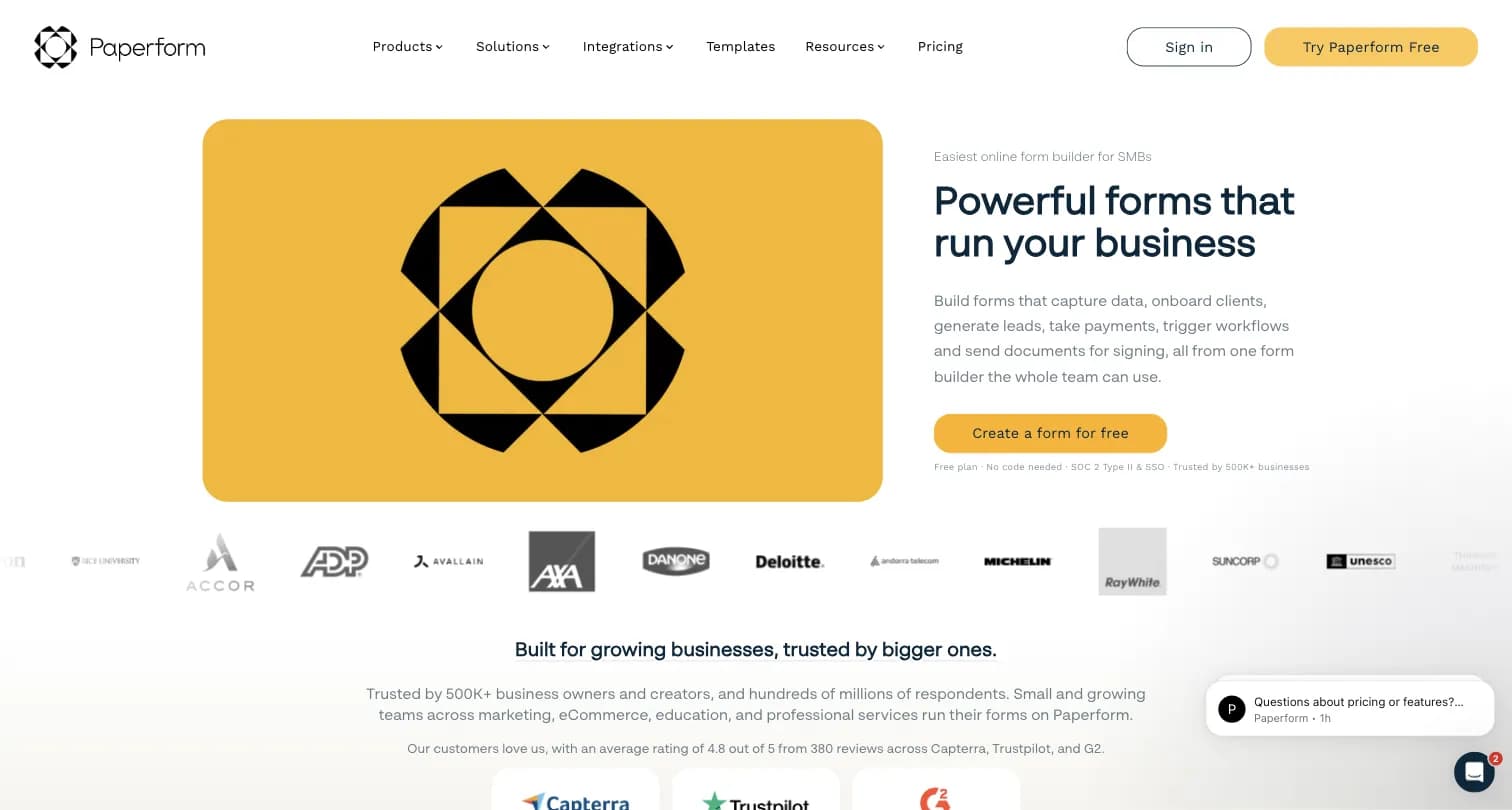
Captured August 15, 2026 from paperform.co.
Why Companies Look for Paperform Alternatives
Annual submission caps are more restrictive than they look. Paperform prices its plans in submissions per year, not per month. The $24/month Essentials plan caps at 1,200 submissions/year, which works out to roughly 100/month, a real constraint for any active feedback or intake program once you compare it to competitors that quote monthly caps directly.
Deep customization is gated to higher tiers. Independent testing from Fillout notes that advanced styling options like custom CSS and font controls are only available on Paperform's higher-tier plans, a real limitation for teams that picked Paperform specifically for design control.
Workflow connections often need a third-party service. Connecting Paperform to existing tools and workflows can require webhooks routed through an intermediary app like Zapier or Make, adding steps that native integrations elsewhere skip.
It's not built for an ongoing feedback program. Paperform is a form and commerce tool: forms, payments, bookings, e-signatures. It has no dedicated CX program layer, targeting engine, or feedback analytics dashboard, which matters if what you're actually running is a recurring NPS, CSAT, or product-feedback program rather than one-off intake forms.
The 9 Best Paperform Alternatives in 2026
1. Formbricks: Open Feedback and Experience Management, Not Just a Form
Being direct about the category difference upfront: Formbricks isn't a document-style form builder like Paperform. It's an open source feedback and experience management suite built around feedback management (website, in-app, link, and email surveys, unified on one platform), feedback analytics (segmentation, drop-off tracking, aggregate and per-response views), and workflows and integrations (post-response automation plus native connections to Salesforce, HubSpot, Slack, Google Sheets, and Notion).
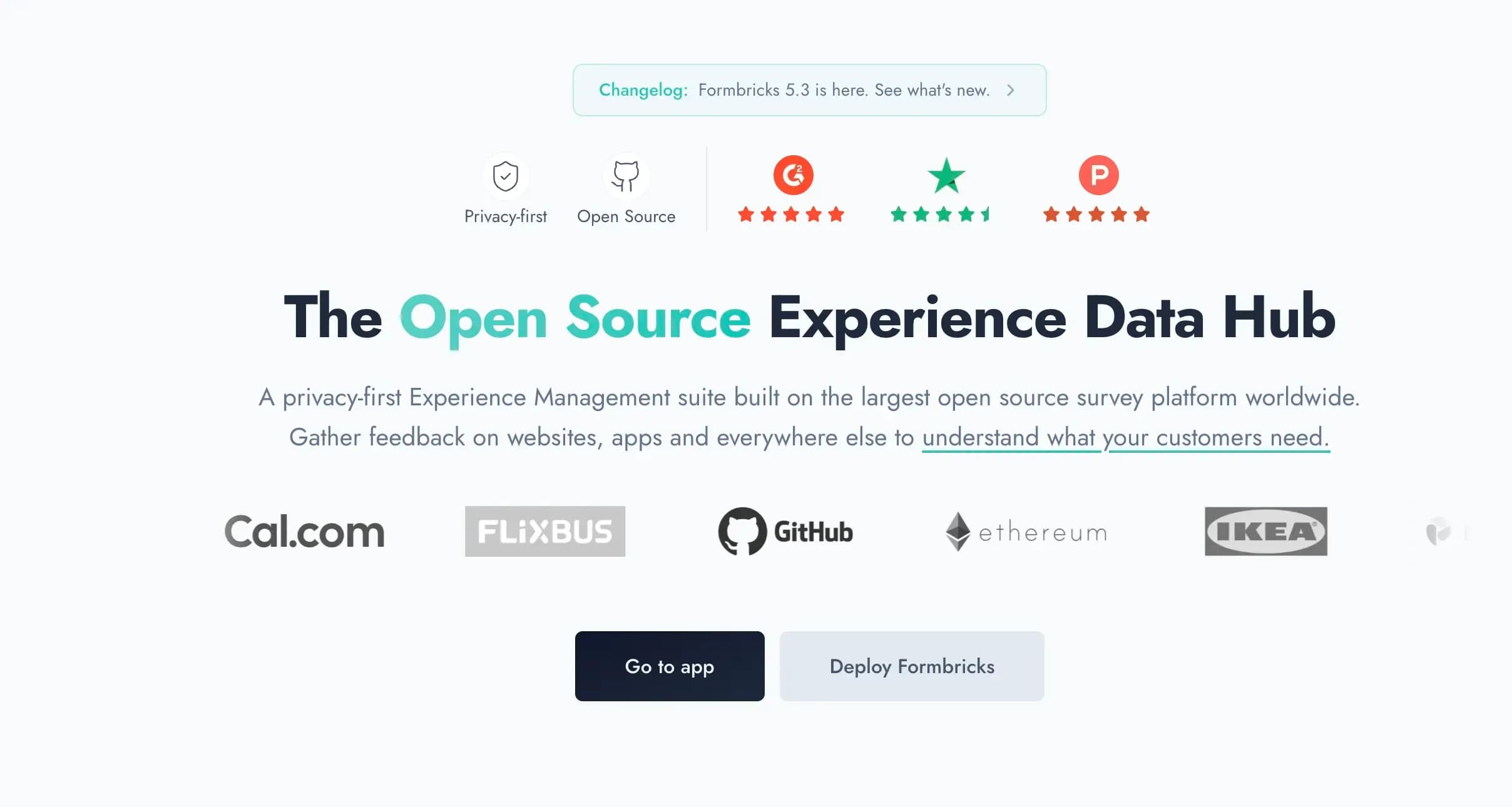
Captured August 15, 2026 from formbricks.com.
Why it's on this list anyway: a real share of people researching "Paperform alternatives" are trying to run an ongoing feedback or research program, not a one-off intake form, and Paperform's annual submission caps make that expensive fast. If that's your actual need, Formbricks is built for exactly that use case.
Key features:
- Multi-channel surveys: link surveys, website pop-ups, in-app micro-surveys, and email-embedded surveys
- Attribute-based targeting and segmentation for in-product surveys
- Feedback analytics: aggregate and per-response views, drop-off tracking, custom segmentation
- Formbricks Workflows for post-response automation
- Open API and webhooks free on every tier, including the self-hosted Community Edition
- iOS and Android SDKs for native mobile surveys
Pricing:
- Hobby (Free): 250 responses/month, 1 workspace, full API access including MCP
- Pro: $89/month ($890/year billed annually), 2,000 responses/month, unlimited seats
- Scale: $390/month ($3,900/year billed annually), 5,000 responses/month, teams and access roles
- Community Edition (self-hosted): Free forever, AGPLv3, unlimited surveys and responses
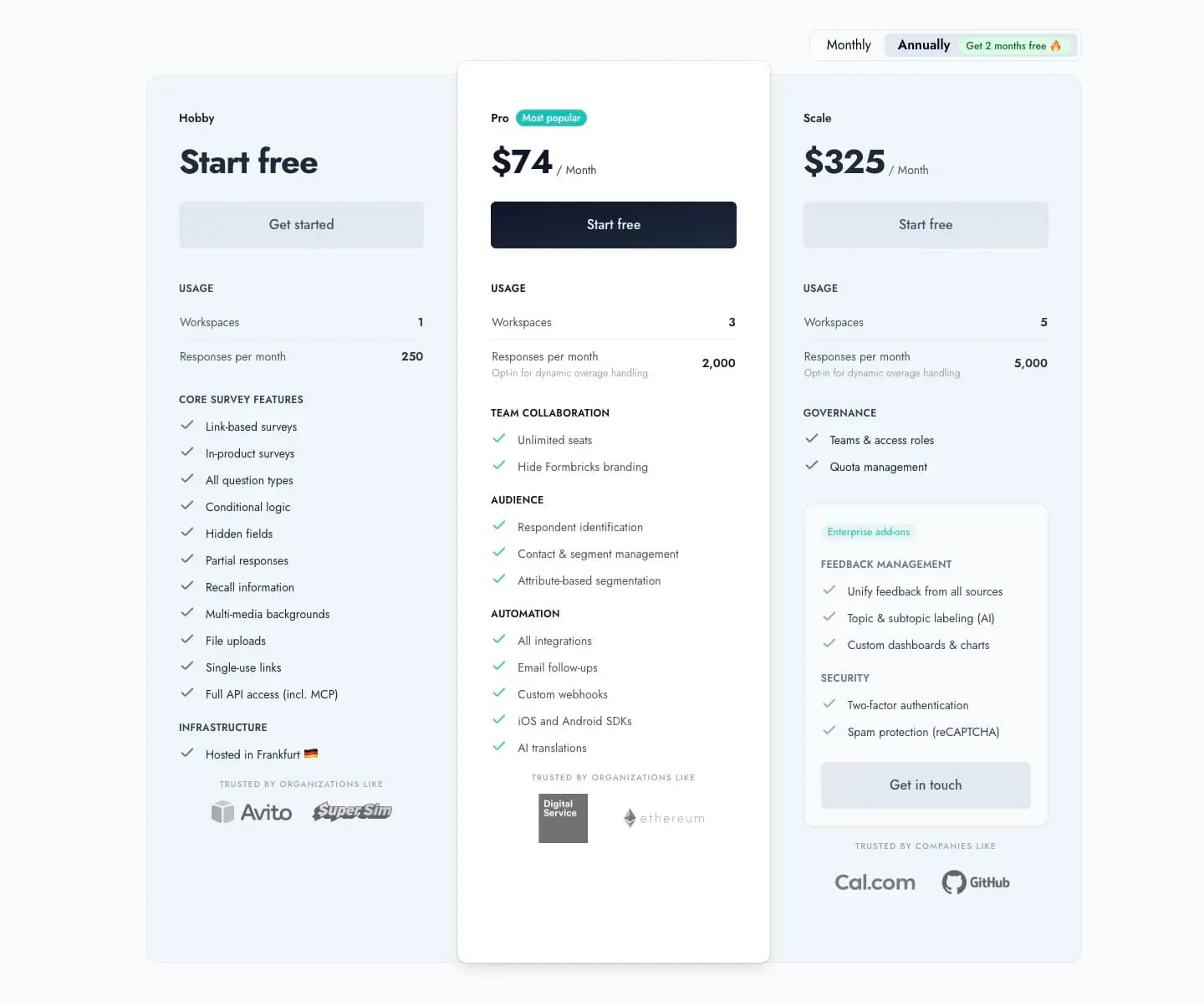
Captured August 16, 2026 from formbricks.com/pricing.
At $890/year for 2,000 responses/month (24,000/year), Formbricks Pro works out to roughly $0.037 per response, well below Paperform Pro's $588/year for a 12,000 submissions/year cap, or roughly $0.049 per submission.
Best for: Teams running an ongoing feedback or research program rather than one-off intake forms, especially those in regulated industries needing self-hosting.
2. Typeform: Best for Conversational, Design-Led Forms
Typeform's signature one-question-at-a-time conversational format is widely credited with higher completion rates for shorter, marketing-facing forms. Where Paperform's document-style editor mixes content and questions in a scrollable page, Typeform presents each question in sequence with rich media support.
Key features:
- One-question-at-a-time conversational flow with images, video, and GIFs
- AI-powered form creation from a prompt
- Conditional logic and question branching
- 300+ native integrations
Pricing: Free (10 responses/month), Basic $39/month (100 responses/month), Plus $79/month (1,000 responses/month), Business $129/month (10,000 responses/month), Enterprise custom.
Why choose Typeform over Paperform: Typeform's design language is more polished for pure lead-gen and marketing use cases, though it lacks Paperform's native payments, bookings, and e-signature depth.
Best for: Marketing-facing lead generation forms where visual engagement is the primary goal.
3. Jotform: Best for Payments, PDFs, and E-Signatures in One Platform
Jotform bundles a broader operational toolkit than Paperform: 20,000+ templates, 40+ payment processor integrations, a native PDF editor, e-signature collection, and offline mobile forms, all on one account.
Key features:
- Drag-and-drop builder with both Classic (all-questions) and Card (conversational) form layouts
- 40+ payment processor integrations, more than any other tool on this list
- Native PDF generation and e-signature collection
- 150+ native integrations
Pricing: Starter (Free, 100 submissions/month, 5 forms), Bronze $34/month (1,000 submissions/month), Silver $39/month (2,500 submissions/month), Gold $99/month (10,000 submissions/month, HIPAA-enabled features), Enterprise custom.
Why choose Jotform over Paperform: If your form needs to trigger a payment, generate a PDF, or collect a signature as part of the same submission, Jotform's native toolkit is deeper than Paperform's, at a lower monthly submission cost.
Best for: Operational forms that need payments, document generation, or e-signatures bundled in.
4. SurveyMonkey: Best for Research-Grade Surveys and Benchmarking
SurveyMonkey trades Paperform's design-first approach for statistical depth: advanced branching logic, crosstab reports, and access to a purchasable respondent panel.
Key features:
- Advanced branching and logic, premium question types
- SurveyMonkey Audience: a global respondent panel of 335M+ people across 130+ countries
- Crosstab and multi-survey analysis, global benchmarks
- 200+ built-in integrations
Pricing: Free (10 questions/survey, limited responses), Team Advantage $30/user/month (3-user minimum, 50,000 responses/year), Team Premier $92/user/month, Enterprise custom.
Why choose SurveyMonkey over Paperform: If the goal is structured market research with statistical rigor rather than a branded intake page, SurveyMonkey's analysis depth and respondent panel go further than anything Paperform offers.
Best for: Market research teams that need benchmarking and a respondent panel, not just a form.
5. Fillout: Best for Teams Already Building on Airtable or Notion
Fillout differentiates on deep, bi-directional integrations with Airtable and Notion, letting form submissions update existing databases directly rather than just logging a new row.
Key features:
- Native, deep Airtable and Notion integrations with record updates, not just creation
- Conditional logic and multi-page forms
- Custom CSS and branding on paid tiers
- SOC 2 Type 2 compliant
Pricing: Free (1,000 responses/month, unlimited forms and users), Starter $15/month, Business $75/month (paid annually), Enterprise custom.
Why choose Fillout over Paperform: Fillout's free plan alone (1,000 responses/month) outpaces Paperform's Essentials tier (roughly 100/month), and its no-per-seat pricing means adding teammates doesn't add cost.
Best for: Teams building internal tools or client portals on top of Airtable or Notion.
6. SurveySparrow: Best for Chat-Style, Conversational Surveys
SurveySparrow turns survey collection into a conversation, distributing feedback across email, SMS, WhatsApp, and web to boost response rates.
Key features:
- Chat-style, conversational survey format across web and mobile
- Multi-channel distribution: email, SMS, WhatsApp, web widgets
- Sentiment analysis and trend forecasting
- 360-degree feedback for employee performance reviews
Pricing: Free (75 responses/quarter), Basic $19/month, Starter $37/month, Business $79/month, Enterprise custom. Billing is quarterly or annual only, no monthly option.
Why choose SurveySparrow over Paperform: If low completion rates are the actual problem you're trying to solve, SurveySparrow's conversational format and multi-channel distribution address that directly, something Paperform's static form pages don't attempt.
Best for: Teams prioritizing response rate over document-style form design.
7. forms.app: Best for AI-Powered Form Creation and Collaboration
forms.app pairs an AI form generator with a large template library and built-in drop-off analysis, positioning itself between Jotform's feature depth and Typeform's design focus.
Key features:
- AI-powered form generation from a prompt
- 5,000+ ready-made templates
- Drop-off analysis and partial submission tracking
- Native payment collection via Stripe and PayPal
Pricing: Free (5 forms, 100 responses/month), Basic $29/month (1,000 responses/month), Pro $39/month (10,000 responses/month, unlimited forms), Premium $79/month (100,000 responses/month).
Why choose forms.app over Paperform: forms.app's drop-off analysis and AI generation give it an analytics edge Paperform doesn't have, at a comparable price point.
Best for: Teams that want AI-assisted form building with built-in completion analytics.
8. Gravity Forms: Best for Native WordPress Forms
Gravity Forms is the developer-friendly choice for teams building directly inside WordPress, with 500+ hooks for custom logic and an extensive add-on ecosystem.
Key features:
- Native WordPress plugin with multi-column, paginated layouts
- Conditional logic to show or hide fields and pages based on responses
- 500+ developer hooks for advanced customization
- Extensive add-ons for payments and CRM connections
Pricing: No free plan, though a demo builder is available. Paid licenses start at $59/year.
Why choose Gravity Forms over Paperform: If your site already runs on WordPress, a native plugin avoids the iframe embedding and design mismatches that come with dropping an external form builder like Paperform onto a WordPress page.
Best for: Developers and agencies building forms natively inside WordPress sites.
9. Zonka Feedback: Best for Omnichannel AI Feedback Intelligence
Zonka Feedback is built for structured, ongoing CX programs rather than standalone forms, combining survey distribution across email, SMS, WhatsApp, web, in-app, and offline kiosks with AI-driven sentiment analysis.
Key features:
- Omnichannel distribution: email, SMS, WhatsApp, web, in-app, kiosks, QR codes
- 30+ question types with skip logic and branching
- AI analysis of open-text responses with theme detection and sentiment scoring
- 20+ native integrations including Salesforce, HubSpot, and Zendesk
Pricing: Free plan available with limited responses. Paid plans are custom, based on feedback volume, available on request.
Why choose Zonka Feedback over Paperform: If you're running a real CX program with NPS, CSAT, and CES tracked over time across channels, Zonka's built-in AI analysis and closed-loop workflows go well beyond what a form builder like Paperform is designed to do.
Best for: Teams running structured, multi-channel customer experience programs.
How to Choose the Right Paperform Alternative
Start With What You Actually Need
- A branded, document-style page for one-off intake, payments, or bookings: Stay with Paperform, or try Fillout or forms.app for a similar editing style with a more generous free plan
- Native WordPress forms: Gravity Forms
- Payments, PDFs, and e-signatures bundled into one platform: Jotform
- A more polished, conversational lead-gen form: Typeform or SurveySparrow
- Statistical research depth and a respondent panel: SurveyMonkey
- An ongoing feedback program with analytics and self-hosting: Formbricks
Then Evaluate These Criteria
| Criteria | Questions to Ask |
|---|---|
| Submission caps | Is the plan priced per month or per year? A "generous" annual cap can be a restrictive monthly one. |
| Customization depth | Is custom CSS or font control included on the entry tier, or gated to a higher plan? |
| Workflow connections | Does the tool connect natively to your stack, or does every integration route through a third-party automation app? |
| What you're actually building | A one-off form, or a recurring feedback program that needs analytics and segmentation over time? |
| Data residency | Can you self-host, or is everything cloud-only regardless of plan? |
The Data Residency Gap
None of the eight form-first or CX-first alternatives above, Typeform, Jotform, SurveyMonkey, Fillout, SurveySparrow, forms.app, Gravity Forms, or Zonka Feedback, publish a self-hosted deployment option anywhere in their documentation. Formbricks is the exception: its Community Edition is free and self-hostable under an AGPLv3 license, relevant if data control is a real requirement and not just a preference.
Paperform Alternatives FAQ
The Final Verdict
Paperform remains a strong choice for teams that want a document-style form that reads like a landing page, with native payments, bookings, and e-signatures built in. But its annual submission caps, gated customization, and third-party workflow dependencies push a lot of buyers to look elsewhere.
For teams that want Paperform's design flexibility with a more generous free plan, Fillout and forms.app are the closest substitutes. For teams that need payments, PDFs, or e-signatures at greater depth, Jotform goes further. For design-led lead generation, Typeform and SurveySparrow are strong picks.
For teams whose actual gap is an ongoing feedback program, not another one-off form, Formbricks is worth a look: feedback management, feedback analytics, and Workflows built in, with the only genuinely self-hosted option on this list.
Try Formbricks now