

Microsoft Forms vs Google Forms (vs Formbricks): Which Free Form Builder Should You Actually Use in 2026?

Johannes
Co-Founder @ Formbricks
12 Minutes
August 16th, 2026
Whether you searched "Microsoft Forms vs Google Forms" or "Google Forms vs Microsoft Forms," you're really asking the same question: which productivity suite's built-in form tool is worth using, or worth putting up with. Neither product is sold on its own. Microsoft Forms comes with Microsoft 365. Google Forms comes with any Google account, and gets more storage and admin controls once you're on Google Workspace. Picking between them usually comes down to which suite your organization already pays for, not which one has better features.
I believe Microsoft Forms is the right call if:
- Your organization already runs on Microsoft 365 and needs quick internal polls, quizzes, or lightweight surveys
- You need tight Teams, Excel, and SharePoint integration
- Branching logic and a built-in NPS question template matter more than deep customization
- You don't need to collect file attachments from people outside your organization
I believe Google Forms is the right call if:
- Your budget is $0 and you already use any Google account, not just Workspace
- You're collecting internal feedback, RSVPs, or classroom quizzes, not customer-facing research
- Unlimited responses matter more than advanced branching or custom branding
- You want more question types and templates out of the free tier than Microsoft Forms offers
Both tools solve "I need a quick form" for free or near-free. Neither is built for a recurring feedback program that segments respondents, tracks drop-off, or automates what happens after someone replies. If that's closer to what you actually came here for, there's a third option worth knowing about.
👉 Formbricks is an open feedback and experience management suite built around three things: feedback management (website, in-app, link, and email surveys, unified), feedback analytics (aggregate and per-response views, segmentation, drop-off tracking), and workflows and integrations (post-response automation plus native connections to Salesforce, HubSpot, Slack, Google Sheets, and Notion). Every tier, including the free Hobby plan, publishes a real price and ships a full API. A free, self-hosted Community Edition exists for teams that need data to never leave their own infrastructure, something neither Microsoft Forms nor Google Forms offers at any price.
Table of contents:
- Microsoft Forms vs Google Forms vs Formbricks at a glance
- What buyers actually mean by "Microsoft Forms vs Google Forms"
- Microsoft Forms: bundled, branching logic, one real external-respondent problem
- Google Forms: free, simple, and intentionally basic
- Why "free" is a bit of a misnomer for both
- Formbricks: an open feedback and experience management suite
- Side-by-side pricing
- Feature value breakdown
- Who should choose which platform
- Microsoft Forms vs Google Forms FAQ
- Final verdict
Microsoft Forms vs Google Forms vs Formbricks at a Glance
| Microsoft Forms | Google Forms | Formbricks | |
|---|---|---|---|
| Standalone price | None, bundled into Microsoft 365 | None, free with any Google account | Free Hobby, $89/mo Pro ($74/mo billed annually), $390/mo Scale ($325/mo billed annually) |
| Free personal tier | 200 responses per form | Unlimited forms and responses | 250 responses/month, full API included |
| Question types | 11 types, incl. a pre-built NPS question | 11-12 types, incl. dropdown and matrix | All standard types plus conditional logic |
| Branching logic | Basic IF/THEN, no AND/OR conditions | Basic single-level branching | Attribute-based conditional logic and targeting |
| File uploads from outsiders | Blocked: adding a file-upload question disables "Anyone can respond" | Supported as a standard question type | Supported, no external-respondent restriction |
| Custom branding | Limited to color and background themes | Logo and background image, free | Included from the free Hobby plan |
| Native integrations | Teams, Excel, SharePoint, Power Automate | Google Sheets, Google Workspace apps | Salesforce, HubSpot, Slack, Google Sheets, Notion, plus free API on every tier |
| Data residency / self-hosting | Microsoft's cloud only | Google's cloud only | Free, self-hosted Community Edition |
| Best for | Teams already on Microsoft 365 needing internal polls | Free, unlimited-response internal forms | Ongoing feedback programs, developers, regulated industries |
What Buyers Actually Mean by "Microsoft Forms vs Google Forms"
This search shows up for two different reasons: people picking between the two suites for the first time, and people who already have one and are frustrated enough to compare the alternative. Jotform's own comparison of the two, one of the pages actually ranking for this keyword, frames it as a genuine trade-off rather than a clear winner: Microsoft Forms wins on branching logic (a real NPS question template, easy export to Excel) and design themes, while Google Forms wins on question variety (dropdown, multiple-choice matrix, checkbox matrix, file upload) and free-form image and video placement anywhere in the form, not just inside a question.
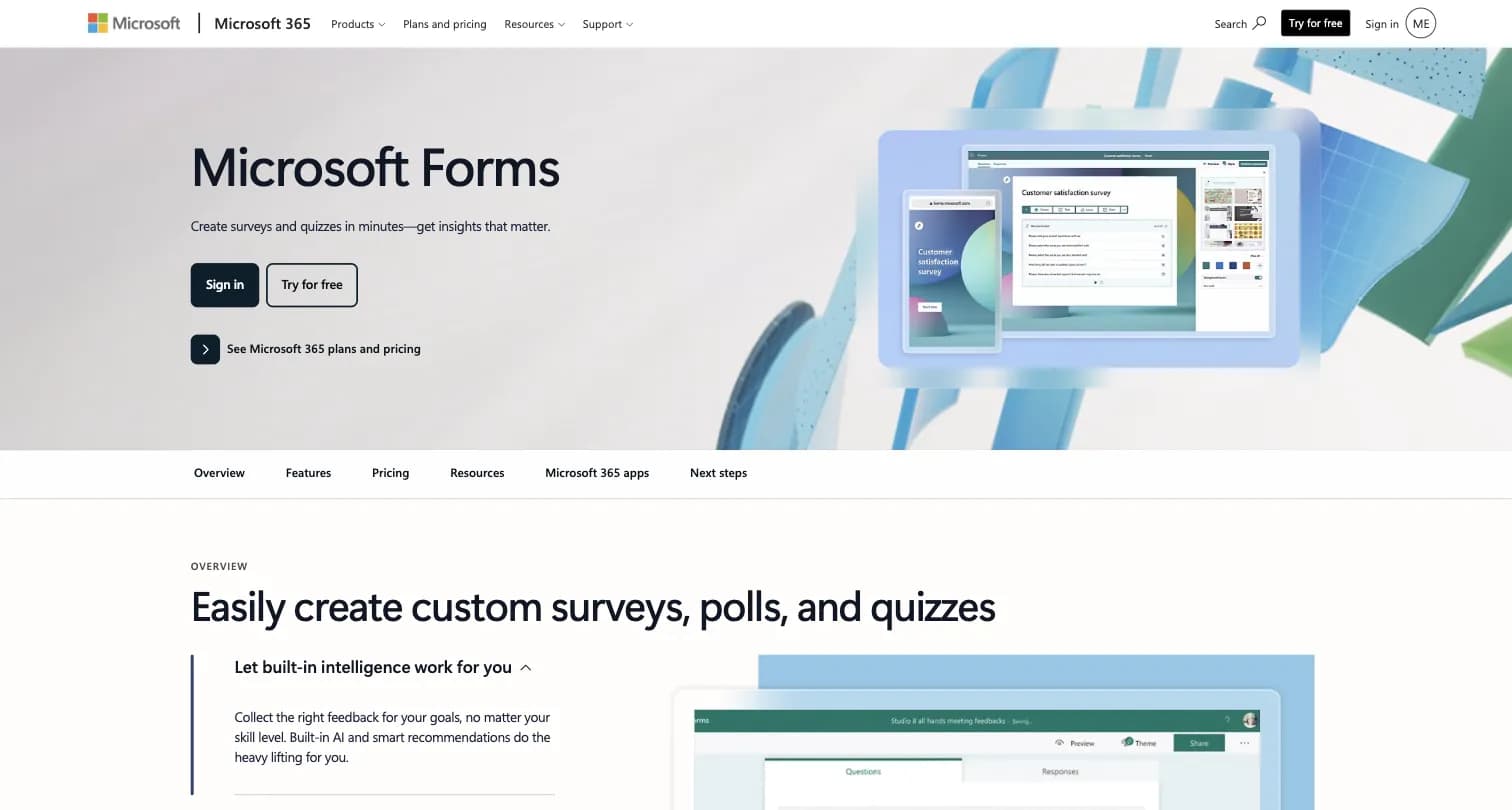
Captured August 15, 2026 from microsoft.com/en-us/microsoft-365/online-surveys-polls-quizzes.
Content Snare's comparison reaches a similar split verdict after testing both directly: Google Forms edges out on Capterra rating (4.7 vs Microsoft Forms' listed score) and integrates more automatically with Sheets for analysis, while Microsoft Forms is the natural pick for anyone already inside a Microsoft 365 environment, since its Excel and SharePoint integration requires no setup.
Source: Jotform's Microsoft Forms vs Google Forms comparison and Content Snare's comparison, both captured August 15, 2026.
The honest read: this isn't a "which is better" question so much as a "which suite do you already pay for" question. Both tools cap out at basic data collection, and neither is built to run a recurring feedback program with segmentation or automated follow-up.
Microsoft Forms: Bundled, Branching Logic, One Real External-Respondent Problem
Microsoft Forms is a survey, poll, and quiz tool bundled into Microsoft 365. It has no independent founding story, it's a product line inside Microsoft 365, not a standalone business with its own roadmap or pricing.
What You Get
Microsoft Forms includes built-in AI question suggestions, basic branching logic for polls and quizzes, and real-time charts with export to Excel. It ships with a pre-made Net Promoter Score question type and rating and ranking formats that Google Forms doesn't offer natively. Forms can be shared into Teams channels and can trigger Power Automate workflows on submission.
The free personal tier works with any Microsoft account, but caps each form at 200 responses. Full business features, including higher response limits, require a Microsoft 365 subscription.
Where Microsoft Forms Falls Short
- Branching logic is simple IF/THEN only, no AND/OR conditions and no visual logic builder for complex decision trees
- Adding a file-upload question disables the "Anyone can respond" option, which blocks external, non-employee respondents from attaching documents entirely, a specific and easy-to-hit limitation for any team collecting attachments from customers
- No payment collection, no e-signature support
- No closed-loop feedback workflows or CX program layer of any kind, it's a forms tool, not an experience management platform
- Fewer question types than Google Forms: no dropdown, no multiple-choice matrix, no checkbox matrix
Google Forms: Free, Simple, and Intentionally Basic
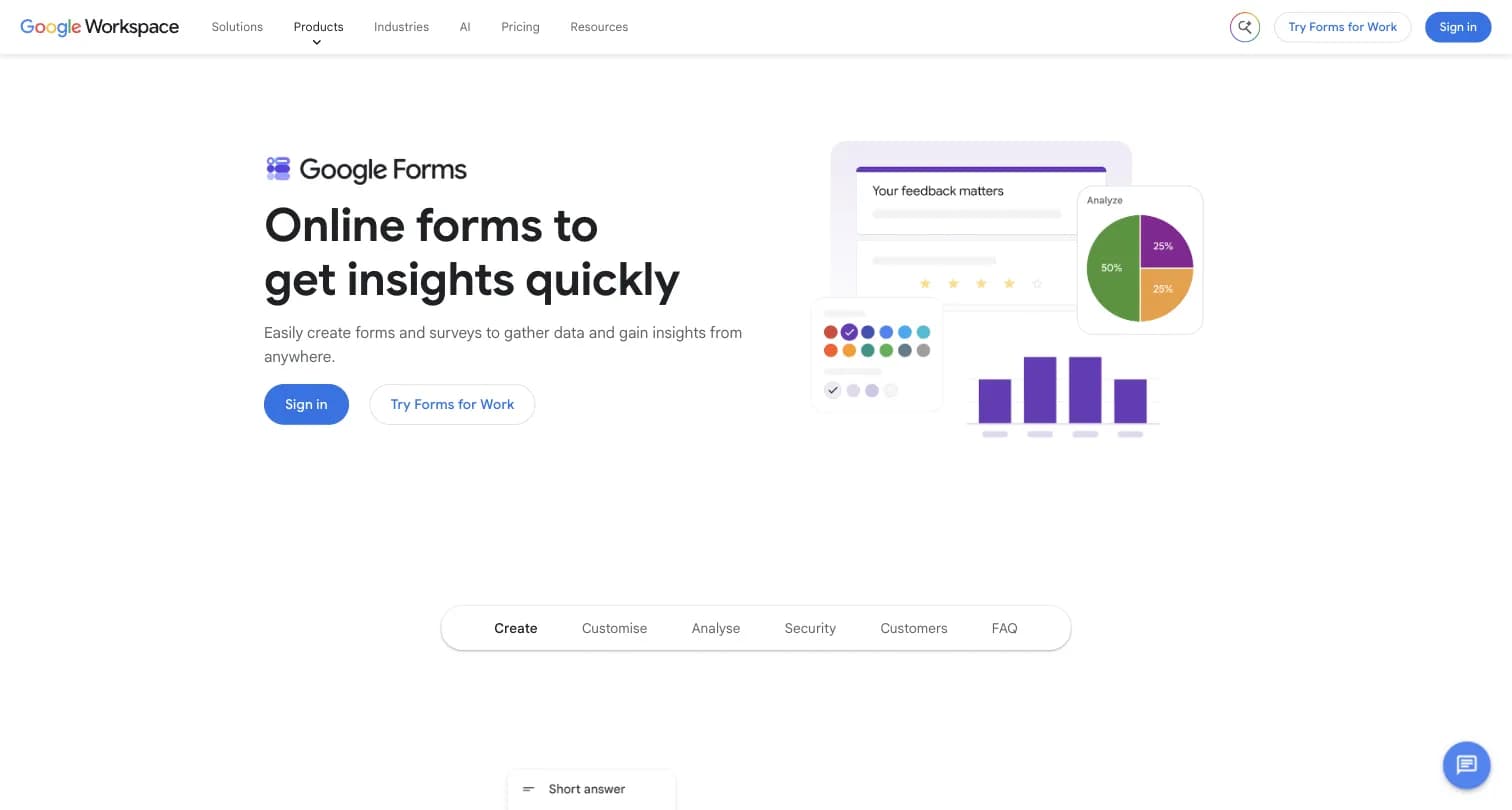
Captured August 15, 2026 from workspace.google.com/products/forms.
Google Forms is a free form and survey tool bundled into Google Workspace. Like Microsoft Forms, it's a product line inside a larger suite, not an independent company with its own pricing lever.
What You Get for Free
Google Forms is free with any Google account, not just a paid Workspace seat. It includes:
- Unlimited forms and unlimited responses
- 11-12 question types, including dropdown, multiple-choice matrix, checkbox matrix, and file upload
- Real-time response charts, with export to Google Sheets for deeper analysis
- Basic branching logic (jump to a section based on an answer)
- Custom branding limited to a logo, background color, and font
Jotform's testing found Google Forms lets you place images and videos anywhere in the form, not only inside a question the way Microsoft Forms restricts them, and counted 36 free templates versus Microsoft Forms' 21.
Where Google Forms Is Bundled, Not Standalone
Google Forms itself has no price. Wanting more storage, custom business email, or admin controls alongside Forms means a Google Workspace seat: Business Starter at $7/user/month, Business Standard at $14/user/month, Business Plus at $22/user/month, or custom Enterprise pricing. None of these are Forms-specific prices, they're the cost of the entire Workspace suite.
Where Google Forms Falls Short
- No custom branding beyond a logo, background color, and font, no white-labeling because there is no paid Forms-specific plan
- No "save as draft," leaving a form before submitting loses all answers
- No native mobile app
- No payment collection or e-signature support
- No advanced analytics or GDPR-specific compliance features built in, beyond what Google Cloud's broader compliance program covers
Why "Free" Is a Bit of a Misnomer for Both
Neither Microsoft Forms nor Google Forms has a standalone price you can point to. What buyers actually pay for is the productivity suite around it: a Microsoft 365 seat or a Google Workspace seat, both of which also buy email, storage, and every other app in the suite.
| Microsoft 365 (Forms bundled) | Google Workspace (Forms bundled) | |
|---|---|---|
| Entry seat | Business Basic: $7/user/month | Business Starter: $7/user/month |
| Mid tier | Business Standard: $14/user/month | Business Standard: $14/user/month |
| Upper tier | Business Premium: $22/user/month | Business Plus: $22/user/month |
| Enterprise | Custom pricing | Custom pricing |
Microsoft raised its Business Basic and Standard prices as of July 1, 2026 (Business Basic $6 to $7, Business Standard $12.50 to $14), per Microsoft's own pricing-update page. Several third-party "Microsoft Forms vs Google Forms" comparisons still ranking for this search, including Content Snare's, cite the pre-increase Microsoft numbers ($6, $12, $18) rather than the current ones. If you're comparing costs today, confirm current pricing directly with Microsoft and Google rather than trusting an older comparison article's numbers, including this one over time.
Source: Microsoft's 2026 pricing update announcement, captured August 15, 2026.
Formbricks: An Open Feedback and Experience Management Suite
Formbricks isn't a third bundled forms tool competing on templates or question-type counts. It's an open source feedback and experience management suite built around three things: feedback management, feedback analytics, and workflows and integrations, published transparently and included on every tier rather than upsold as add-ons.
Feedback Management. Formbricks unifies collection channels that neither Microsoft Forms nor Google Forms combine on one platform: website surveys that target specific visitors, in-app surveys that reach any user cohort inside your product, link surveys for broad distribution, and branded surveys embedded directly in email.
Feedback Analytics. Response data flows into one place regardless of channel. You can follow individual feedback trails or zoom out for the aggregate picture, track partial and dropped-off responses, and segment by custom attributes, capabilities neither Microsoft Forms' Excel exports nor Google Forms' basic charts are built around.
Workflows and Integrations. Formbricks Workflows automate what happens after a response comes in, routing and acting on feedback without manual handling. On the integration side, Formbricks connects to Salesforce, HubSpot, Slack, Google Sheets, and Notion through webhooks and its open API, free on every tier, including the self-hosted Community Edition.
Formbricks Pricing
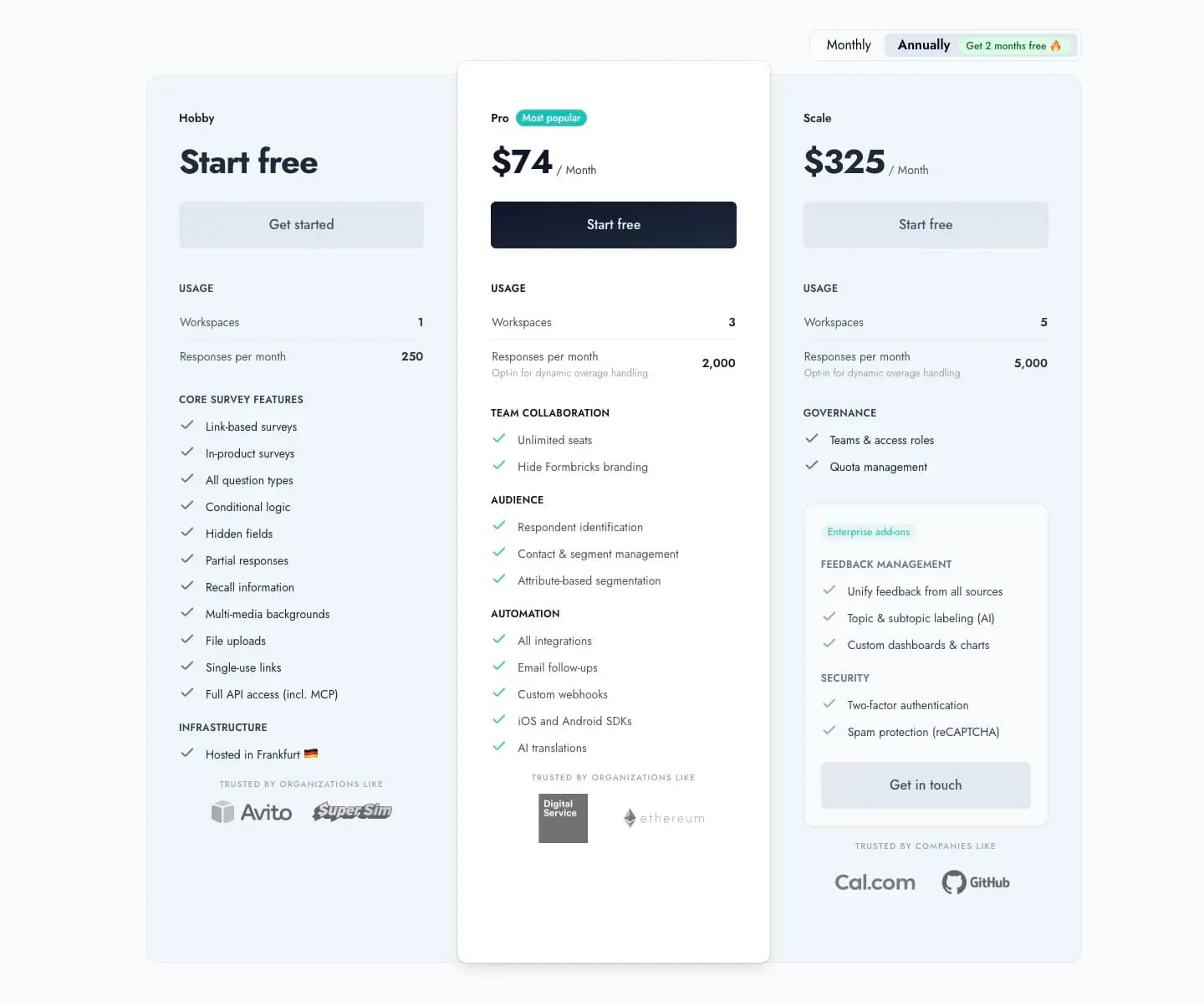
Captured August 16, 2026 from formbricks.com/pricing.
| Plan | Monthly Billing | Annual Billing | Responses/Month | Workspaces |
|---|---|---|---|---|
| Hobby | Free | Free | 250 | 1 |
| Pro | $89/month | $890/year (displayed as $74/mo) | 2,000 | 3 |
| Scale | $390/month | $3,900/year (displayed as $325/mo) | 5,000 | 5 |
Unlike Microsoft Forms' 200-response cap on the free personal tier, or Google Forms' unlimited-but-basic free tier, Formbricks Hobby includes full API access, including MCP, conditional logic, and file uploads with no external-respondent restriction, on day one, no paid upgrade required.
Formbricks Self-Hosting: Community Edition
The free, self-hosted Community Edition, licensed under AGPLv3, is where Formbricks diverges from both Microsoft Forms and Google Forms. Data never leaves your own infrastructure, there's no response cap, and even if you stop paying for Enterprise features, the Community Edition and your data remain accessible. Neither Microsoft Forms nor Google Forms offers an equivalent self-hosting path at any price, since both are cloud products tied permanently to their parent suite.
Side-by-Side Pricing
| Microsoft Forms | Google Forms | Formbricks | |
|---|---|---|---|
| Free tier | 200 responses/form (personal account) | Unlimited responses, basic features | 250 responses/month, full API incl. MCP |
| Cheapest bundled seat | M365 Business Basic: $7/user/mo | Workspace Business Starter: $7/user/mo | Pro: $89/mo (or $890/yr annual) |
| Mid tier | M365 Business Standard: $14/user/mo | Workspace Business Standard: $14/user/mo | Scale: $390/mo (or $3,900/yr annual) |
| Enterprise | Custom pricing | Custom pricing | Custom pricing, published contact path |
| Self-hosting | Not offered | Not offered | Free Community Edition, self-hosted |
| Feedback channels | Forms only | Forms only | Website, in-app, link, and email, unified |
Feature Value Breakdown
Question Types and Templates
Microsoft Forms' Approach: 11 question types including a pre-built NPS question, rating, and ranking formats. 21 free templates.
Google Forms' Approach: 11-12 question types including dropdown, multiple-choice matrix, checkbox matrix, and file upload. 36 free templates per Jotform's count.
Formbricks' Approach: All standard question types plus conditional logic and attribute-based targeting for who sees a question at all.
Value Verdict: Google Forms wins on raw question-type and template variety between the two bundled tools. Formbricks wins if you need targeting logic beyond simple branching.
Branching Logic
Microsoft Forms' Approach: Basic IF/THEN branching only, no AND/OR conditions, no visual logic builder.
Google Forms' Approach: Basic single-level branching, jump to a section based on one answer.
Formbricks' Approach: Conditional logic combined with attribute-based segmentation, so you can target a survey by user behavior or profile data, not just a previous answer.
Value Verdict: Both bundled tools are comparably basic here. Formbricks wins clearly for anyone who has already hit the ceiling on both.
External Respondent Access
Microsoft Forms' Approach: Adding a file-upload question disables "Anyone can respond," blocking external, non-employee respondents from attaching files entirely.
Google Forms' Approach: File upload works as a standard question type with no equivalent restriction documented.
Formbricks' Approach: File uploads work for any respondent, internal or external, on every tier.
Value Verdict: This is a real, specific gap for Microsoft Forms. If you need to collect attachments from customers or applicants outside your organization, Google Forms or Formbricks are the safer picks.
Custom Branding
Microsoft Forms' Approach: Limited to color and background theme selection, no logo-driven white-labeling documented.
Google Forms' Approach: Logo, background image, and font, free, no white-labeling since there's no paid Forms-specific tier.
Formbricks' Approach: Full branding removal and customization included from the free Hobby plan.
Value Verdict: Formbricks wins clearly. Neither bundled tool offers real white-labeling because neither sells Forms as its own product.
Data Residency and Self-Hosting
Microsoft Forms' Approach: Runs entirely on Microsoft's cloud infrastructure, no self-hosting or regional choice.
Google Forms' Approach: Runs entirely on Google's cloud infrastructure, no self-hosting or regional choice.
Formbricks' Approach: A free, self-hosted Community Edition under AGPLv3 keeps data on your own infrastructure entirely, on every plan.
Value Verdict: Formbricks wins clearly for any buyer where self-hosting or data residency is a hard requirement, since neither Microsoft nor Google offers a path to it for their forms products at any price.
Feedback Program Depth
Microsoft Forms' Approach: No CX program layer, no NPS/CSAT tracking over time beyond a single NPS question type, no closed-loop workflows.
Google Forms' Approach: No CX program layer, no segmentation, no automated follow-up.
Formbricks' Approach: Feedback analytics (segmentation, drop-off tracking, aggregate and per-response views) and Formbricks Workflows for post-response automation, built in rather than sold separately.
Value Verdict: Formbricks wins decisively here. Neither bundled tool was built to run a recurring feedback program, only to collect one-off forms.
Who Should Choose Which Platform
Choose Microsoft Forms if:
- Your organization already runs on Microsoft 365 and needs quick internal polls, quizzes, or lightweight surveys
- Teams, Excel, and SharePoint integration matter more than question-type variety
- You don't need to collect file attachments from people outside your organization
- A built-in NPS question template covers your basic customer-loyalty tracking needs
Choose Google Forms if:
- Your budget is $0 and you already use any Google account
- You're collecting internal feedback, RSVPs, or classroom quizzes, not customer-facing research
- Unlimited free responses matter more than advanced branching or white-labeling
- You want more question types and templates than Microsoft Forms' free tier offers
Choose Formbricks if:
- You want one platform for website, in-app, link, and email feedback instead of forms alone
- You need feedback analytics (segmentation, drop-off tracking) and Workflows built in, not sold separately
- Self-hosting or data residency is a real requirement, not a preference
- You've hit the response cap, branding limit, or external-respondent restriction on either bundled tool
Microsoft Forms vs Google Forms FAQ
Final Verdict
👍 Microsoft Forms is the right call if your organization already runs on Microsoft 365 and needs quick internal polls, quizzes, or lightweight surveys with tight Teams and Excel integration. Just don't plan on collecting file attachments from anyone outside your organization, that setting is a hard restriction, not a workaround away.
👍 Google Forms is the right call if your budget is $0, you already live inside a Google account, and your needs are internal, low-stakes, or purely structured data collection (event signups, quizzes, RSVPs) rather than a branded, customer-facing research program.
👉 Formbricks is the better fit if you want one platform for website, in-app, link, and email feedback instead of choosing between two bundled forms tools, and you want feedback analytics and Workflows built in from a published, monthly-or-annual price. The self-hosted Community Edition also gives you a data residency option neither Microsoft Forms nor Google Forms offers at any price.
The honest read: Microsoft Forms and Google Forms solve the same basic problem for free, and picking between them usually comes down to which suite you already pay for, not which has better features. If neither answers the feedback-analytics or self-hosting question you actually came here with, see Formbricks' current pricing here.
Try Formbricks now