

Jotform Review 2026: Features, Pricing, and a Feedback-First Alternative

Johannes
Co-Founder @ Formbricks
11 Minutes
August 16th, 2026
Jotform markets itself as more than a form builder today, it bundles Jotform Apps, Jotform Tables, a Store Builder, and Jotform Sign into one platform. But a hands-on review from Zite, an app-building competitor (Zite and no-code form builder Fillout are both operated by Restly, Inc., worth knowing since Fillout competes with Jotform directly), put it plainly after testing: "everything revolves around forms." The apps are forms wrapped for mobile. The stores are built on forms underneath. To write this Jotform review, I went through Jotform's own pricing and feature pages, G2/Capterra/TrustRadius review data, and that hands-on test, weighted accordingly given the source.
I believe Jotform is the right call if:
- You need a general-purpose form builder for registrations, orders, payments, or approvals rather than a structured feedback program
- You want e-signatures, PDF generation, and 40+ payment gateways bundled with your forms
- You need HIPAA-enabled forms, available on the Gold and Enterprise plans
It's a weaker fit if:
- You need dedicated NPS, CSAT, or CX program management rather than general data collection
- Your team needs more than one user below the custom-priced Enterprise plan
- You want to distribute a mobile app through the App Store or Google Play, not just a shareable link or QR code
Because of that, I've included a full comparison with Formbricks later in this review, since structured feedback programs are Formbricks' core product rather than one use case among many for a general-purpose form-and-apps platform.
Table of contents:
- What is Jotform?
- Jotform Pros & Cons
- Jotform Review: How It Works & Key Features
- Where Jotform Falls Short
- What Reviewers Actually Say
- A Different Approach: Formbricks as an Open Feedback and Experience Management Suite
- Jotform vs Formbricks: Technical & Business Comparison
- Who Should Actually Use Jotform
- Jotform Review FAQ
- Final Verdict
What is Jotform?
Jotform was founded in 2006 by Aytekin Tank, who was "sick and tired of having to code online forms" and built a faster, what-you-see-is-what-you-get form builder instead. The company has remained bootstrapped, with no outside funding, while growing to 40 million-plus users, 2 billion-plus form submissions, and 20,000-plus templates across 16 languages.
Jotform positions itself today as an "AI-powered online form builder and workflow automation platform." Beyond the core form builder, it now includes Jotform Apps (bundling forms into mobile-friendly progressive web apps), Jotform Tables (a spreadsheet-style view for managing submissions), a Store Builder for simple e-commerce, and Jotform Sign for e-signatures.
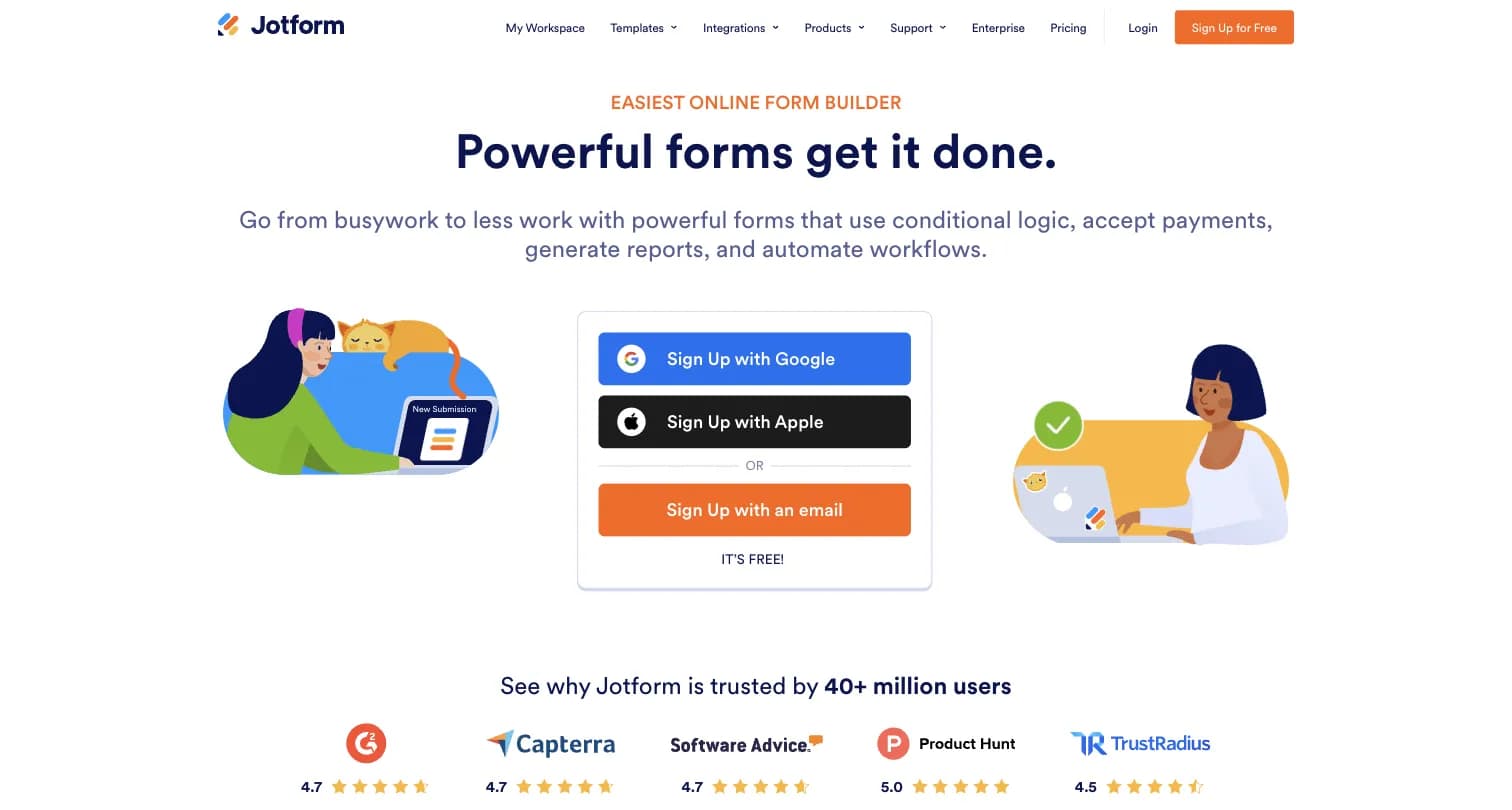
Captured August 15, 2026 from jotform.com.
Jotform Pros & Cons
| Pros | Cons |
|---|---|
| ✅ Ease of use and an intuitive drag-and-drop interface | ❌ Pricing becomes restrictive at higher usage/submission volume |
| ✅ Large template library (10,000+ templates cited by reviewers, 20,000+ per Jotform's own count) | ❌ Some advanced features gated to higher tiers |
| ✅ Integration with 200+ apps | ❌ Form loading times can slow under complex conditional logic |
| ✅ Native payment collection across 40+ gateways | ❌ Single user on every plan below Enterprise |
| ✅ Conversational AI Agents built on GPT-4 and Gemini | ❌ Jotform Apps can't be published to the App Store or Google Play |
Jotform Review: How It Works & Key Features
Form Building and Templates
Jotform's drag-and-drop builder centers on its large template library, 20,000-plus templates by Jotform's own count, spanning business, education, healthcare, and e-commerce categories, plus 100-plus field types on paid tiers. An AI generator can produce a starting form or app from a short prompt.
The platform also has a wide ecosystem of widgets: photo capture, barcode scanning, and signature collection can all be added to a form as interactive elements, functioning almost like mini-applications rather than static fields.
Payments and Document Workflows
Native payment collection spans 40-plus gateways including PayPal, Stripe, and Square. Jotform Sign adds e-signature collection, and submissions can generate PDF documents automatically, useful for contracts, approvals, and registration workflows that need a paper trail.
AI Agents
Jotform's AI Agents, built on OpenAI's GPT-4 and Google's Gemini (for HIPAA accounts), turn form-filling into a conversational, chat-like experience. Reviewers describe the chatbot addition as a genuine improvement for handling routine customer inquiries without requiring constant staff availability.
Jotform Apps, Tables, and Store Builder
Jotform Apps bundles multiple forms into a single mobile-friendly experience, but per Zite's hands-on test (see the affiliation note above), these apps are progressive web apps (PWAs) that can only be shared via link, QR code, or added to a device's home screen, not published to the Apple App Store or Google Play. The same review found the app layouts "worked but looked dated and blocky," with preconfigured layouts that don't allow a fully modern aesthetic.
Jotform Tables gives submissions a spreadsheet-like workspace with filtering and assignment features, cleaner than exporting CSVs repeatedly, though it lacks true relational database features. The Store Builder can handle simple product sales but, per the same test, isn't built for full inventory management, shipping logic, or customer accounts.
Integrations and Ecosystem
Jotform connects to 150-plus third-party tools spanning CRMs, email marketing, cloud storage, and project management platforms, plus a widget ecosystem reviewers cite as a genuine strength for extending a form beyond basic fields.
Where Jotform Falls Short
Everything Still Revolves Around Forms
- Jotform Apps, Tables, and the Store Builder are all built on top of the same underlying form infrastructure
- A hands-on independent test found app layouts "dated and blocky," with no path to real custom software beyond form-based workflows
Jotform Apps Can't Reach App Stores
- Apps are progressive web apps, shareable only via link, QR code, or home-screen install
- Teams needing true App Store or Google Play distribution have to look elsewhere
Single User on Every Plan Below Enterprise
- Bronze, Silver, and Gold are all single-user plans
- Teams needing basic multi-user collaboration must jump straight to custom-priced Enterprise, per Jotform's own pricing page
Submission and Form Caps Scale With Price
- Even the highest self-serve plan (Gold, $99/month billed annually) caps at 100 forms and 10,000 monthly submissions
- Organizations running many small forms or high-traffic public forms will hit ceilings routinely, per the independent test's own assessment
No Purpose-Built Feedback or CX Program Layer
- Jotform is a general-purpose form and workflow builder, not an experience-management platform
- There's no dedicated NPS/CSAT program management, closed-loop follow-up, or CX analytics layer built into any plan
Design Customization Is Limited
- Reviewers repeatedly note forms are "bland" without deep room for customization
- Colors, fonts, and background images can be changed, but the overall structure is preconfigured
What Reviewers Actually Say
Jotform holds a 4.7 rating across 5,424 reviews on G2, a 4.7 rating across 2,918 reviews on Capterra, and 8.5 out of 10 across 388 reviews on TrustRadius.
On G2, users consistently praise how quickly they can get started using templates and the drag-and-drop builder, and highlight the ability to connect payment gateways, Google Sheets, and Slack without friction. Multiple reviewers specifically call out push notifications as useful for alerting a whole team at once, and describe the AI chatbot addition as handling customer inquiries around the clock.
On the critical side, users on G2 and Reddit repeatedly mention that forms feel visually bland with limited room for customization beyond colors, fonts, and background images, and several reviewers report buffering or noticeable lag when editing complex forms or opening the Jotform app.
A Different Approach: Formbricks as an Open Feedback and Experience Management Suite
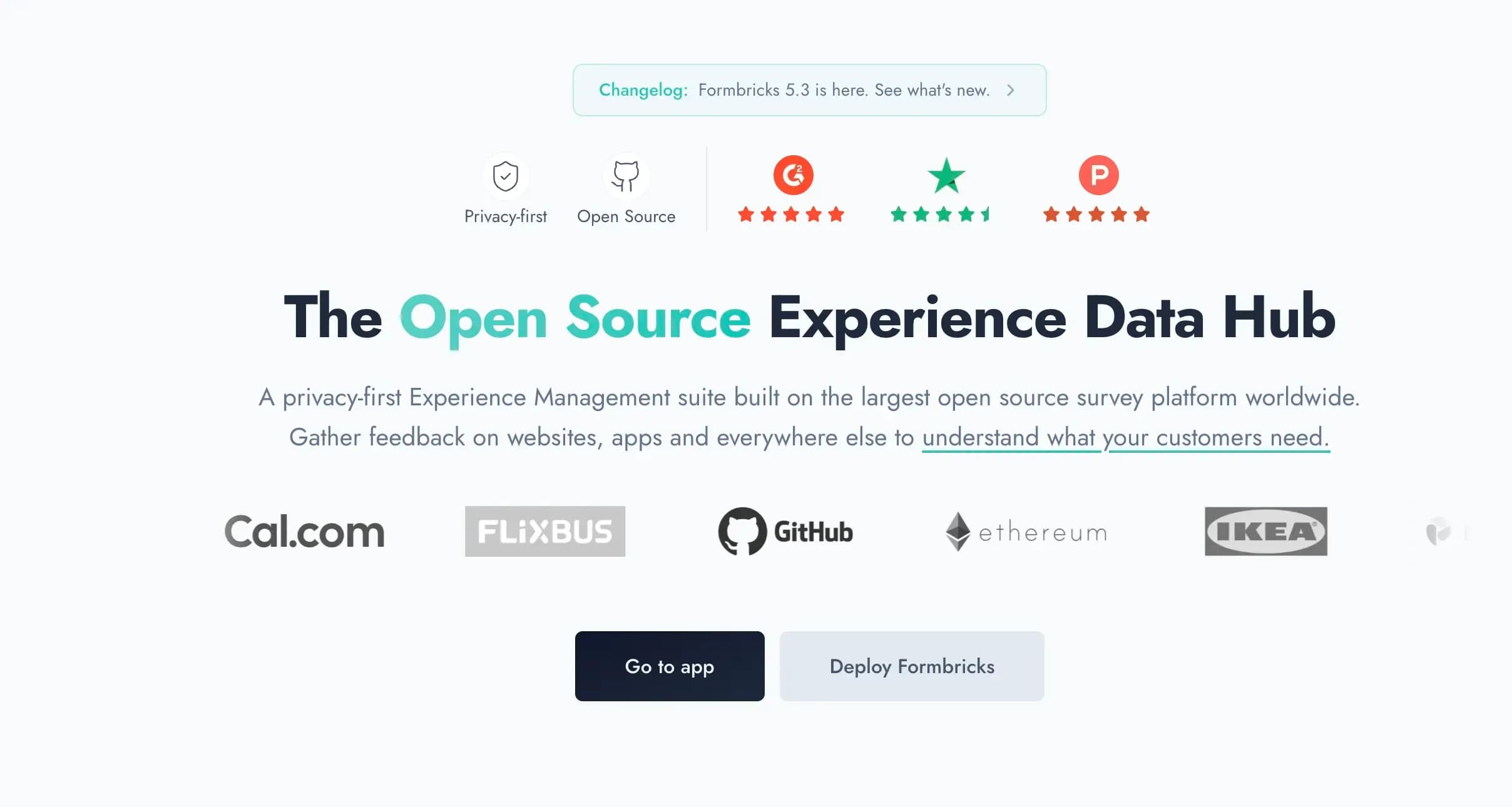
Captured August 15, 2026 from formbricks.com.
Formbricks isn't a form-and-apps platform expanding sideways into surveys. It's an open source feedback and experience management suite built around three things: feedback management, feedback analytics, and workflows and integrations, unified on one platform and one published price.
Feedback Management. Formbricks unifies website surveys, in-app surveys, link surveys, and branded email surveys on one platform, purpose-built for structured feedback programs like NPS, CSAT, and PMF tracking, rather than operational data collection like registrations, orders, or payments.
Feedback Analytics. Response data flows into one dashboard regardless of channel. Teams can follow an individual response's full trail or zoom out for the aggregate picture, track partial and dropped-off responses, and segment by custom attributes.
Workflows and Integrations. Formbricks Workflows automate what happens after a response comes in. Native integrations connect to Salesforce, HubSpot, Slack, Google Sheets, and Notion through webhooks and a free, unrestricted API on every tier, including the self-hosted Community Edition, a rarity in a category where API access is often gated behind an enterprise tier.
Formbricks Pricing, Verified Live
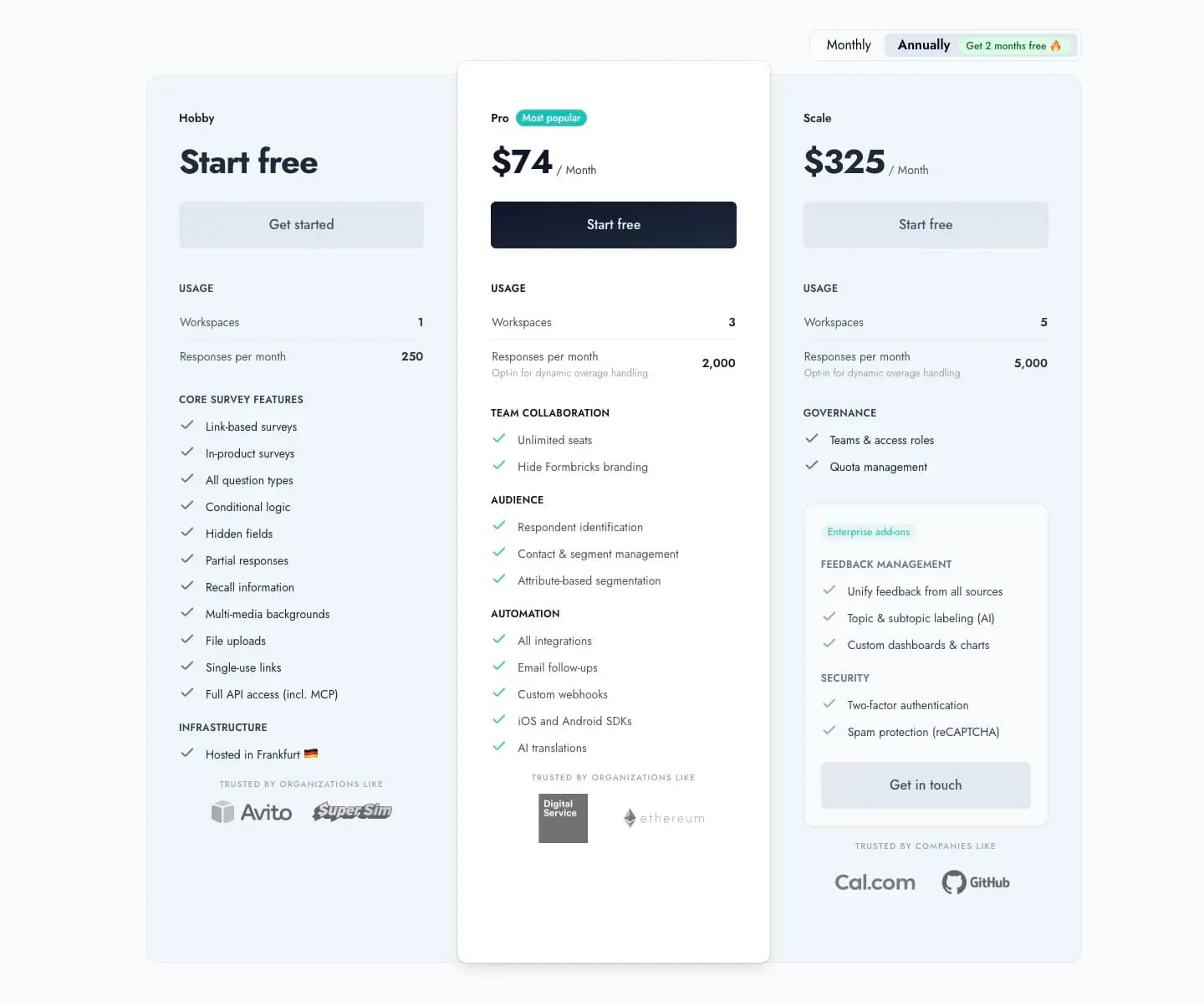
Captured August 16, 2026 from formbricks.com/pricing.
| Plan | Price | Usage |
|---|---|---|
| Hobby | Free forever | 1 workspace, 250 responses/month, full API access (incl. MCP), hosted in Frankfurt |
| Pro | $89/month billed monthly, or $74/month billed annually ($890/year total) | 3 workspaces, 2,000 responses/month, unlimited seats, attribute-based segmentation, all integrations |
| Scale | $390/month billed monthly, or $325/month billed annually ($3,900/year total) | 5 workspaces, 5,000 responses/month, teams & access roles, quota management |
Unlike Jotform, where every plan below custom-priced Enterprise caps out at a single user, Formbricks Pro includes unlimited team seats for $74-89/month. See our full Jotform pricing breakdown for a tier-by-tier comparison against Formbricks.
Self-Hosting: The Path Jotform Only Offers at Enterprise
Jotform's data residency options exist, but only at the custom-priced Enterprise tier. Formbricks' free, self-hosted Community Edition, licensed under AGPLv3, puts data control on any budget, not just enterprise contracts. Data never leaves your own infrastructure, and even if you stop paying for Enterprise-only features, the Community Edition and your data remain fully accessible.
Jotform vs Formbricks: Technical & Business Comparison
| Aspect | Jotform | Formbricks |
|---|---|---|
| Core Philosophy | General-purpose forms, apps, and workflow automation | Unified, transparently-priced feedback and experience suite |
| Team Collaboration | Single user on every plan below custom Enterprise | Unlimited seats included from Pro onward |
| Compliance | HIPAA-enabled features on Gold ($99/month) and Enterprise | Enterprise Edition adds SSO; self-hosting available on any budget |
| Data Control | Data residency only at custom-priced Enterprise | Self-hosted Community Edition available under AGPLv3 |
| API Access | Bundled across tiers, native to the form-building workflow | Full API, free on every tier including self-hosted |
| Mobile Distribution | Jotform Apps: link, QR code, or home-screen only, no app store | Native iOS/Android SDKs for in-app surveys inside your own app |
| Feedback Channels | Forms, with submissions viewable in Tables | Website, in-app, link, and email surveys unified |
| Post-Response Automation | Workflow routing tied to form submissions | Formbricks Workflows on the same platform |
| Payments/E-Signatures | Native, 40+ gateways, Jotform Sign | Not offered (not Formbricks' focus) |
Who Should Actually Use Jotform
Jotform makes sense if you need a general-purpose form builder for registrations, orders, payments, or approvals rather than a structured feedback program, you want e-signatures and PDF generation bundled with your forms, and you specifically need HIPAA-enabled forms and are comfortable paying for Gold to get them.
As an illustrative example, an operations team at a mid-size services business might use Jotform to collect vendor onboarding forms, W-9s, and signed contracts in one workflow, an area outside what a dedicated feedback platform is built for. This is a hypothetical scenario based on Jotform's documented feature set, not a published customer case study.
It's a weaker fit if you need dedicated NPS/CSAT program management, targeting, or CX analytics, your team needs multi-user collaboration without jumping to the custom-priced Enterprise tier, or you're trying to distribute a real mobile app through an app store rather than a link or QR code.
Jotform Review FAQ
Final Verdict
👍 Jotform is the right call if you need a general-purpose form builder for registrations, payments, approvals, or e-signatures, and you're comfortable with single-user plans below the custom-priced Enterprise tier. Its template library, payment gateway breadth, and integration ecosystem are genuinely wide, and reviewers consistently praise ease of use.
👉 Formbricks is the better fit if your actual job is running a structured feedback program, not collecting operational form data, and you want unlimited team seats included below custom Enterprise pricing, feedback analytics and attribute-based targeting built in, and a self-hosted path for full data control.
The honest read: these solve different problems. Jotform is a broad, general-purpose form-and-apps platform where "everything revolves around forms," in an independent reviewer's own words; Formbricks is purpose-built for feedback management, feedback analytics, and workflows as its core product. If your search for a Jotform review was really about finding a dedicated feedback platform, see Formbricks' current pricing here.
Try Formbricks now