

8 Best Formstack Alternatives in 2026 (Cheaper, Faster to Set Up, or Open Source)

Johannes
Co-Founder @ Formbricks
12 Minutes
August 16th, 2026
Formstack has built a real niche as a forms-plus-document-generation-plus-e-signature platform for regulated and administrative workflows: healthcare intake, HR approvals, Salesforce-native data capture. But its entry price is genuinely high for what it offers, $83/month billed annually for just 1 user, 25 forms, and 1,000 submissions per form, well above what most form builders charge for a comparable starting tier.
Its own reviewers on G2 and Capterra praise ease of use and integrations, but also note pricing that climbs quickly when adding advanced features, and an interface some describe as not intuitive or clunky. Add in a June 2025 corporate rebrand (parent company Intellistack, per Wikipedia) that's created some buyer confusion about who exactly you'd be contracting with, and it's easy to see why "Formstack alternatives" is a real, recurring search.
The Best Formstack Alternatives at a Glance
| Tool | Best For | Free Plan | Starting Price | Notes |
|---|---|---|---|---|
| Formbricks | Feedback and experience management with self-hosting | Yes (250 responses/mo) | $74/month ($890/yr annual) | We chose Formbricks because it's the only option here built around an ongoing feedback program (feedback management, feedback analytics, workflows) with a free, self-hosted Community Edition, not a forms-plus-documents workflow tool. |
| Jotform | Feature-dense forms at a lower entry price | Yes (100 submissions/mo) | $34/month | Best for teams that want payments, PDFs, and e-signatures without Formstack's $83/month floor. |
| Fillout | Modern forms with a generous free tier | Yes (1,000 responses/mo) | $15/month | Best for teams that want Airtable/Notion sync without per-seat pricing. |
| PandaDoc | Document generation and sales-room negotiation | Yes (limited) | Custom, quote-based | Best for sales teams needing proposals, unlimited templates, and inline negotiation. |
| Typeform | Conversational, design-led forms | Yes (10 responses/mo) | $39/month | Best for lead-gen forms where visual polish drives completion. |
| Zoho Forms | Zoho ecosystem users needing native CRM sync | Yes (500 submissions/mo) | $10/month | Best for teams already paying for Zoho One. |
| GoFormz | Mobile, offline-first field data collection | No | Custom, quote-based | Best for field service and inspection workflows. |
| DocuSign | Dedicated e-signature at enterprise scale | Yes (limited) | Custom, quote-based | Best for teams that need e-signature as the primary product, not a form add-on. |
What Is Formstack?
Formstack is a forms, document generation, and e-signature workflow automation platform, founded in 2006 by Ade Olonoh as an online form builder originally called FormSpring. As of June 2025, its parent company officially rebranded as Intellistack, with the Formstack product suite continuing under that name.
Its key features include:
- No-code online form builder for data collection across healthcare, education, insurance, nonprofit, government, and finance workflows
- Document generation from form submissions, routed for e-signature
- Salesforce-native forms with progressive data capture and dynamic prefill
- PCI/HIPAA-compliant solution options
Formstack holds a 4.3 rating on G2 (471 reviews) and a 4.0 rating on Capterra (126 reviews). Reviewers praise ease of use and integrations, but also cite limited customization, an interface some describe as not intuitive or clunky, and inconsistent customer support experiences.
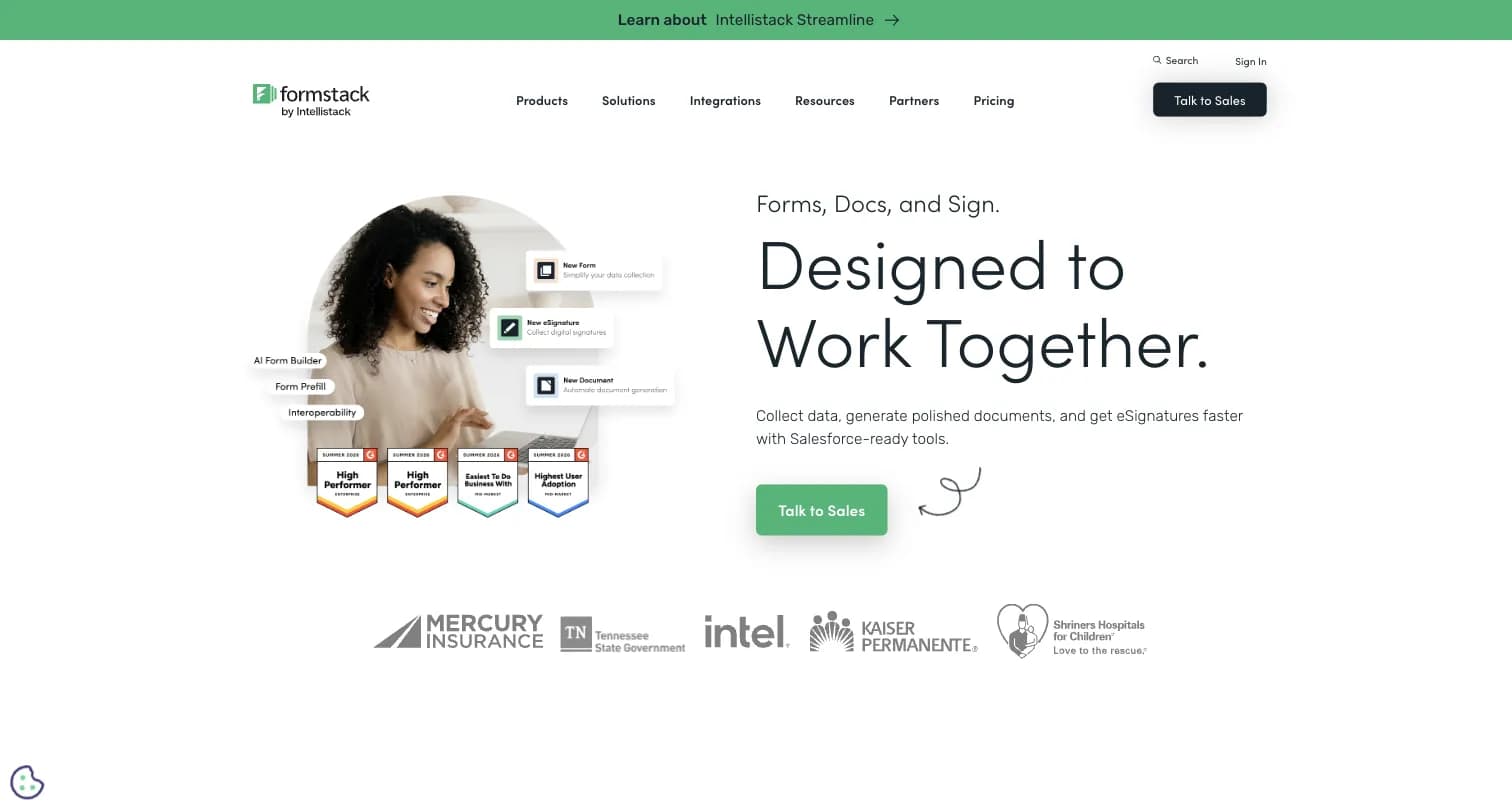
Captured August 15, 2026 from formstack.com.
Why Companies Look for Formstack Alternatives
The entry price is high relative to what it includes. Formstack's cheapest self-serve tier, Forms, costs $83/month billed annually (or $99/month monthly) for just 1 builder user, 25 forms, and 1,000 submissions per form. That's meaningfully more than Jotform's $34/month Bronze plan for a broadly comparable submission cap, or Fillout's $15/month Starter tier.
No free plan. Formstack offers a 14-day free trial, not a free tier. Nearly every alternative on this list, Jotform, Fillout, Zoho Forms, Typeform, and DocuSign, offers a genuinely free plan to start on.
Document and form limits compound. Independent comparisons note Formstack Documents limits users to 10 document templates and Formstack Forms to 20 digital forms on comparable plans, restrictions competitors like PandaDoc remove entirely.
Recent rebrand adds buyer confusion. Per Wikipedia, Formstack's parent company officially became "Intellistack" in June 2025, worth knowing before signing a contract to understand who you're actually buying from.
The 8 Best Formstack Alternatives in 2026
1. Formbricks: Open Feedback and Experience Management, Not a Document Workflow Tool
Being direct about the category difference upfront: Formbricks doesn't do what Formstack's document generation and e-signature routing do. Formbricks is an open source feedback and experience management suite built around feedback management (website, in-app, link, and email surveys, unified), feedback analytics (segmentation, drop-off tracking, aggregate and per-response views), and workflows and integrations (post-response automation plus native connections to Salesforce, HubSpot, Slack, Google Sheets, and Notion).
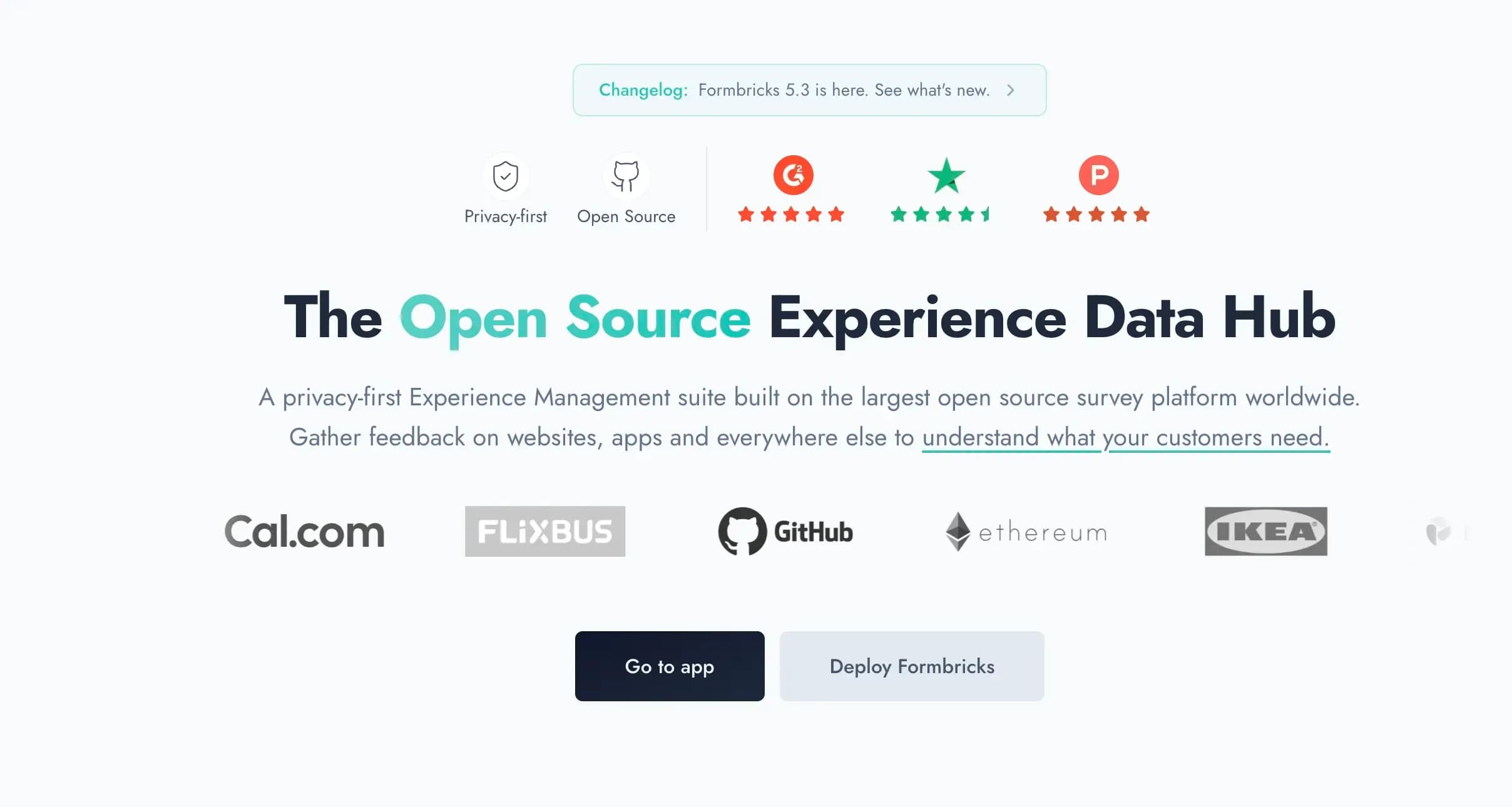
Captured August 15, 2026 from formbricks.com.
Why it's on this list anyway: a share of people researching "Formstack alternatives" are actually trying to run an NPS®, CSAT, or product-feedback program, and discover Formstack was never built for that, its own feature set is forms, documents, and approvals, not recurring CX measurement. If that's your actual gap, Formbricks is a better fit than another forms-plus-documents platform.
Key features:
- Multi-channel surveys: link surveys, website pop-ups, in-app micro-surveys, and email-embedded surveys
- Attribute-based targeting and segmentation for in-product surveys
- Feedback analytics: aggregate and per-response views, drop-off tracking, custom segmentation
- Formbricks Workflows for post-response automation
- Open API and webhooks free on every tier, including the self-hosted Community Edition
Pricing:
- Hobby (Free): 250 responses/month, 1 workspace, full API access including MCP
- Pro: $89/month ($890/year billed annually), 2,000 responses/month, unlimited seats
- Scale: $390/month ($3,900/year billed annually), 5,000 responses/month
- Community Edition (self-hosted): Free forever, AGPLv3, unlimited surveys and responses
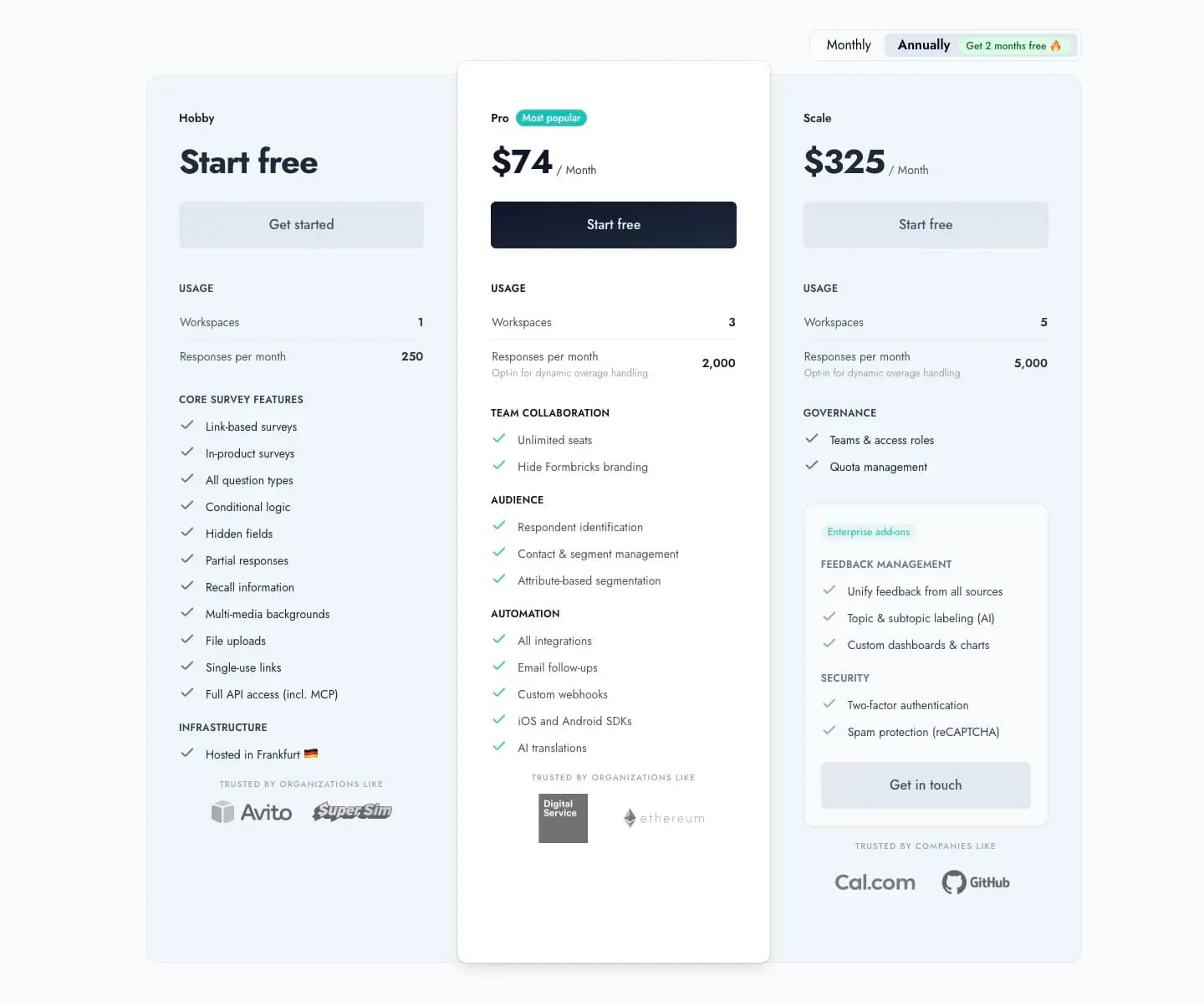
Captured August 16, 2026 from formbricks.com/pricing.
Unlike Formstack's $83/month single-user entry tier, Formbricks Pro is flat-priced at $74/month billed annually with unlimited seats included, no per-seat multiplier and no document-template cap.
Best for: Teams running an ongoing feedback program rather than a document or approval workflow, especially those needing self-hosting for data residency.
2. Jotform: Best for Feature-Dense Forms at a Lower Entry Price
Jotform undercuts Formstack's entry price significantly while covering much of the same ground: payments, PDF generation, and e-signature collection, all native.
Key features:
- 40+ payment processor integrations, more than Formstack's out-of-the-box options
- Native PDF editor and e-signature collection
- 20,000+ templates and 150+ integrations
- HIPAA-enabled features available on Gold and Enterprise plans
Pricing: Free (100 submissions/month, 5 forms), Bronze $34/month, Silver $39/month, Gold $99/month (HIPAA-enabled), Enterprise custom.
Why choose Jotform over Formstack: At $34/month for 1,000 submissions, Jotform's entry paid tier costs less than half of Formstack's $83/month floor, and its free plan gives you 100 submissions/month to test with, where Formstack offers none.
Best for: Teams that need payments, PDFs, and e-signatures without Formstack's steep entry price.
3. Fillout: Best for a Modern, Generous Free Tier
Fillout's own head-to-head comparison against Formstack lays out the gap directly: Fillout's free plan alone outpaces Formstack's $50/month tier on several dimensions, including unlimited seats, better Airtable and Notion integrations, and unlimited file uploads.
Key features:
- Deep, native Airtable and Notion integrations with record updates, not just row creation
- No per-seat pricing; unlimited users on every plan including free
- SOC 2 Type 2 compliant
- Custom CSS and branding on paid tiers
Pricing: Free (1,000 responses/month, unlimited forms and users), Starter $15/month, Business $75/month (paid annually).
Why choose Fillout over Formstack: Fillout's free plan supports unlimited forms and unlimited seats, while Formstack charges per seat starting at $83/month for just one user, with additional seats priced separately (roughly $225/month for 3 users on comparable plans per Fillout's own comparison).
Best for: Teams that want a modern, no-per-seat form builder with strong Airtable and Notion sync.
4. PandaDoc: Best for Document Generation and Sales-Room Negotiation
PandaDoc solves the document half of Formstack's product more directly, and removes the template caps Formstack imposes. Independent comparisons note Formstack Documents limits users to 10 templates and Formstack Forms to 20 digital forms, restrictions PandaDoc eliminates entirely.
Key features:
- Unlimited document and form templates, no per-plan cap
- Real-time collaboration and negotiation via virtual deal rooms
- Payment collection built into proposals and contracts
- Higher-rated design capabilities and customer support, per independent comparisons
Pricing: Free plan available with limited features, paid plans are custom and quote-based.
Why choose PandaDoc over Formstack: If your primary need is proposals and contracts with inline negotiation rather than public intake forms, PandaDoc is built specifically for that sales-room workflow, where Formstack leans toward forms-first, one-off document generation like applications and registrations.
Best for: Sales teams that need proposal generation and contract negotiation, not just form-to-document conversion.
5. Typeform: Best for Design-Led, Conversational Forms
Typeform trades Formstack's document and workflow depth for pure design polish, a reasonable trade if your form is customer-facing and conversion matters more than approval routing.
Key features:
- One-question-at-a-time conversational flow with rich media support
- AI-powered form creation from a prompt
- Conditional logic and question branching
- 300+ native integrations
Pricing: Free (10 responses/month), Basic $39/month, Plus $79/month, Business $129/month, Enterprise custom.
Why choose Typeform over Formstack: If the form itself needs to convert a customer or lead rather than route an internal approval, Typeform's design language does that job better, at a fraction of Formstack's entry price.
Best for: Marketing and lead-generation forms where visual engagement matters most.
6. Zoho Forms: Best for Zoho Ecosystem Users
Zoho Forms is the most affordable alternative on this list by a wide margin, particularly valuable if you're already paying for other Zoho products.
Key features:
- Native integration with Zoho CRM, Desk, and Projects
- Offline data collection via mobile app
- Conditional logic, approvals, and basic workflow automation
- Support for 50+ languages
Pricing: Free (3 forms, 500 submissions/month), paid plans start at $10/month.
Why choose Zoho Forms over Formstack: At $10/month versus Formstack's $83/month, Zoho Forms is roughly 8x cheaper at the entry tier, though it's a much weaker fit if you're not already using other Zoho products.
Best for: Teams already invested in the Zoho ecosystem needing basic workflow automation.
7. GoFormz: Best for Mobile, Offline-First Field Data Collection
GoFormz and similar field-service tools (GoCanvas) are named alongside Formstack in its own Wikipedia competitive landscape, specifically for teams whose forms need to work without connectivity in the field.
Key features:
- Offline-first mobile forms for field service, inspections, and audits
- Digitized versions of existing paper forms
- Photo, signature, and GPS capture on mobile devices
- Direct sync to business systems once connectivity resumes
Pricing: Custom, quote-based, contact sales for a demo.
Why choose GoFormz over Formstack: If your forms are filled out in the field (construction sites, inspections, deliveries) rather than at a desk, an offline-first mobile tool avoids the connectivity assumptions built into Formstack's web-based forms.
Best for: Field service, inspection, and construction teams needing offline mobile forms.
8. DocuSign: Best for Dedicated E-Signature at Enterprise Scale
If e-signature is the actual product you need, not a bundled feature inside a forms platform, DocuSign is the dedicated, enterprise-grade option most Formstack Sign customers eventually compare against.
Key features:
- Industry-standard e-signature with extensive legal and compliance certifications
- Advanced workflow routing for multi-party signature chains
- Deep integrations with Salesforce, Microsoft, and Google Workspace
- Global support for region-specific signature regulations
Pricing: Free plan available with limited envelopes, paid plans are custom and quote-based.
Why choose DocuSign over Formstack: Formstack's e-signature capability (Formstack Sign) is one product among three bundled onto its pricing page. DocuSign specializes in e-signature alone, with more mature enterprise compliance and integration depth.
Best for: Teams whose primary need is e-signature at scale, not forms or document generation as the entry point.
How to Choose the Right Formstack Alternative
Start With What You Actually Need
- Payments, PDFs, and e-signatures at a lower entry price: Jotform
- A modern, no-per-seat form builder: Fillout
- Sales proposals with negotiation and unlimited templates: PandaDoc
- Design-led, conversational forms: Typeform
- The cheapest option, if you're in the Zoho ecosystem: Zoho Forms
- Offline, field-based data collection: GoFormz
- Dedicated e-signature at enterprise scale: DocuSign
- An ongoing feedback program with analytics and self-hosting: Formbricks
Then Evaluate These Criteria
| Criteria | Questions to Ask |
|---|---|
| Per-seat cost | Does the price scale per user, and what does adding a second or third seat actually cost? |
| Template and form caps | Does the plan limit the number of document templates or digital forms you can build? |
| What you're actually building | An internal approval workflow, a customer-facing form, a sales proposal, or an ongoing feedback program? |
| Data residency | Can you self-host, or is everything cloud-only regardless of plan? |
The Data Residency Gap
None of the seven forms-first, document-first, or field-ops alternatives above, Jotform, Fillout, PandaDoc, Typeform, Zoho Forms, GoFormz, or DocuSign, publish a self-hosted deployment option in their documentation. Formbricks is the exception: its Community Edition is free and self-hostable under an AGPLv3 license, relevant if data control is a real requirement for your feedback data specifically.
Formstack Alternatives FAQ
The Final Verdict
Formstack remains a capable choice for forms-plus-document-generation-plus-e-signature workflows in regulated industries, but its $83/month entry price, lack of a free plan, and template caps push a lot of buyers to compare alternatives.
For teams that want Formstack's core forms-and-documents functionality at a lower price, Jotform and Fillout are the closest, cheaper substitutes. For dedicated document generation without template limits, PandaDoc goes further. For design-led lead generation, Typeform. For Zoho ecosystem users, Zoho Forms is the budget pick. For field-based data collection, GoFormz. For e-signature at enterprise scale, DocuSign.
For teams whose actual gap is an ongoing feedback program, not another document or approval workflow, Formbricks is worth a look: feedback management, feedback analytics, and Workflows built in, with the only genuinely self-hosted option on this list.
Try Formbricks now