

Webhook Triggers
Webhooks are configured to send notifications based on trigger events. The available triggers include:-
responseCreated -
responseUpdated -
responseFinished
Creating Webhooks
You can create webhooks either through the Formbricks App UI or programmatically via the Webhook API.Creating Webhooks via UI
- Log in to Formbricks
and click on the
Configurationtab in the left sidebar and then click on theIntegrationstab.
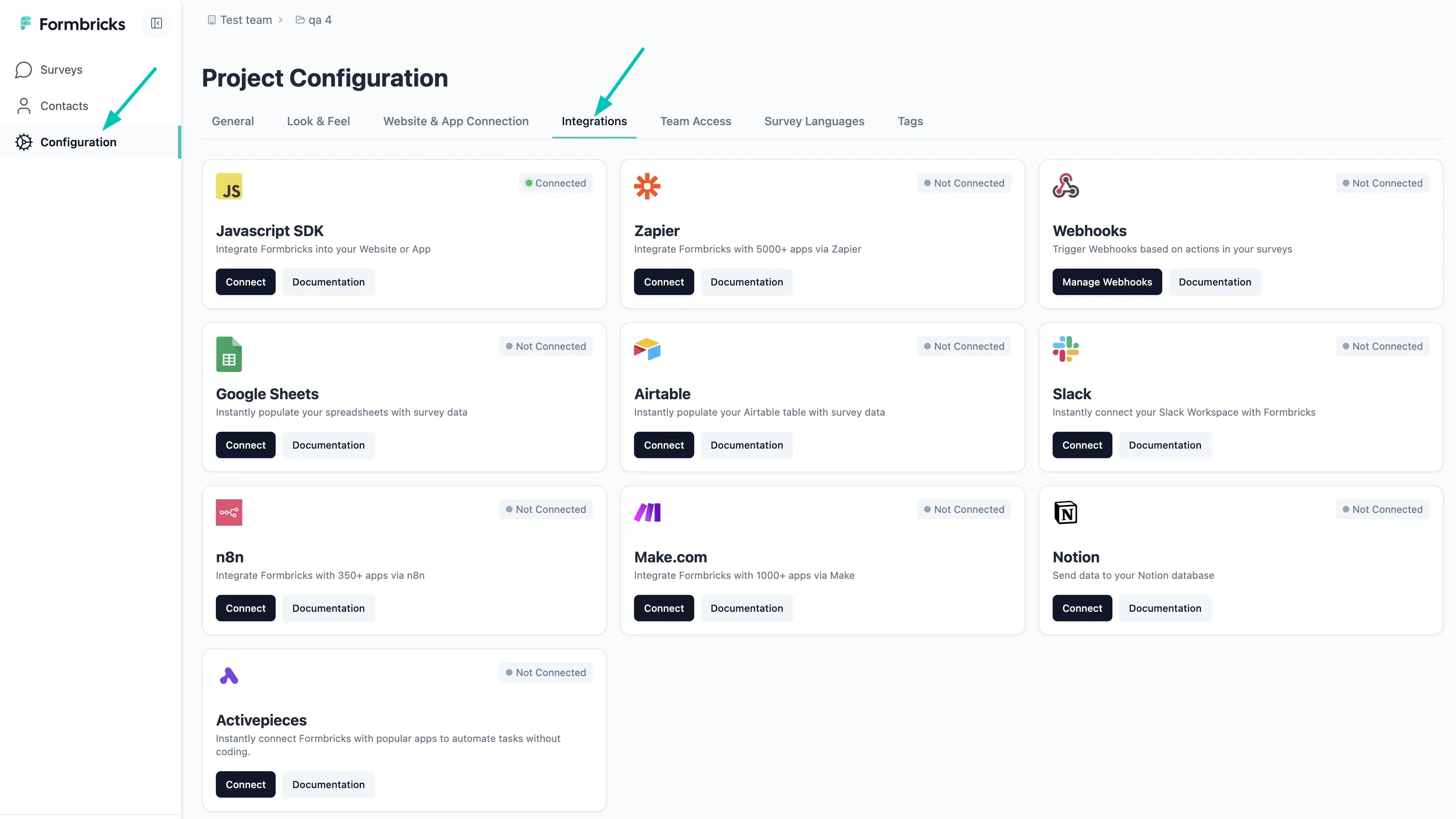
- Click on Manage Webhooks & then Add Webhook button:
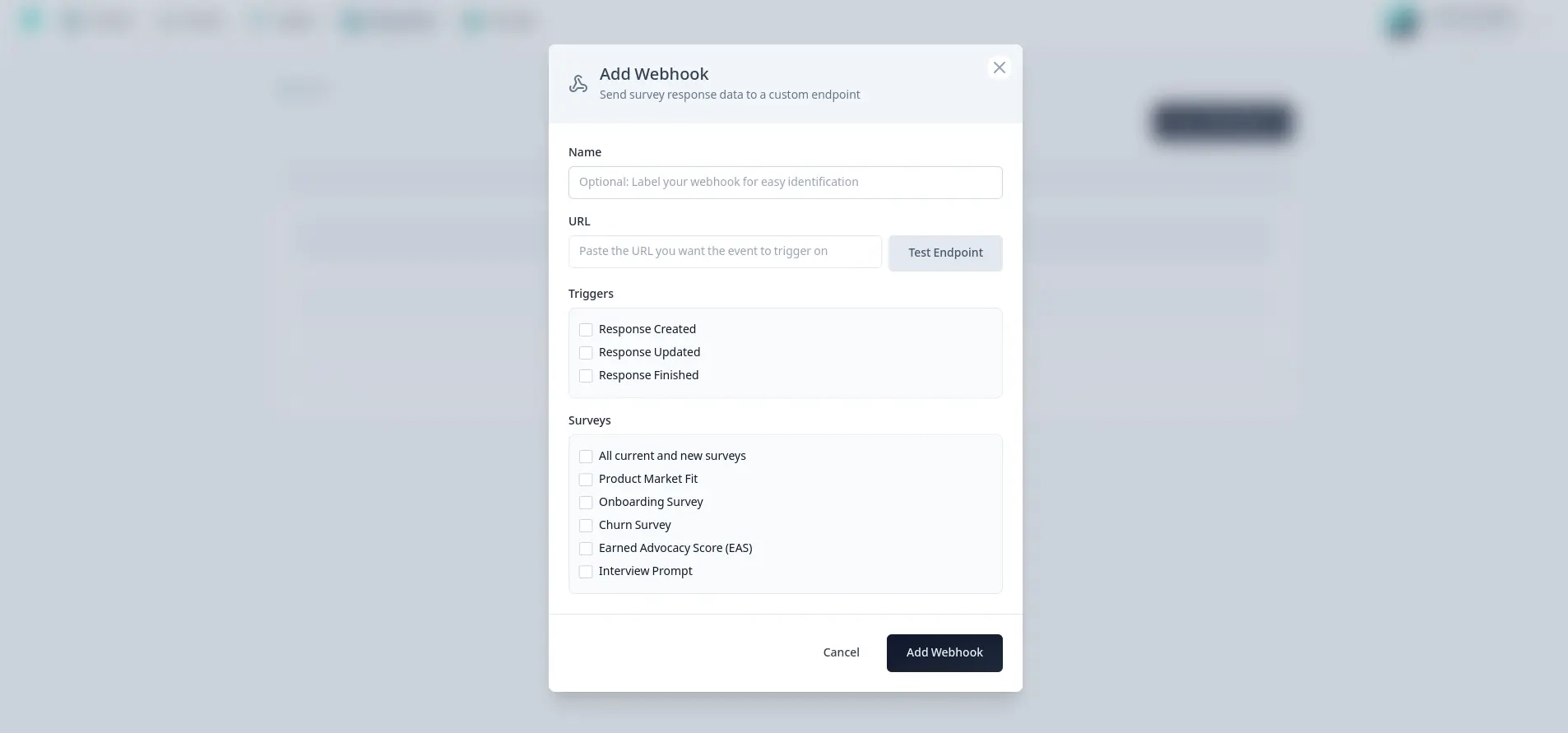
- Add your webhook listener endpoint and test it to make sure the endpoint is reachable and accepts
POSTrequests.
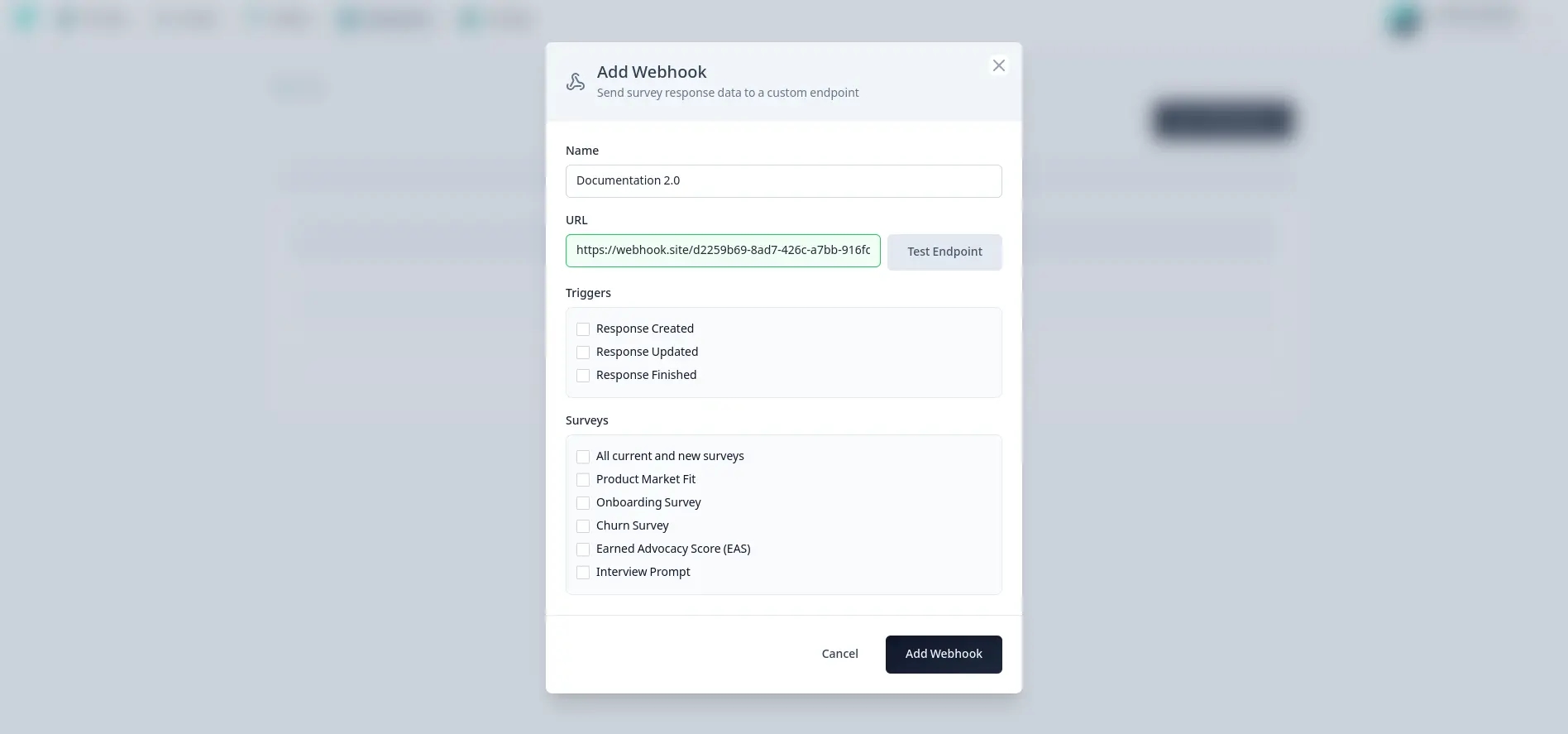
- Now add the triggers you want to listen to and the surveys!
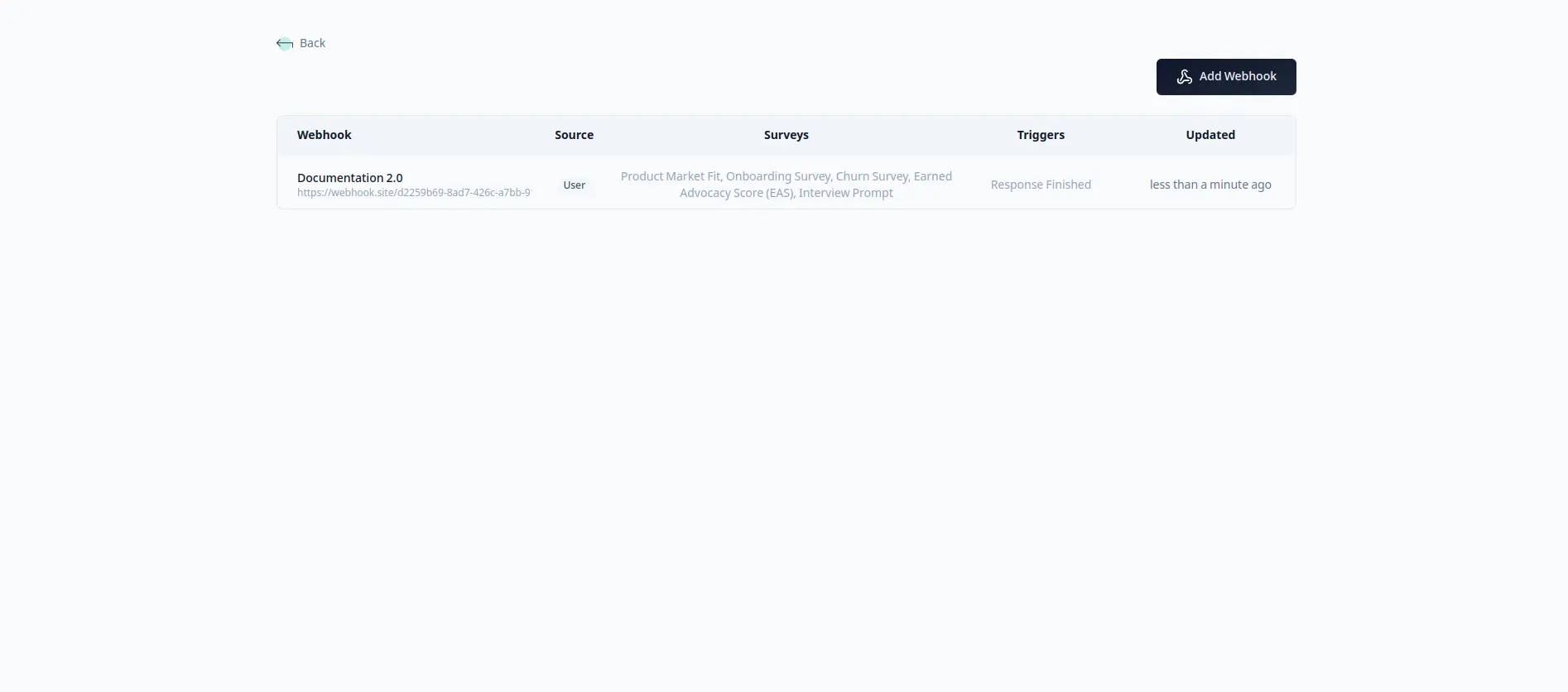
- That’s it! Your webhooks will now start receiving data as soon as it arrives!
Creating Webhooks via API
Use our documented methods on the Creation, List, and Deletion endpoints of the Webhook API mentioned in our API v2 playground.Testing Webhooks Locally
If you want to test a webhook consumer running on your machine before deploying it, you can expose your local endpoint with ngrok.1
Start your local webhook listener
Run your local endpoint on a port like
3000.2
Expose it with ngrok
Create a public HTTPS URL for your local service, for example with
ngrok http http://localhost:3000.3
Use the public URL in Formbricks
Paste the ngrok URL into your webhook endpoint, click Test Endpoint, and then save the webhook once the
endpoint is reachable.
To avoid sending unwanted test responses to production workflows, create a separate test survey in your
Workspace and use that survey copy in your development workflow while validating the webhook setup.
Allowing Internal URLs (Self-Hosted Only)
By default, Formbricks blocks webhook URLs that point to private or internal IP addresses (e.g.localhost, 192.168.x.x, 10.x.x.x) to prevent SSRF attacks. If you are self-hosting Formbricks and need to send webhooks to internal services, you can set the following environment variable:
Delivery and Retries
Formbricks delivers webhooks asynchronously from a background job runner, one delivery per webhook and event, so a slow or unavailable receiver never delays other webhooks or the rest of response processing.- A delivery counts as successful when your endpoint answers with any
2xxstatus within the delivery timeout (5 seconds by default; self-hosters can change it withWEBHOOK_DELIVERY_TIMEOUT_MS). - Network errors, timeouts, redirects, and
408,429or5xxresponses are attempted up to 5 times with an exponential backoff starting at 30 seconds — roughly 30 seconds, then 1, 2 and 4 minutes after the first attempt. After the last attempt the event is dropped; Formbricks does not replay exhausted deliveries. - Any other
4xxresponse is treated as a rejection of the request and is not retried. Respond with2xxas soon as you have durably accepted the event, and do your own processing afterwards. - Every attempt of the same event carries the same
webhook-idheader, so you can safely deduplicate retries on your side. - Deleting a webhook, or removing a trigger or survey from it, also cancels deliveries that are still queued or retrying for it.
Webhook Security with Standard Webhooks
Formbricks implements the Standard Webhooks specification to ensure webhook requests can be verified as genuinely originating from Formbricks.Webhook Headers
Every webhook request includes the following headers:Signing Secret
When you create a webhook (via the UI or API), Formbricks automatically generates a unique signing secret for that webhook. The secret follows the Standard Webhooks format:whsec_ followed by a base64-encoded random value.
Via UI: After creating a webhook, the signing secret is displayed immediately. Copy and store it securely—you can also view it later in the webhook settings.
Via API: The signing secret is returned in the webhook creation response.
This secret is used to generate the HMAC signature included in each webhook request, allowing you to verify the authenticity of incoming webhooks.
Signature Verification
The signature is computed as follows:Validating Webhooks
To validate incoming webhook requests:- Extract the
webhook-id,webhook-timestamp, andwebhook-signatureheaders - Verify the timestamp is within an acceptable tolerance (e.g., 5 minutes) to prevent replay attacks
- Decode the secret by stripping the
whsec_prefix and base64 decoding the rest - Compute the expected signature using HMAC-SHA256 with the decoded secret
- Compare your computed signature with the received signature (after stripping the
v1,prefix)
Node.js Verification Functions
Always use the raw request body (as a string) for signature verification, not the parsed JSON object.
Parsing and re-stringifying can change the formatting and break signature validation.
Using Standard Webhooks Libraries
You can also use the official Standard Webhooks libraries available for various languages:- Node.js:
npm install standardwebhooks - Python:
pip install standardwebhooks - Go, Ruby, Java, Kotlin, PHP, Rust: See the Standard Webhooks GitHub
Example Webhook Payloads
We provide the following webhook payloads,responseCreated, responseUpdated, and responseFinished.